Graphic Design vs UI/UX Design: Which Career Should You Choose?
Graphic design vs UI/UX design compared: daily work, skills, tools, job data and who suits each path, plus how graphic designers move into UI/UX later.
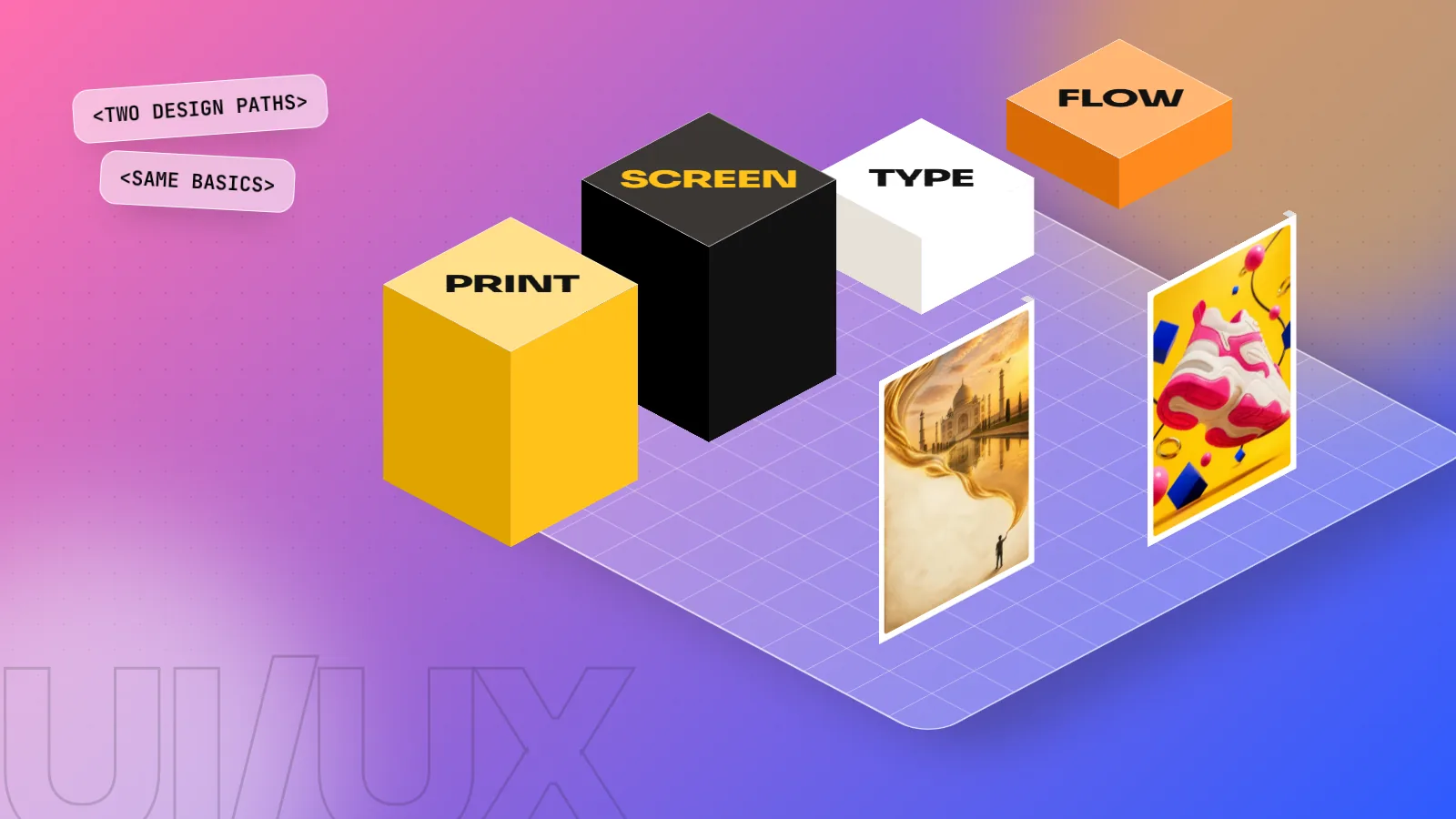
Graphic design makes visuals that communicate a message, such as logos, ads, packaging and social posts. UI/UX design plans how an app or website works and feels, through research, wireframes, prototypes and testing. Both share typography, colour and layout. Choose graphic design if you love visuals and ideas; choose UI/UX if you enjoy problem solving and user behaviour.
Graphic design vs UI/UX design is a choice many students in India face, because both sound creative and both appear in job posts. Here is the simple difference. Graphic design creates visuals that carry a message: logos, ads, packaging, posters and social posts. UI/UX design plans how a digital product works and feels: the screens of an app, the steps to book a ticket, where a button goes. The two share many skills, so this is less of a wall and more of a fork in the road. This guide compares the daily work, skills, tools and job data and helps you pick the path that suits you.
The difference in one table
| Point | Graphic design | UI/UX design |
|---|---|---|
| Main question | "Does this visual get the message across?" | "Can people use this easily?" |
| Typical output | Logos, ads, packaging, brochures, social posts | App screens, website flows, wireframes, prototypes |
| Medium | Print and screen | Mostly screen |
| Main tools | Photoshop, Illustrator, InDesign, CorelDRAW | Figma and other prototyping tools |
| Works closely with | Marketing teams, copywriters, printers | Product managers, developers, researchers |
| Measure of success | Brand recall, attention, sales | Task completion, fewer errors, user satisfaction |
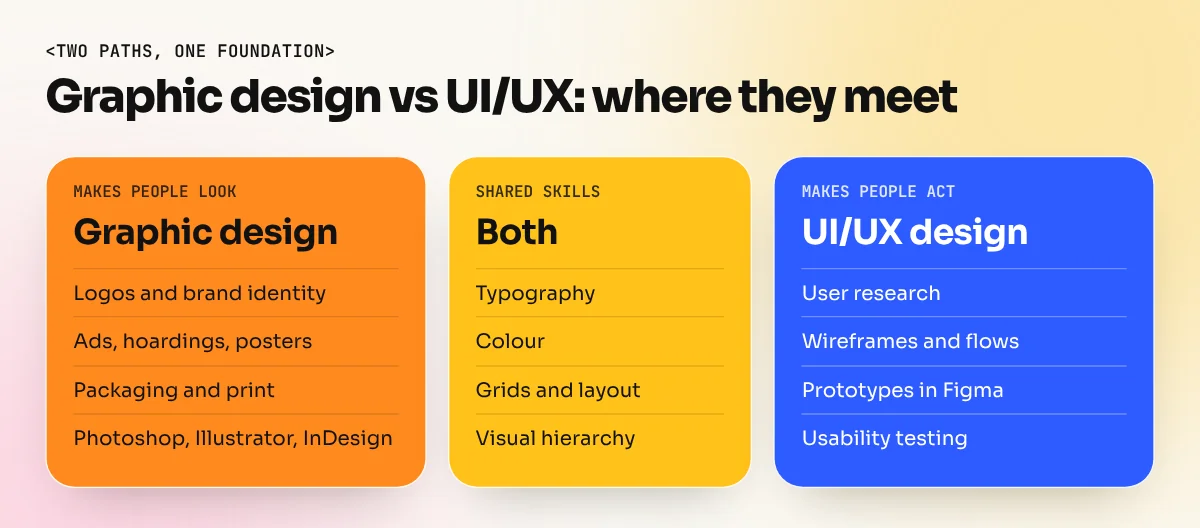
| Shared skills | Typography, colour, grids, visual hierarchy | Typography, colour, grids, visual hierarchy |
In short, a graphic designer makes people look and remember. A UI/UX designer makes people understand and act.
What a graphic designer does day to day
A graphic designer turns a brief into visuals. A typical week at a Delhi agency might include:
- A festive Diwali campaign for a sweet shop: one hoarding, three social posts and a shop banner.
- A new logo and visiting card for a café in Hauz Khas.
- Packaging artwork for a spice brand, ready for the printer.
- Resizing an approved ad into ten formats for different platforms.
The work is visual from start to finish. You think about the idea, the headline, the image, the fonts and the colours. You then prepare files that print correctly or display well on screen. Feedback comes from clients and marketing teams, often in many rounds.
What a UI/UX designer does day to day
"UI" means user interface: the look of the screens, buttons, icons and text. "UX" means user experience: the full journey a person takes and whether it is easy and pleasant. In many Indian companies one person does both.
A typical UI/UX project for a food delivery app might go like this:
- Research. Talk to users and study where they drop off, for example at the payment step.
- Define the problem. "Users cannot find the coupon box before paying."
- Wireframes. Simple grey layouts of the screens to test the flow.
- Prototype. A clickable version made in a tool such as Figma.
- Usability testing. Watch real people try it and note where they get stuck.
- Visual design and handoff. Final screens with colours, type and icons, then specs for developers.
The US Bureau of Labor Statistics describes digital designers simply: they develop, create and test website or interface layout, functions and menus so they are easy to use. Testing is the key word. UI/UX work is never finished at the first draft.
Skills and tools compared
| Skill area | Graphic design | UI/UX design |
|---|---|---|
| Typography and colour | Essential, often expressive | Essential, often systematic and readable |
| Drawing and illustration | Useful for logos, packaging, posters | Useful for icons and quick sketches |
| Research | Light: audience and competitors | Heavy: interviews, testing, data |
| Writing | Headlines with a copywriter | Button labels, error messages, microcopy |
| Print knowledge | Important (CMYK, bleed, paper) | Rarely needed |
| Interaction and flow | Not usually | Core skill |
| Main software | Photoshop, Illustrator, InDesign | Figma, prototyping and whiteboard tools |
Notice how many rows overlap. A designer who understands grids, hierarchy and type already has half the visual skills UI work needs. What UI/UX adds is research, logic and testing.
What the job data says
There is no single official salary table for these roles in India, so we will not quote Indian pay figures. The most detailed public data comes from the US Bureau of Labor Statistics. It is a different market, but it shows the direction of demand clearly.
| US Bureau of Labor Statistics (May 2025 pay, 2025 to 2035 outlook) | Median annual pay | Projected change in jobs |
|---|---|---|
| Graphic designers | 62,960 US dollars | Decline of 2 percent |
| Web and digital interface designers | 104,000 US dollars | Growth of 6 percent |
The World Economic Forum's Future of Jobs Report 2025 points the same way. It listed UI and UX designers among the fastest-growing roles and graphic designers among the fastest-declining job titles over the next five years, mainly because AI and templates now handle a lot of routine production work.
Read this carefully before you decide. It does not mean graphic design is dead. Brands, printers, agencies and in-house teams still hire graphic designers every day and the work is moving towards ideas, brand systems and AI-assisted production. It does mean that designers who can also work on screens and digital products have more options. Our guide on whether graphic design is a good career looks at this question in detail.
Which one suits you
Answer these and see which column you tick more.
| You enjoy... | Lean towards |
|---|---|
| Making posters, logos and bold visuals | Graphic design |
| Playing with fonts, colours and illustration | Graphic design |
| Seeing your work printed on packaging or a hoarding | Graphic design |
| Asking "why did the user tap there?" | UI/UX design |
| Puzzles, flowcharts and step-by-step logic | UI/UX design |
| Watching people use something and fixing what confuses them | UI/UX design |
| Both visuals and problem solving | Start with graphic design, add UI/UX |
Why many people start with graphic design
UI/UX job posts often ask for a strong visual sense. That is exactly what graphic design training builds. A UI designer who cannot set clean type or choose colours that work together will struggle, however good the research is.
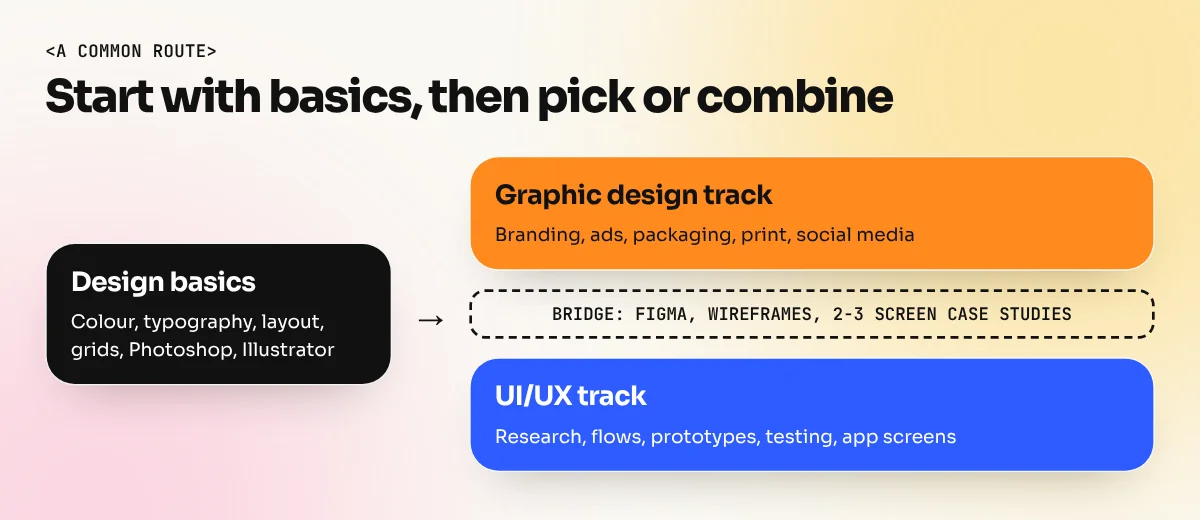
That is why a common route is:
- Learn design basics and graphic design first. Colour, typography, layout, grids, Photoshop and Illustrator. This takes a few months of focused practice.
- Build a visual portfolio. Branding, ads and social projects prove you have an eye.
- Add UI/UX skills. Learn Figma, wireframing, prototyping and simple user testing.
- Make two or three screen case studies. For example, redesign the booking flow of a local clinic's website and explain the problem, your research and the result.
- Apply for roles that use both. Many startups want a designer who can make the social ads and the app screens.
Our 6-month graphic design diploma covers step 1 and step 2 in full: design basics, the Adobe tools, Photoshop Generative Fill and AI image tools, branding, print and a finished portfolio. If you are still in school or just finished class 12, our graphic design course after 12th starts from zero.
How to switch from graphic design to UI/UX later
If you are already a graphic designer, the move is smaller than it looks.
- Keep your strengths. Typography, colour and hierarchy are the hard part for many UI beginners. You already have them.
- Learn to think in flows, not single frames. Map every screen a user sees from start to finish.
- Learn Figma well. Components, auto layout and prototyping are the core features to master.
- Study accessibility. Text size, contrast and touch target size matter much more on screens.
- Show process, not only pretty screens. UI/UX hiring managers want to see the problem, your research, your sketches and why you made each choice.
The skills employers want in each role keep shifting. Our list of graphic designer skills employers ask for shows which visual skills to sharpen first, since those carry into both careers.
Whichever path you choose, the foundation is the same: a trained eye, clean typography and a portfolio that shows how you think. Start there and the choice between graphic design and UI/UX becomes much easier to make.
Frequently asked questions
Is UI/UX harder than graphic design?
Not harder, just different. UI/UX needs more research, logic and testing with users. Graphic design needs a stronger eye for type, colour and ideas. Many people find whichever matches their nature easier.
Can a graphic designer become a UI/UX designer?
Yes. It is a common path. Typography, colour, grids and visual hierarchy carry over directly. You add user research, wireframing, prototyping in a tool such as Figma and a few app or website case studies.
Does UI/UX need coding?
Usually no. UI/UX designers work in design and prototyping tools. Knowing basic HTML and CSS helps you talk to developers, but most UI/UX roles do not ask you to write production code.
Which is better for freelancing?
Graphic design has more small freelance jobs, such as logos, social posts, menus and packaging for local businesses. UI/UX freelance work is fewer but larger projects, usually for startups and companies building apps.