A4 Size in Pixels, MM and Inches (72, 150 and 300 DPI)
A4 size in pixels is 2480 x 3508 at 300 DPI and 595 x 842 at 72 DPI. Get the A4 size in mm, inches and Photoshop settings, plus the full DPI chart and bleed sizes.
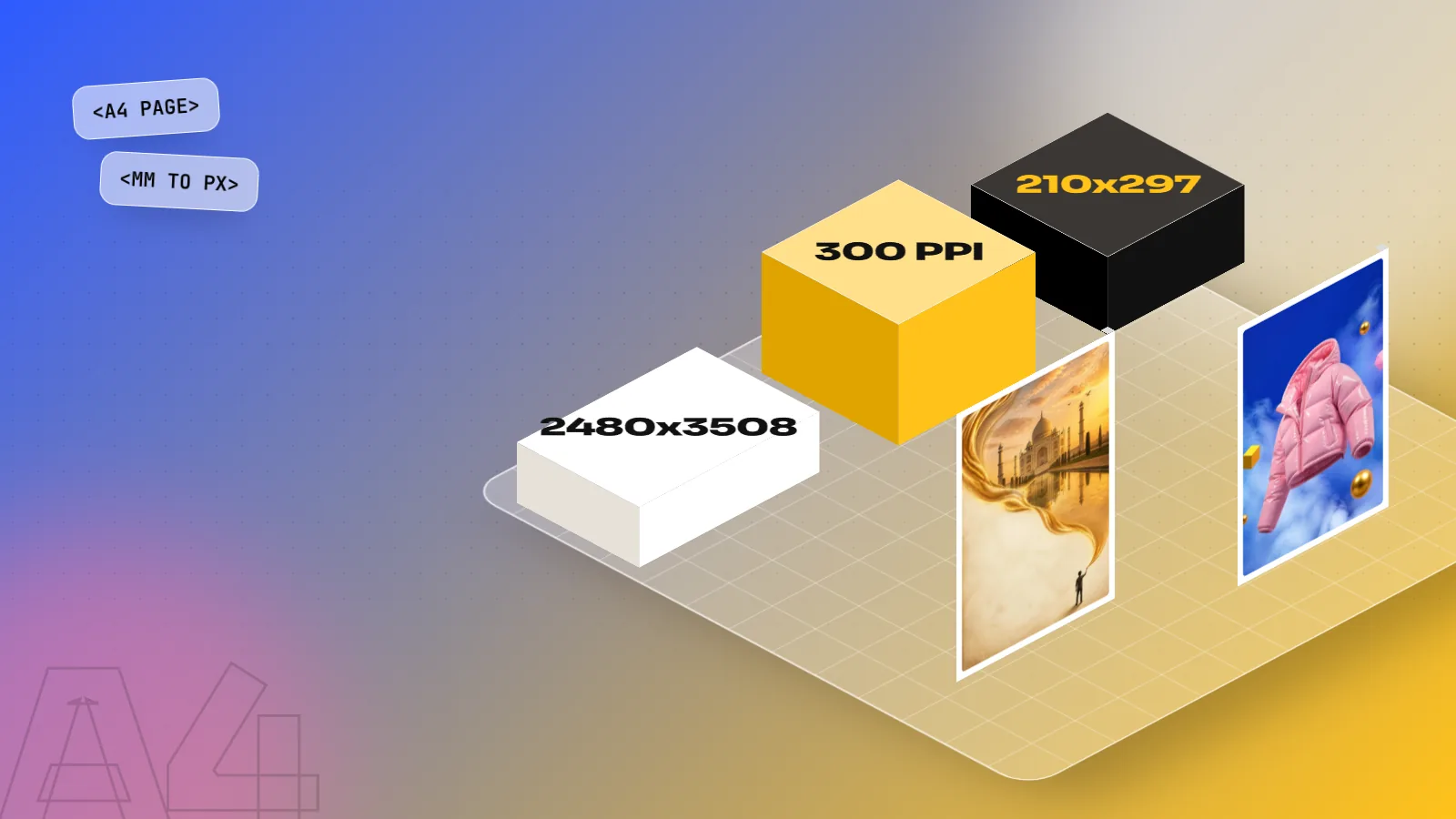
A4 is 210 x 297 mm or 8.27 x 11.69 inches. In pixels that is 2480 x 3508 at 300 DPI for print, 1240 x 1754 at 150 DPI, 794 x 1123 at 96 DPI for screens and 595 x 842 at 72 DPI. Add 3 mm bleed on each side when the file goes to a press.
The A4 size in pixels is 2480 x 3508 pixels at 300 DPI. That is the number to use for any file that will be printed. For screens the common answers are 794 x 1123 pixels at 96 DPI and 595 x 842 pixels at 72 DPI. The paper itself never changes: A4 is always 210 x 297 mm. Only the pixel count changes when you pick a different resolution. This guide gives the full chart, the reason behind it and the exact settings for Photoshop and Canva.
A4 size in pixels at every DPI
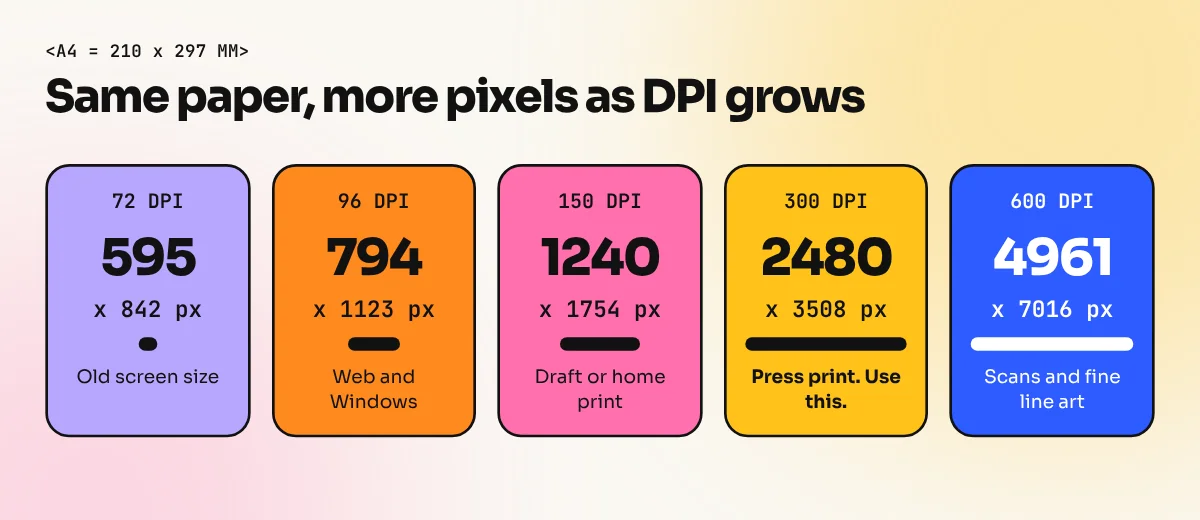
Here is the full chart. Every number is the paper size multiplied by the DPI and divided by 25.4 (one inch is 25.4 mm). You can check any row yourself.
| DPI | Width in pixels | Height in pixels | When to use it |
|---|---|---|---|
| 72 | 595 | 842 | Old screen standard, PDF viewers |
| 96 | 794 | 1123 | Windows screen and web pages |
| 150 | 1240 | 1754 | Draft prints, home printers, office documents |
| 300 | 2480 | 3508 | Professional print, flyers, certificates |
| 600 | 4961 | 7016 | Fine line art, scans, very sharp print |
If you only remember one row, remember the 300 DPI row: 2480 x 3508.
A4 size in mm, cm and inches
A4 belongs to the A series of paper sizes defined by the international standard ISO 216. India, like most of the world outside North America, uses it for offices, schools and print shops.
| Unit | Width | Height |
|---|---|---|
| Millimetres | 210 | 297 |
| Centimetres | 21 | 29.7 |
| Inches | 8.27 | 11.69 |
| Points (PDF and InDesign) | 595.3 | 841.9 |
So the question "A4 size in mm" has one fixed answer: 210 x 297 mm. Every other number in this guide comes from it.
Why the pixel size changes
A pixel has no physical size. DPI (dots per inch) tells the printer how many pixels to squeeze into one inch of paper. At 72 DPI a 595 pixel wide image spreads across 8.27 inches, so each dot is large and the print looks soft. At 300 DPI the same width needs 2480 pixels, so the dots are tiny and the print looks sharp.
Think of a tile floor. The room size is fixed. Small tiles (high DPI) give a smoother pattern than big tiles (low DPI) in the same room.
How to set up an A4 page in Photoshop
Photoshop is the tool most designers use for an A4 poster or flyer. Follow these steps.
- Open Photoshop and choose File, then New.
- Change the unit from pixels to Millimetres.
- Type 210 in Width and 297 in Height.
- Set Resolution to 300 pixels/inch.
- Choose CMYK Color for a print job or RGB Color for a screen job.
- Check the pixel size shown by Photoshop. It should read about 2480 x 3508 pixels.
- Press Create and add guides at 3 mm and 10 mm from each edge.
Photoshop also has an A4 preset in its Print tab. Use it if you like, but always check that the resolution says 300 for print. For more about colour modes, read our guide on CMYK vs RGB.
How to set up A4 in Canva
Canva works in pixels, so you need to enter the numbers yourself.
- Click Create a design, then Custom size.
- Pick px and enter 2480 and 3508.
- Design the page as normal.
- When you download, choose PDF Print and tick crop marks and bleed if your press asks for them.
Canva also offers an "A4 Document" template that is 794 x 1123 pixels. That is the 96 DPI screen size. It is fine for an online document but too small for a sharp print. If you plan to learn this properly, the Canva course covers custom sizes and print export.
A4 with bleed and safe margin
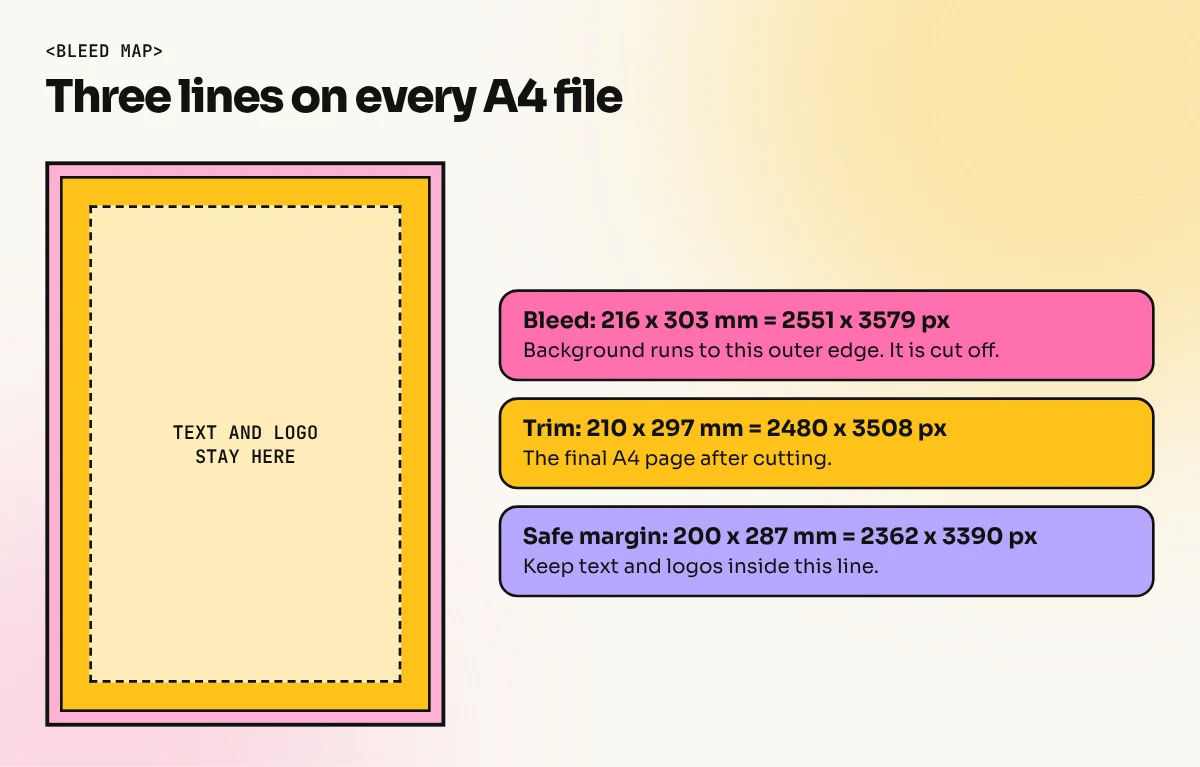
Press shops cut paper after printing. The blade can move a little. To avoid white edges, designers extend the background past the page edge. This extra part is called bleed. Most Indian print shops ask for 3 mm bleed on every side, but always confirm with your own printer.
| Setting | Size in mm | Size in pixels at 300 DPI |
|---|---|---|
| Trim size (final A4) | 210 x 297 | 2480 x 3508 |
| Size with 3 mm bleed | 216 x 303 | 2551 x 3579 |
| Safe margin (5 mm inside) | 200 x 287 | 2362 x 3390 |
Keep text and logos inside the safe margin. Let the background colour or photo run out to the bleed edge. Our print ready file checklist explains how to export the file for the press.
Which A4 size should you pick
The right choice depends on where the file ends up. Use this quick guide.
- Printing at a press or a print shop: 2480 x 3508 pixels at 300 DPI, with 3 mm bleed.
- Printing at home or in the office: 1240 x 1754 pixels at 150 DPI is enough for text and simple graphics.
- A document on a website or in a mobile app: 794 x 1123 pixels.
- A PDF only read on screen: 595 x 842 points is the usual page size and the file stays small.
- A poster scaled down from a big hoarding: work in vector files such as Illustrator or CorelDRAW, then export A4 at 300 DPI.
If your artwork is a photo, look at its original pixel size first. A phone photo of 4000 x 3000 pixels covers A4 at 300 DPI easily. A small 800 pixel image downloaded from a chat app will look blurry on A4, because no setting can add detail that is not there.
Other paper sizes in the same family
Each A size is half of the one before it, so the shape stays the same. Here are the neighbours of A4 at 300 DPI.
| Size | Millimetres | Pixels at 300 DPI |
|---|---|---|
| A3 | 297 x 420 | 3508 x 4961 |
| A4 | 210 x 297 | 2480 x 3508 |
| A5 | 148 x 210 | 1748 x 2480 |
| A6 | 105 x 148 | 1240 x 1748 |
Notice that the width of A3 is the height of A4. This is why a folded A3 sheet gives you A4 pages. The same trick is used for a greeting card: an A4 sheet folded once gives you an A5 card.
Common mistakes with A4 files
- Making the page at 72 DPI and printing it. The print looks soft. Start at 300 DPI.
- Stretching a small image. If you enlarge an 800 pixel photo to 2480 pixels, it only gets blurry.
- Forgetting bleed. A blue background with a thin white line on one edge is the classic sign.
- Mixing up mm and pixels. Check the unit box before you type 210 and 297.
- Using the Canva A4 template for print. It is only 794 x 1123 pixels.
- Placing text too close to the edge. The cutter can trim it. Stay 5 mm inside.
- Saving a print file in RGB. Press shops use CMYK, so colours can shift.
Quick answers to remember
- A4 is 210 x 297 mm and 8.27 x 11.69 inches.
- Print size is 2480 x 3508 pixels at 300 DPI.
- The 96 DPI screen size is 794 x 1123 pixels.
- Add 3 mm bleed for a press file.
- Photoshop: millimetres, 210 x 297, 300 pixels per inch, CMYK for print.
Once you know these numbers, you can set up a flyer, a certificate or a resume page in a minute. If you want to go deeper into print setup, layers and export, the Photoshop course teaches it step by step with real print jobs. For a similar size guide, see our post on poster design.
Frequently asked questions
What is A4 size in pixels for printing?
Use 2480 x 3508 pixels at 300 DPI. That is the standard size for a sharp print of a flyer, a letter or a certificate. If the file is only for a home printer, 150 DPI (1240 x 1754 pixels) is often enough.
What is A4 size in mm and inches?
A4 is 210 x 297 mm. In inches that is 8.27 x 11.69. In centimetres it is 21 x 29.7 cm. The sizes come from the international ISO 216 paper standard.
Why does A4 have different pixel sizes?
Pixels depend on DPI. A page has a fixed physical size, but the number of pixels used to draw it changes with the resolution you choose. More DPI means more pixels and a sharper print.
How do I make an A4 page in Photoshop?
Choose File, then New, set the unit to millimetres, enter 210 wide and 297 high, set resolution to 300 pixels per inch and colour mode to CMYK for print or RGB for screen. Photoshop will show 2480 x 3508 pixels.