ChatGPT for Graphic Designers: Real Uses, Prompts and Limits
ChatGPT for graphic designers: where it really helps with briefs, copy, ideas and images, sample prompts that work and the limits you must check before client work.
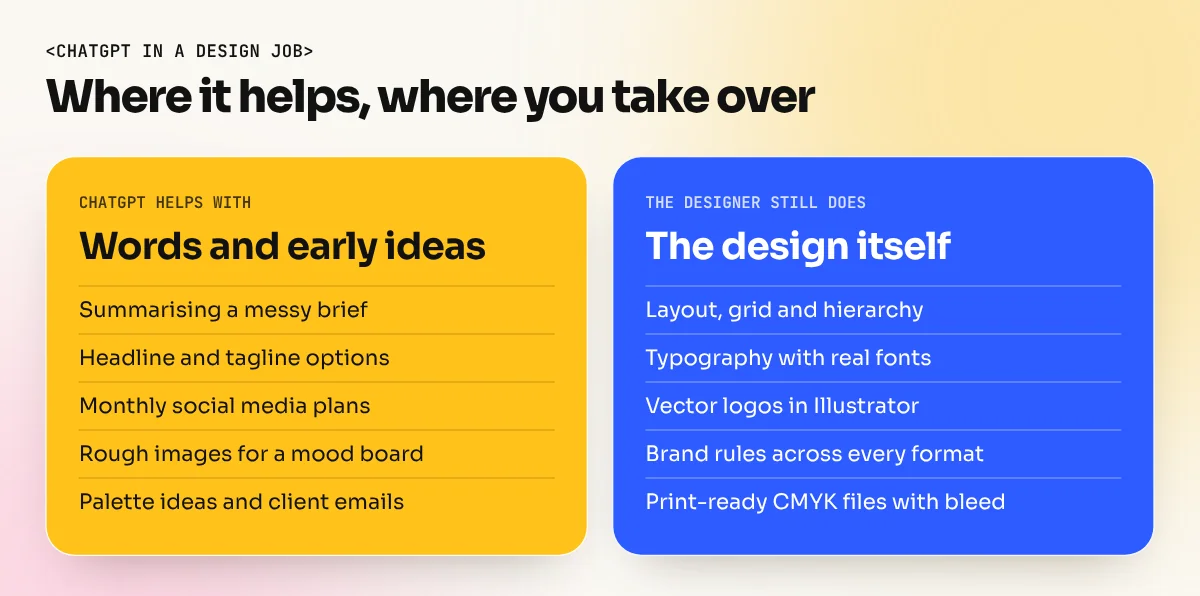
ChatGPT helps graphic designers most with words and thinking: breaking down a brief, writing headline options, planning content, naming colours and drafting client emails. Its image tool is useful for quick ideas and mood references. It does not replace Photoshop or Illustrator, because it gives flat images, not layered or vector files, so final design work stays with you.
ChatGPT for graphic designers is best used as a fast thinking partner, not as a design tool. It is very good at words: breaking down a client brief, writing headline options, planning a month of social posts, explaining a colour palette and drafting a polite reply to a difficult client. Its built-in image maker is useful for rough ideas and mood references. It cannot give you a layered PSD, a clean vector logo or a print-ready PDF. This guide shows the real uses, prompts that work and the limits to check before anything reaches a client.
What ChatGPT can and cannot do for a designer
Start with a clear picture, so you use it where it saves time and avoid it where it causes trouble.
| Job | Can ChatGPT help? | What you still do |
|---|---|---|
| Understanding a long or messy brief | Yes, very well | Confirm the summary with the client |
| Headlines, taglines and ad copy options | Yes | Pick the line that fits the brand voice |
| Content calendar for social media | Yes | Match it to real dates, offers and festivals |
| Rough image ideas and mood references | Yes, with the image tool | Choose a direction and redesign it properly |
| Colour palette ideas with hex codes | Yes, as a starting point | Test contrast and print colours yourself |
| Final layout and typography | No | All of it, in InDesign, Illustrator or Figma |
| Vector logo files | No | Draw it in Illustrator |
| Print-ready files with bleed and CMYK | No | Set up and check every file yourself |
In short: ChatGPT handles the words and the early thinking. The design itself is still your work.
About the image tool in 2026
In April 2026 OpenAI launched ChatGPT Images 2.0, powered by a model it calls gpt-image-2. According to OpenAI's announcement as reported by technology press, the basic version is open to free users, while extra modes such as thinking and making several images at once need a paid plan. It handles text inside images better than earlier versions, including Hindi and other non-Latin scripts, works in shapes from very wide to very tall and gives images up to about 2K in size.
That is a real improvement for designers. You can ask for a rough poster idea with the Hindi word "Diwali Sale" on it and get something readable. But remember three things:
- It is a flat image. You cannot click on the text and change the font. Every change means a new image or editing pixels.
- 2K is not print size. A 2K image is fine for a mood board or a social post draft. It is far too small for a flex banner or a hoarding.
- Text still needs checking. Even good AI text can have a wrong letter or a broken matra. Always set final text yourself with real fonts.
For finishing and extending real photos, Photoshop Generative Fill and AI image tools inside Photoshop give you far more control, because the result sits on its own layer. Our guide on Photoshop Generative Fill shows how designers use it.
Seven real uses with sample prompts
These are the jobs where ChatGPT saves a working designer the most time. Copy the prompts and change the details in brackets.
1. Turn a messy brief into a clear one. "Here is a client brief from WhatsApp messages: [paste]. Summarise it in this order: goal, audience, main message, where it will appear, sizes, deadline, things the client dislikes. List anything missing as questions I should ask."
2. Get headline options. "Write 15 short Hindi-English headlines for a Diwali offer at a sweet shop in Lajpat Nagar. Tone: warm and family-friendly. Under 6 words each. No puns on the word 'sweet'."
3. Plan a month of social posts. "Make a 30-day Instagram plan for a kulhad chai cafe in South Delhi. Columns: date, post type (reel, carousel, single image), idea, caption hook. Include two posts for local festivals in that month."
4. Explain a palette in words a client understands. "I chose terracotta, cream and deep green for an organic food brand. Explain in three simple sentences why these colours fit the brand, for a client who is not a designer."
5. Write alt text and image descriptions. "Write alt text under 120 characters for this poster: [describe the poster]."
6. Draft client emails. "Write a polite email to a client who wants a fourth round of free changes. Offer one more round within the agreed price and explain that further changes are charged."
7. Get quick image ideas for a mood board. "Create a top-down photo of a kulhad of chai on a jute mat, warm morning light, a steel plate with rusks, soft shadows, earthy colours, no text."
A simple prompt formula
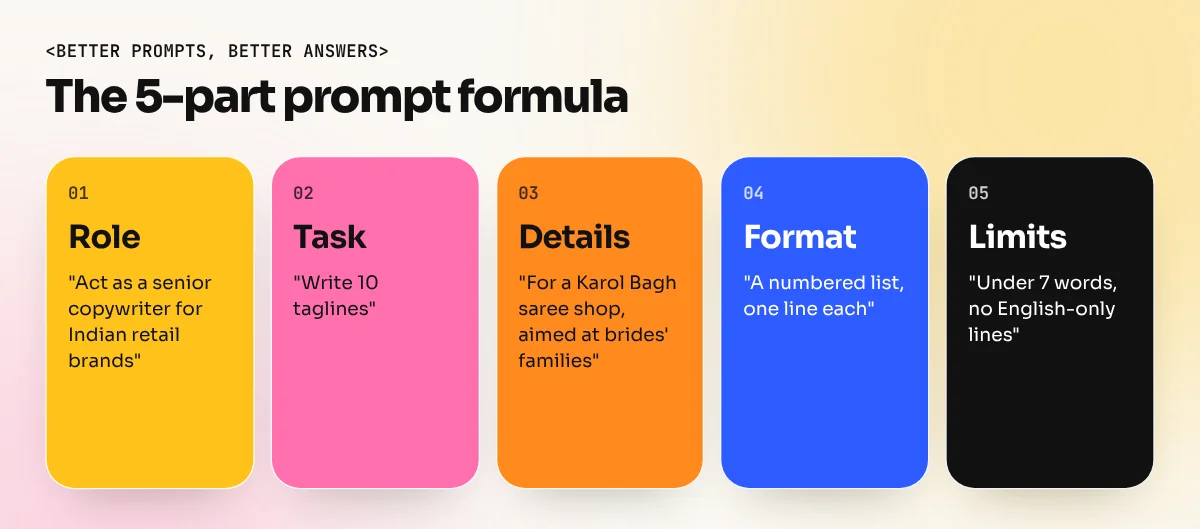
Most weak answers come from weak prompts. Use these five parts and the answers get much better:
| Part | What to write | Example |
|---|---|---|
| Role | Who ChatGPT should act as | "Act as a senior copywriter for Indian retail brands" |
| Task | The exact job | "Write 10 taglines" |
| Details | Brand, audience, place, tone | "For a Karol Bagh saree shop, aimed at brides' families" |
| Format | How you want the answer | "A numbered list, one line each" |
| Limits | What to avoid | "Under 7 words, no English-only lines" |
Then improve the answer in the same chat. Say "make numbers 3 and 7 shorter" or "more playful, less formal". ChatGPT keeps the context, so the second round is often far better than the first.
The limits you must check
ChatGPT is confident even when it is wrong. These are the checks every designer should build into their routine:
- Facts and figures. If ChatGPT writes "trusted since 1985" or "50% off", confirm it with the client. Never print a claim you have not checked.
- Spelling in other languages. Ask a native speaker to read Hindi, Punjabi or Urdu copy before it goes on a hoarding.
- Originality. AI images can look like existing artwork, logos or characters. If an idea reminds you of a known brand, drop it.
- Real people. Never use AI to make a real person's face for an ad without permission.
- Ownership and licences. OpenAI's terms of use give you the rights in what you create, but they also say similar output can be made for other users. That is one more reason to treat AI images as raw material and build the final design yourself.
- Client data. Do not paste private client details, contracts or unreleased product photos into any AI tool unless the client agrees.
Where ChatGPT fits in a real design workflow
Here is how a typical poster job looks for a designer who uses ChatGPT well:
- Brief: paste the client's notes into ChatGPT and get a clean summary with missing questions.
- Ideas: sketch three ideas on paper first, then ask ChatGPT for headline options for each.
- Mood: make two or three rough reference images with the image tool, only for your mood board.
- Design: build the real poster in Photoshop, Illustrator or InDesign, with real fonts, a grid and the brand colours.
- Check: ask ChatGPT to proofread the English copy, then check every word yourself.
- Deliver: export print-ready and social files yourself and write the handover email with ChatGPT's help.
ChatGPT touches four of the six steps but never the design itself. That is the right balance. If you want a wider view of the tools that fit around it, read our guide to the best AI tools for graphic design.
Learning to use AI the right way
AI works best for designers who already know the basics. Without colour, typography and layout skills you cannot judge whether an AI answer is good. At our South Extension institute the AI graphic design course teaches prompt writing for ad and social media visuals together with Photoshop Generative Fill and AI image tools and the Photoshop course shows you how to finish AI images into real, clean designs.
The bottom line
Use ChatGPT for the words, the planning and the rough ideas. Keep the layout, the type, the brand rules and the final files in your own hands. Designers who work this way finish jobs faster without giving clients generic, risky work.
Frequently asked questions
Can ChatGPT make a logo?
It can make logo-style images for early ideas, but they are flat pictures, not clean vector files and they may look like existing marks. Draw the final logo yourself in Illustrator and check that it is original before you show it to a client.
Is ChatGPT free for designers?
ChatGPT has a free plan that includes chat and a basic version of image making, with daily limits. OpenAI keeps some image features for paid plans. Plans change often, so check the current plan page before you depend on a feature.
Can I use ChatGPT images in client work?
OpenAI's terms give you the rights in what you create, but similar images can be made for other users and the image may still look like someone else's work or a real person. Use AI images as raw material, change them heavily and never use a real face or brand without permission.
Will ChatGPT replace graphic designers?
No. It speeds up writing, research and rough ideas. Clients still pay a designer for the idea, the layout, the typography, brand consistency and print-ready files, which ChatGPT does not deliver.