Best Graphic Design Apps for Phone and Laptop (Free and Paid)
Which graphic design app should you use? Compare the best free and paid apps for Android, iPhone, iPad and laptop and see what each one does best.
The best graphic design app depends on your device and your goal. On a phone, Canva, Adobe Express and Photoshop mobile cover social posts and quick edits. On an iPad, Procreate, Adobe Fresco and Illustrator suit drawing and vectors. On a laptop, Photoshop, Illustrator and InDesign are the industry standard, while Affinity, GIMP and Inkscape are strong free options.
The best graphic design app is the one that fits your device and the work you want to do. For quick social media posts on a phone, Canva and Adobe Express are hard to beat. For drawing on a tablet, Procreate, Adobe Fresco and Illustrator on iPad lead. For professional client work on a laptop, Photoshop, Illustrator and InDesign are still the standard. This guide compares the best free and paid graphic design apps for Android, iPhone, iPad and laptop, with honest notes on what each one can and cannot do.
Quick comparison: the best graphic design apps in 2026
| App | Devices | Free or paid | Best for |
|---|---|---|---|
| Canva | Android, iPhone, iPad, browser, desktop | Free plan, paid Pro | Social posts, invitations, quick templates |
| Adobe Express | Android, iPhone, browser | Free plan, paid premium | Social posts and short videos with Adobe fonts |
| Adobe Photoshop | Desktop, iPad, iPhone, Android, browser | Paid (mobile has a free tier) | Photo editing, posters, compositing |
| Adobe Illustrator | Desktop, iPad | Paid | Logos, icons, vector illustration |
| Adobe InDesign | Desktop | Paid | Brochures, magazines, books, menus |
| Affinity (by Canva) | Mac, Windows | Free | Photo editing, vectors and layout in one app |
| Procreate | iPad | One-time purchase | Illustration and hand lettering |
| Adobe Fresco | iPad, iPhone, Windows | Free | Drawing and painting |
| Figma | Browser, desktop | Free starter plan, paid plans | App and website design |
| GIMP and Inkscape | Windows, Mac, Linux | Free, open source | Photo editing (GIMP) and vectors (Inkscape) |
| CorelDraw | Windows, Mac | Paid | Print work, very common in Indian print shops |
Prices and plans change often, so always check the official store page before you pay.
Best graphic design apps for Android and iPhone
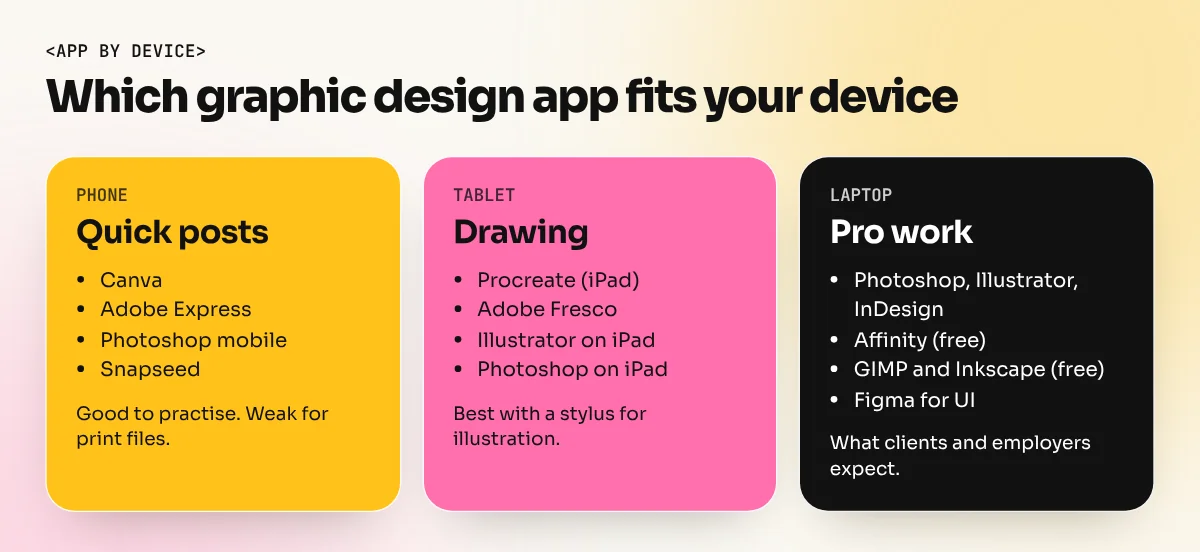
Phones are great for learning ideas, making quick social posts and editing photos on the go.
- Canva. Thousands of templates for Instagram posts, stories, invitations and posters. The free plan covers a lot. Some tools, including the background remover and one-click resizing, sit in the paid Pro plan, as Canva's own feature pages show.
- Adobe Express. Similar to Canva, with Adobe fonts and easy links to Photoshop and Illustrator files. Good for social posts, flyers and short videos.
- Adobe Photoshop (mobile). Adobe released Photoshop for iPhone in February 2025 and a free beta for Android in June 2025, according to Adobe's announcements reported by the tech press. It brings real layers, masks, selections and Generative Fill to the phone.
- Snapseed. A free Google photo editor for quick corrections, curves and healing.
- PixelLab and similar text apps. Popular in India for adding text and effects to photos. Fine for practice, but avoid using their ready-made styles for client logos.
The limit of phones: small screens, no precise mouse or keyboard shortcuts and weak control over print colour (CMYK), bleed and fonts. Use the phone to practise and plan, not to deliver a 10-foot hoarding.
Best graphic design apps for iPad and tablets
Tablets with a stylus sit between a phone and a laptop. They shine for drawing.
- Procreate. The favourite of many illustrators for brushes, lettering and painting. It is iPad only and is sold as a one-time purchase.
- Adobe Fresco. A drawing and painting app that Adobe made completely free in October 2024. It has live watercolour and oil brushes plus vector brushes.
- Adobe Illustrator on iPad. Real vector drawing with the Apple Pencil, synced with the desktop version.
- Adobe Photoshop on iPad. Layered photo editing and retouching with the pencil.
- Canva and Affinity. Canva works well on tablets. Canva announced that a free Affinity app for iPad would follow its October 2025 desktop release.
Android tablets can run Canva, Adobe Express and Photoshop mobile. For heavy illustration, the iPad app choice is wider.
Best graphic design apps for laptop and desktop
This is where professional graphic design happens. A laptop gives you a big screen, keyboard shortcuts, precise type control and print-ready export.
The industry standard: Adobe Creative Cloud
- Photoshop for photo editing, posters, social media creatives and mock-ups.
- Illustrator for logos, icons, packaging artwork and anything that must scale.
- InDesign for multi-page work like brochures, catalogues, magazines and menus.
Most job descriptions in India ask for these three by name. They are paid subscriptions, with student pricing available on Adobe's site. Photoshop Generative Fill and AI image tools are now built in, which saves hours on backgrounds and clean-ups.
Strong free options
- Affinity (by Canva). In October 2025 Canva merged Affinity Photo, Designer and Publisher into one app and made it free on Mac and Windows. Canva's AI features inside it need a paid Canva plan.
- GIMP. Free, open source photo editor. It can do most Photoshop basics, though the interface takes getting used to.
- Inkscape. Free, open source vector editor for logos and illustrations.
- Canva on desktop. Same as the phone app with a bigger screen.
For app and website design
- Figma is the common tool for UI design, website mock-ups and design systems. It runs in a browser and has a free starter plan.
Free vs paid apps: what you really get
| Question | Free apps (Canva free, Express free, GIMP, Inkscape, Affinity) | Paid apps (Adobe CC, Canva Pro, CorelDraw) |
|---|---|---|
| Can I learn design basics? | Yes, fully | Yes |
| Can I make social posts? | Yes | Yes, faster with brand kits and resizing |
| Can I make print-ready files? | Partly (Affinity and Inkscape do well) | Yes, with full CMYK and PDF control |
| Do employers ask for it? | Sometimes (Canva) | Very often (Photoshop, Illustrator, InDesign) |
| Will clients open my files? | Not always | Yes, PSD and AI files are standard |
A sensible plan: learn the basics free, but get comfortable with Photoshop and Illustrator before you apply for jobs. For a side-by-side look at the three most popular tools, read Photoshop vs Illustrator vs Canva.
Which graphic design app should you learn first?
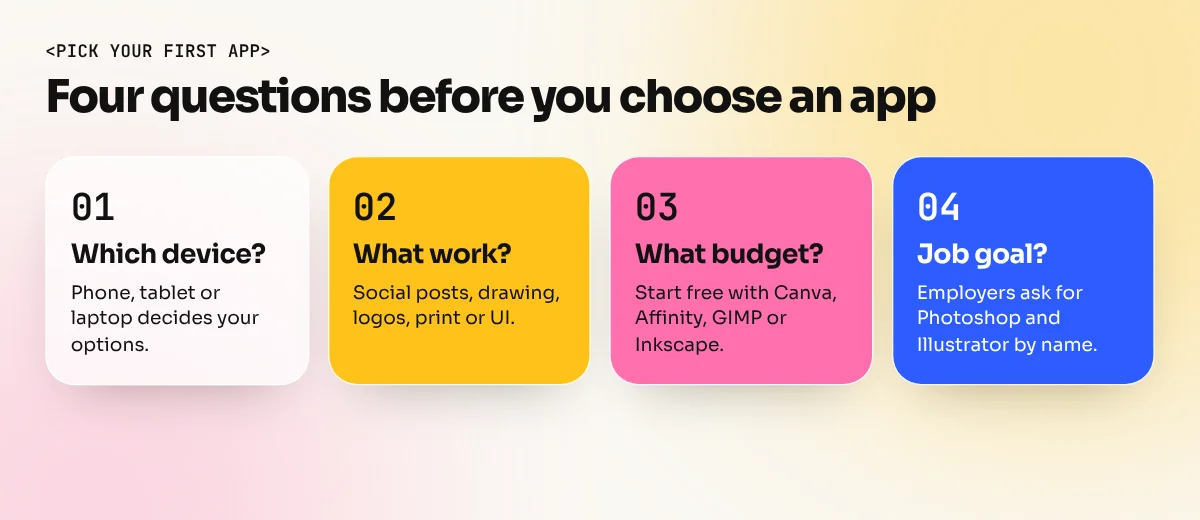
- If you want a design job: start with Photoshop, then Illustrator. Add InDesign and Canva later.
- If you run a small business: Canva will cover most of your daily posts. Hire a designer for the logo and print work.
- If you love drawing: an iPad with Procreate or Fresco, then Illustrator for clean vectors.
- If you want to design apps and websites: learn design basics, then Figma.
- If your budget is zero: Canva free, Affinity, GIMP and Inkscape. Move to Adobe tools when you start earning.
AI apps are now part of this list too. Our guide to AI tools for graphic design explains which ones are worth your time.
Learn the app, but learn design first
An app is only a tool. The same Canva template looks cheap in one person's hands and professional in another's. The difference is colour, typography, layout and the idea behind the design.
If you want guided practice, our Canva course teaches fast, brand-consistent social design. The Photoshop course takes you from layers and masks to complete posters and ads, including Photoshop Generative Fill and AI image tools.
The bottom line
There is no single best graphic design app for everyone. Use Canva or Adobe Express on your phone for quick posts, an iPad app if you love drawing and Photoshop, Illustrator and InDesign on a laptop for professional work. Free tools like Affinity, GIMP and Inkscape are good enough to learn and even to earn. Pick the app that matches your goal, then spend most of your time on the design skills that make any app look good.
Frequently asked questions
Which is the best free graphic design app for Android?
Canva and Adobe Express are the easiest free apps for social posts, invitations and simple ads. Photoshop is also available on Android for photo editing with layers and masks. Check each app's free plan, because some features like background removal sit in paid plans.
Can I become a graphic designer using only a phone?
You can learn ideas and make simple social posts on a phone, but professional work needs a laptop or desktop. Clients expect layered Photoshop, Illustrator and print-ready PDF files, precise type control and colour settings that phone apps do not fully offer.
Is Canva enough for a graphic design job?
Canva is useful and many companies use it for quick social posts. Most design jobs still ask for Photoshop and Illustrator, because logos, packaging and print need vector files and full control. Learn Canva as an extra tool, not your only one.
Which graphic design app is best for a laptop with low RAM?
Canva in a browser and Adobe Express run on most laptops. For offline free tools, Inkscape for vectors and GIMP for photos are lighter than full Adobe apps. For heavy Photoshop work, aim for at least 16 GB RAM.