7 Elements of Graphic Design Explained Simply
The elements of graphic design are line, shape, form, colour, texture, space and value. Learn what each one does, with Indian examples and practice tasks.
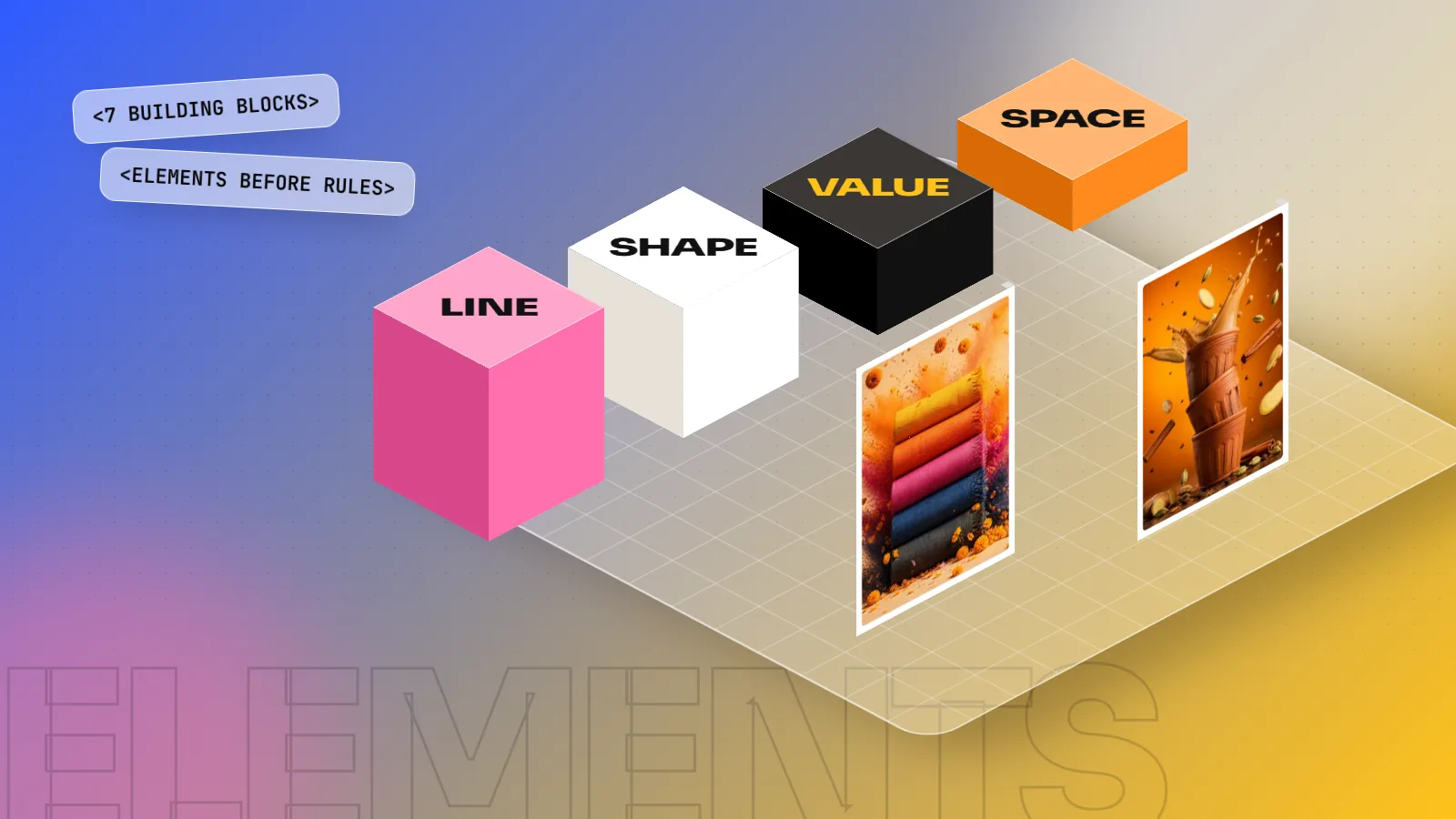
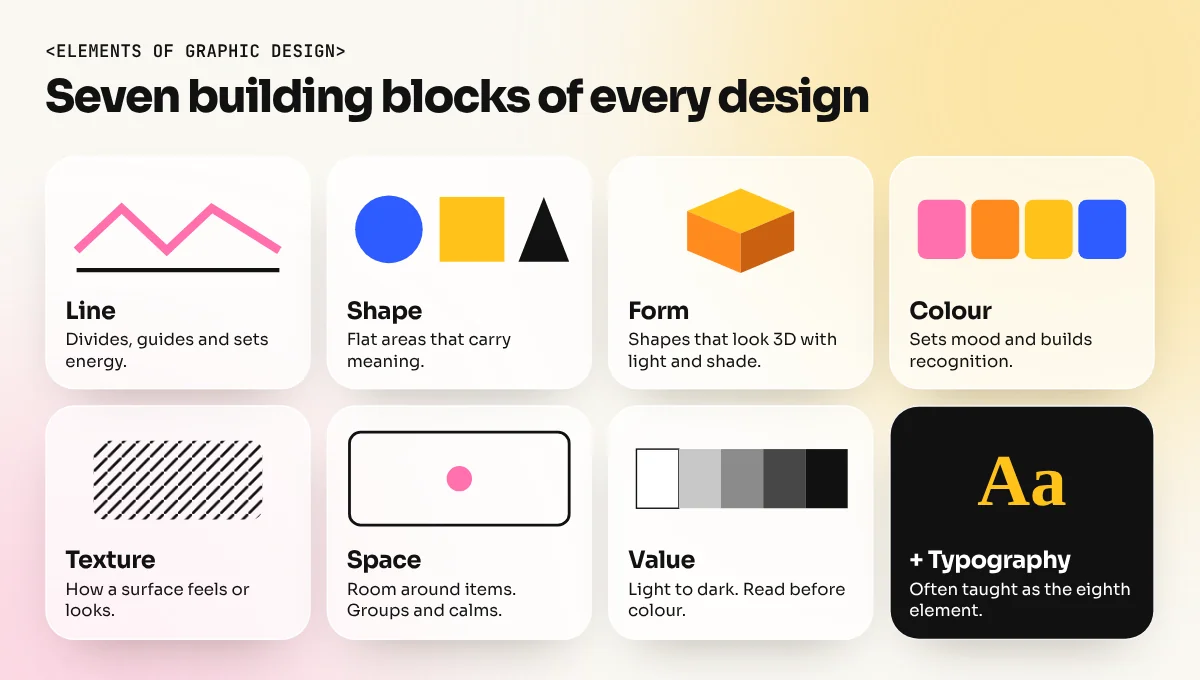
The elements of graphic design are the basic parts every design is built from. The seven most taught are line, shape, form, colour, texture, space and value. Many designers add typography as an eighth. Elements are the ingredients; principles such as balance, contrast and hierarchy are the rules for combining them into a clear design.
The elements of graphic design are the basic building blocks of every poster, logo, post and package: line, shape, form, colour, texture, space and value. Think of them like the ingredients in a kitchen. A cook with good ingredients still needs a recipe; a designer with good elements still needs principles. But if you do not understand the ingredients, no recipe will save the dish. This guide explains each of the seven elements in plain words, shows where you see them in daily life and gives you a small exercise for each one.
Elements vs principles in one minute
Beginners often mix these up, so let us clear it first.
| Elements | Principles | |
|---|---|---|
| What they are | The parts you use | The rules for arranging the parts |
| Examples | Line, shape, colour, space | Balance, contrast, hierarchy, alignment |
| Kitchen comparison | Ingredients | Recipe |
| Question they answer | "What is on the page?" | "How is it arranged?" |
You learn the elements first, because every principle works on them. Contrast, for example, is a difference in colour, size, value or shape. Once you know the elements, our guide to the principles of graphic design shows how to combine them.
1. Line
A line is a mark that joins two points. It can be thin or thick, straight or curved, solid or dotted. Lines do three jobs in design:
- Divide. A thin rule between sections of a menu or a newspaper page.
- Guide. A curved line or arrow that leads the eye towards the offer.
- Express. Zig-zag lines feel energetic; smooth curves feel calm; straight vertical lines feel strong and formal.
Lines also exist without being drawn. A row of photos or the edge of a text column creates an "implied line" that the eye follows. That is why aligning items on a grid makes a page feel neat.
Try this: draw ten boxes and fill each with a different type of line. Write one word for the feeling each gives.
2. Shape
A shape is a flat, closed area with width and height. There are three families:
| Shape family | Examples | Feeling | Where you see it |
|---|---|---|---|
| Geometric | Circle, square, triangle | Order, stability, precision | Logos, icons, road signs |
| Organic | Leaf, cloud, splash | Natural, soft, friendly | Food packaging, wellness brands |
| Abstract | Simplified icons, symbols | Quick meaning | App icons, signage, wayfinding |
Shapes carry meaning before anyone reads a word. A circle feels complete and friendly, which is why many food and community brands use it. A triangle points and feels active. A square feels solid and safe, common for banks and builders.
Shapes are also made by space. The empty area around and between objects is called negative space and it is a shape too. Many clever logos hide a second shape there.
Try this: design a set of six icons for a chai stall menu using only circles, squares and triangles.
3. Form
Form is a shape that looks three-dimensional: a cube instead of a square, a sphere instead of a circle. In flat graphic design we create form with light, shadow, perspective and overlap.
You see form in product mock-ups, isometric illustrations, 3D text and packaging renders. A flat logo placed on a realistic box shot suddenly feels real to the client. That is form doing its job.
Use form with purpose. A simple 3D effect can make a button or a product stand out. Too many shadows and bevels make a design look dated.
Try this: take a flat square and turn it into a cube using only three shades of one colour.
4. Colour
Colour is the element people notice first and remember longest. It has three parts you can control:
- Hue: the colour name, such as red, blue or yellow.
- Saturation: how strong or dull it is.
- Brightness: how light or dark it is.
Colour sets mood and builds recognition. Think of the yellow on a famous Indian biscuit packet or the red of a popular cola brand. People find these products on a crowded shelf in seconds because the colour never changes.
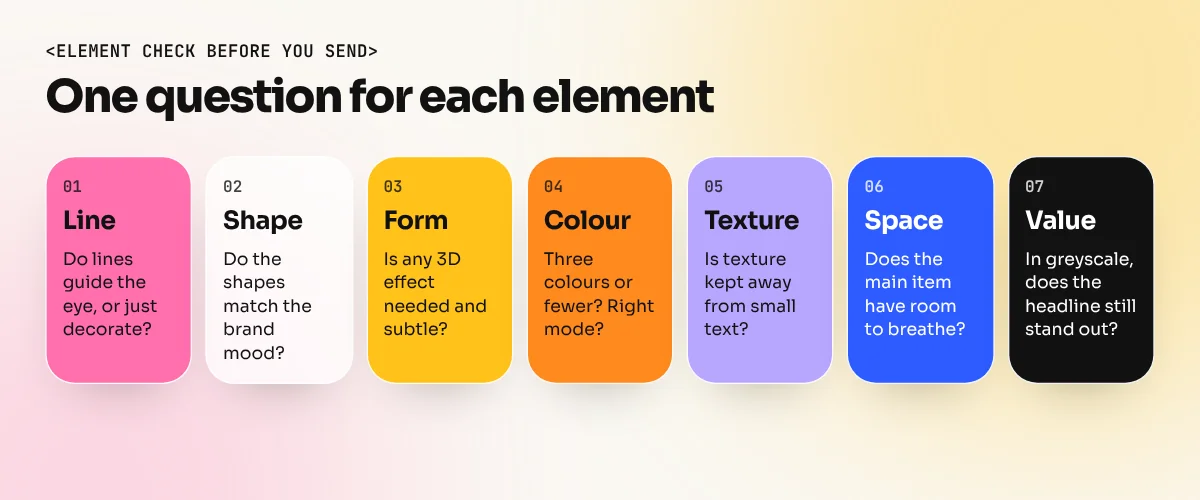
Colour also depends on where the design will appear. Screens use RGB colour and printers use CMYK, so a bright screen colour may print duller. Always check the colour mode before you send a file to print.
Try this: design the same sale poster in three colour schemes: warm, cool and black-and-white with one accent. Ask friends which feels most urgent.
5. Texture
Texture is how a surface feels, or looks like it would feel. There are two kinds:
- Physical texture: real paper, embossing, foil or a matt or gloss finish on a wedding card or a sweet box.
- Visual texture: a photo of jute, a grain effect, a paper scan or a pattern that makes a flat screen design feel tactile.
Texture adds warmth and depth. A kulhad chai brand might use a clay texture to feel earthy and handmade. A tech brand might stay smooth and clean on purpose.
Keep texture behind the message. A heavy texture under small text makes reading hard.
Try this: photograph five surfaces at home, such as a wall, cloth, wood, a leaf and a steel plate. Use one as a background for a quote card.
6. Space
Space is the area around and between elements. Designers call empty space "white space" or "negative space", even when it is not white.
Space is the element beginners use worst. They fill every corner with text, stickers and stars. Professionals do the opposite: they give the important item room to breathe. A luxury jewellery ad with one ring and lots of space feels expensive. A cluttered flyer feels cheap, even with the same products.
Space also groups things. Items placed close together look related; a larger gap separates groups. This idea comes from Gestalt psychology and our guide to Gestalt principles explains it with examples.
| Use of space | Effect |
|---|---|
| Generous margins | Calm, premium, easy to read |
| Tight spacing in groups, wide spacing between groups | Clear structure without lines or boxes |
| Very little space | Busy, loud, discount feel |
Try this: take a crowded local shop flyer and redesign it. Remove at least a third of the items and double the space around the main offer.
7. Value
Value is how light or dark a colour or tone is. It runs from white to black, with greys in between. Value matters more than many beginners think, because the eye reads light and dark before it reads colour.
Good value contrast makes text readable and puts the focus where you want it. A bright headline on a dark photo pops. A mid-grey headline on a mid-grey photo disappears, even if the colours are different.
A simple test: convert your design to greyscale. If the headline and the main image still stand out, your values are working. If everything turns one flat grey, add more contrast.
Try this: design a poster using only black, white and two greys. No colour at all. It will train your eye faster than any colour exercise.
Typography: the eighth element
Many design courses count typography as an extra element, because nearly every graphic design has words. Typography is made from the other elements: each letter is built from lines and shapes, sits in space and has a value against its background. Choosing type, setting size and spacing and building hierarchy with text is a full skill of its own.
How to practise the elements
Here is a two-week plan that uses one element at a time, then combines them.
| Day | Task | Element |
|---|---|---|
| 1 to 2 | Line-only poster for a music night | Line |
| 3 to 4 | Six menu icons from basic shapes | Shape |
| 5 | Turn a flat logo into a 3D box mock-up | Form |
| 6 to 7 | Same poster in three colour schemes | Colour |
| 8 | Quote card on a photographed texture | Texture |
| 9 to 10 | Redesign a cluttered flyer with more space | Space |
| 11 | Greyscale-only poster | Value |
| 12 to 14 | One full campaign post using all seven | All |
Shape and line work is easiest in a vector tool, where every curve stays sharp at any size. An Illustrator course teaches the pen tool, shape builder and colour panels you need. For a complete path that covers the elements, principles, typography, software and a portfolio, look at the 6-month graphic design diploma.
The bottom line
Every design you will ever make is built from the same seven elements: line, shape, form, colour, texture, space and value, plus typography for the words. Learn what each one does on its own, practise them one at a time, then combine them with design principles. Once you can see the elements in every poster and package around you, you start to see why some designs work and others do not.
Frequently asked questions
What are the 7 elements of graphic design?
Line, shape, form, colour, texture, space and value. Some teachers also list typography or images as separate elements, because almost every graphic design uses text.
What is the difference between elements and principles of design?
Elements are the parts you work with, such as a line or a colour. Principles are how you arrange those parts, such as balance, contrast or alignment. You need both to make a good design.
Which element of design is most important?
There is no single winner, but space and colour shape most first impressions. Clear space makes a layout easy to read and colour sets the mood in under a second.
Is typography an element of graphic design?
Many design courses treat typography as an element because text is in nearly every design. It is built from the other elements too: each letter is made of lines, shapes and space.