Typography in Graphic Design: The Beginner's Guide
Typography in graphic design explained simply. Learn type families, size, leading, kerning, hierarchy and readability rules with Indian examples.
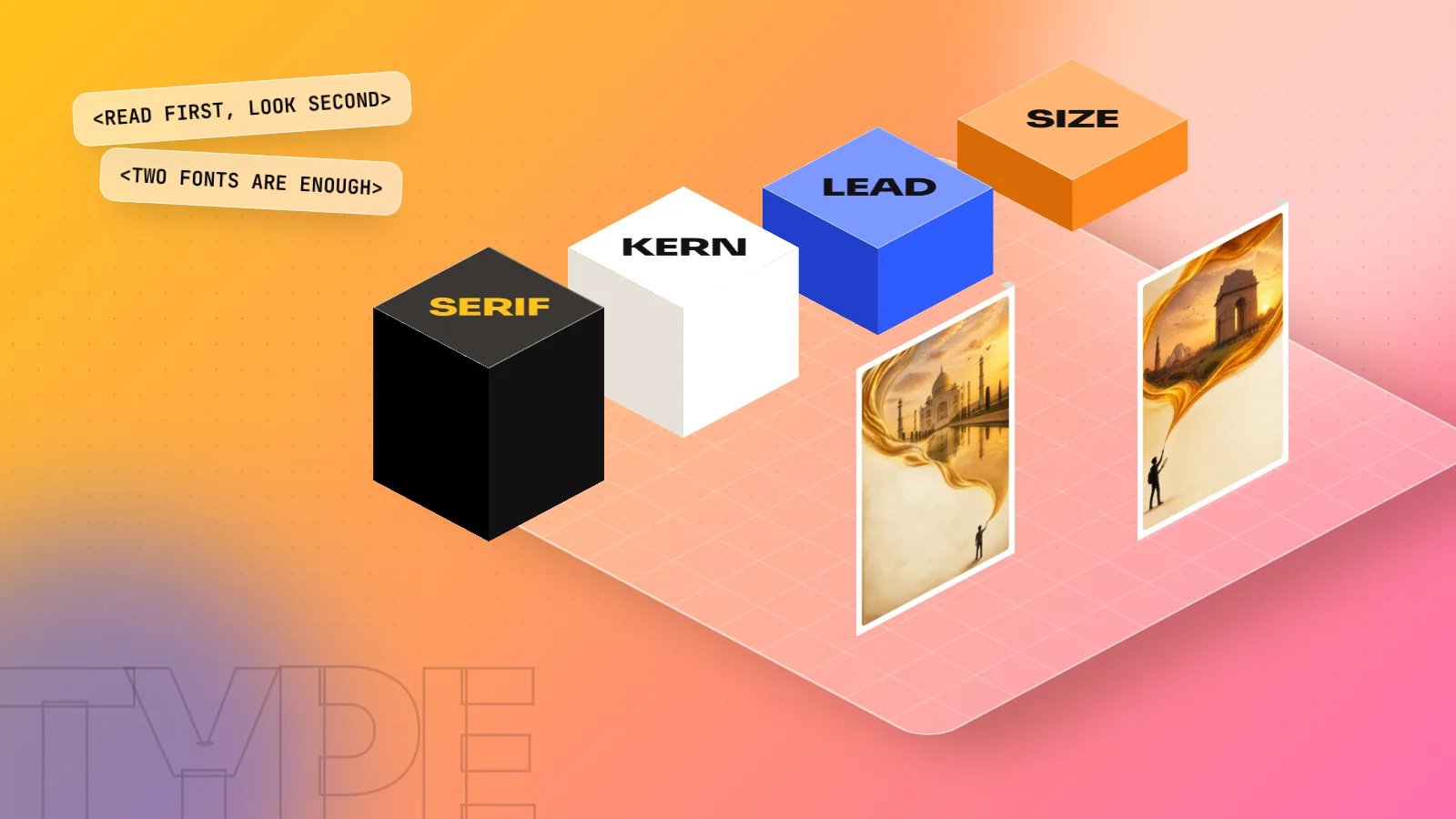
Typography in graphic design is the craft of choosing fonts and setting text so it is easy to read and fits the message. It covers the typeface, size, weight, line spacing (leading), letter spacing (kerning and tracking), line length, alignment and hierarchy. Good typography makes people read the right words first and trust the design.
Typography in graphic design is the craft of choosing fonts and arranging text so people can read it easily and feel the right mood. Most designs are mostly words: a menu, a wedding card, a hoarding, an Instagram post, an app screen. If the type is weak, the whole design is weak, however good the pictures are. This guide explains the parts of typography a beginner must know, the rules that make text readable and simple exercises to train your eye.
What typography means in graphic design
Typography is not only "picking a nice font". It is every decision about how text looks and sits on the page:
- Which typeface you use and why.
- How big each line is and how heavy.
- How much space sits between letters, words and lines.
- How long each line is and how it is aligned.
- Which words the reader sees first, second and third.
A good test: if people read your poster without noticing the fonts, the typography is doing its job. If they struggle, squint or read the wrong line first, it is not.
Typography also carries mood. The same words "Grand Opening" feel very different in a thin elegant serif, a heavy rounded sans serif or a hand-drawn script. A sweet shop in Chandni Chowk, a law firm in Connaught Place and a gaming café in Hauz Khas all need different voices.
Key typography terms every beginner should know
You will hear these words in every studio and every software panel. Learn them once.
| Term | What it means | Where you control it |
|---|---|---|
| Typeface | The design family, such as Poppins or Garamond | Font menu |
| Font | One style of a typeface, such as Poppins SemiBold | Font style menu |
| Point size | The size of the type (1 point is 1/72 of an inch) | Size field |
| Weight | How thick the strokes are: Light, Regular, Bold, Black | Font style menu |
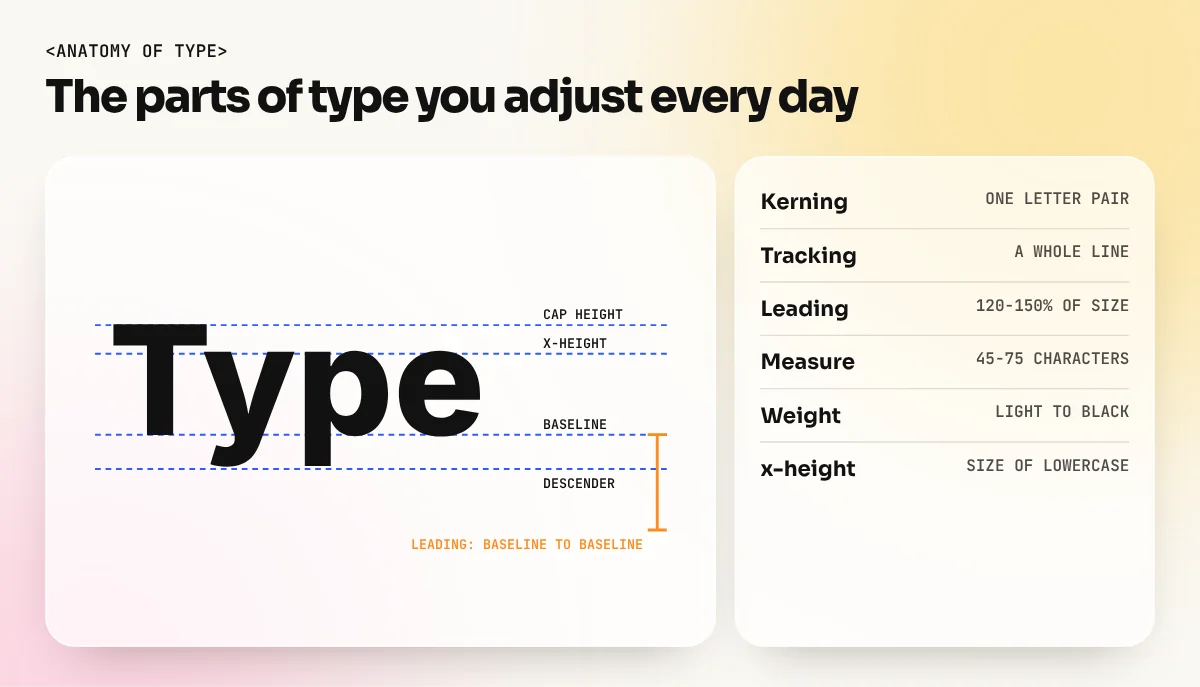
| Leading | Space between lines of text | Line spacing field |
| Tracking | Even space across a whole word or line | Tracking field |
| Kerning | Space between one pair of letters, such as "AV" | Kerning field |
| x-height | Height of lowercase letters like "x" | Part of the font design |
| Baseline | The line letters sit on | Baseline shift field |
| Measure | Length of one line of text | Text box width |
Kerning and tracking are often mixed up. Tracking changes all the gaps at once. Kerning fixes one gap. In headlines, letter pairs such as "AV", "To" and "LT" often need manual kerning because the default gap looks too wide.
The main type classifications
Most typefaces fit into a few broad groups. Knowing them helps you pick a font with the right voice.
| Group | How it looks | Feels | Good for |
|---|---|---|---|
| Serif | Small feet at the ends of strokes | Classic, trusted, literary | Books, newspapers, invitations, premium brands |
| Sans serif | Clean strokes, no feet | Modern, simple, friendly | Apps, websites, signage, social posts |
| Slab serif | Thick block-like feet | Strong, bold, retro | Posters, packaging, headlines |
| Script | Joined letters like handwriting | Personal, festive, elegant | Wedding cards, sweet boxes, short words only |
| Display | Decorative, made for large sizes | Loud, playful, themed | Movie titles, event posters, logos |
| Monospace | Every letter the same width | Technical, coded | Tech brands, labels, code |
A simple rule: use serif or sans serif for reading text and keep script and display fonts for a few big words. A whole paragraph in a script font is hard to read, even on a wedding card.
For Indian work you will often need Hindi and English together. Several free Google Fonts families cover both Devanagari and Latin in one design. Poppins, for example, was made by the Indian Type Foundry and includes Devanagari. Mukta and Hind are other common choices. Using one family for both scripts keeps the weight and feel matched.
Readability rules that always work
These rules come from print and screen practice and from accessibility guidance. Follow them until you have a strong reason to break them.
- Body text size. For printed body text, 9 to 12 point is the usual range, depending on the font and the reader. On websites, 16 pixels is a common starting size for body text.
- Line spacing. Set leading at roughly 120 to 150 percent of the font size. For 10 point text, try 12 to 15 point leading. Longer lines need more leading.
- Line length. Robert Bringhurst, in his well-known book The Elements of Typographic Style, suggests 45 to 75 characters per line for single-column text, with about 66 as a comfortable middle. Lines that are too long tire the eye. Lines that are too short break up the reading.
- Contrast. Dark text on a light background, or the other way round, with strong difference. The Web Content Accessibility Guidelines (WCAG) from the W3C set a minimum contrast ratio of 4.5 to 1 for normal text and 3 to 1 for large text. Grey text on a grey photo fails easily.
- Alignment. Left-aligned text is easiest to read in English and Hindi. Centre alignment is fine for a few lines on a poster or card. Justified text needs careful hyphenation or it leaves ugly gaps called "rivers".
- Capitals. All caps work for short labels and headlines. Long sentences in all caps are slower to read and feel like shouting.
How to build hierarchy with type
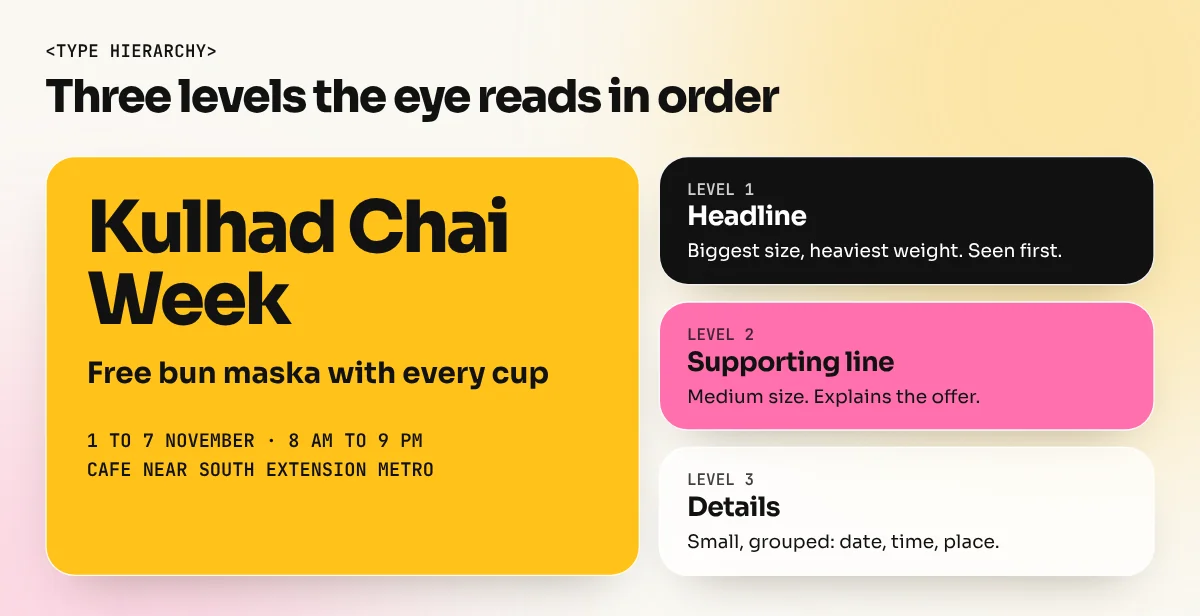
Hierarchy tells the reader where to start. Without it, every line competes and the reader gives up. You can build strong hierarchy using only type, with no extra colours or boxes.
| Tool | How to use it | Example on a café poster |
|---|---|---|
| Size | Make the most important line much bigger | "Kulhad Chai Week" at 72 pt |
| Weight | Bold for key words, regular for details | Date and time in Bold |
| Colour | One accent colour for one key item | Price in brand orange |
| Space | More space around important lines | Large gap above the offer |
| Case | Small caps or all caps for labels | "LIMITED OFFER" label |
| Position | Top-left or centre is seen first | Headline at the top |
A common beginner mistake is making three or four lines all "important". Choose one headline, one supporting line and then details. If you squint at the design, you should still see those three levels clearly.
Choosing and pairing fonts
Start from the message, not the font list. Ask three questions:
- Who is reading? A school brochure for parents needs calm, clear type. A street-food festival poster can be loud.
- Where will they read it? A hoarding seen from a moving car needs big, simple shapes. A menu read at a table can use finer type.
- What should it feel like? Traditional, modern, luxury, fun, serious. Pick a typeface whose shapes match that feeling.
Then keep the system small. One family for headings and one for body text covers most jobs. Many large families such as Inter, Noto Sans or Roboto have enough weights to do a whole brand alone. When you do mix two fonts, give them clearly different jobs and enough contrast, such as a serif heading with a sans serif body. Our guide on font pairing combinations that always work lists tested pairs, including Hindi and English pairs.
Always check the font licence before using it for a client. Google Fonts are released under open licences that allow commercial use. Fonts from other sites may be "free for personal use" only, which means you cannot use them on a client's logo or packaging.
Common typography mistakes and quick fixes
| Mistake | Why it hurts | Fix |
|---|---|---|
| Five fonts in one design | Looks messy and cheap | Use two families, vary size and weight |
| Text on a busy photo | Words disappear | Add a dark overlay or move text to a calm area |
| Tight leading in paragraphs | Lines crash into each other | Set leading at 120 to 150 percent |
| Long lines across a wide page | Reader loses the next line | Use columns or a narrower text box |
| Stretched or squashed letters | Distorts the font design | Change size or choose a condensed font |
| Default kerning in big headlines | Gaps look uneven | Kern letter pairs by eye at large sizes |
| Widows and orphans | One lonely word or line at the end or top | Edit the text or adjust the text box |
Never stretch type horizontally or vertically to fit a space. Professional designers and printers notice it at once. If a word will not fit, change the size, the wording or the font width.
How to practise typography
Typography improves with deliberate practice. Try these exercises, one per day.
- Type-only poster. Design an A3 event poster using only text, no images. Use two fonts at most.
- Menu reset. Pick a local restaurant menu and reset it with clear hierarchy: section, dish name, description, price.
- Kerning drill. Set your own name in capitals at 120 point and kern every pair by eye. Compare with the default.
- One word, five moods. Set the word "Diwali" in five typefaces and write one line about the feeling each gives.
- Paragraph test. Set the same paragraph at three line lengths and three leading values. Print them and read each one.
Long documents such as brochures, magazines and books teach typography best, because you handle paragraph styles, columns and spacing across many pages. An InDesign course covers these tools in detail. If you want typography together with layout, colour, branding and software in one path, the 6-month graphic design diploma builds these skills through real projects. You can also read our guide to the principles of graphic design to see how hierarchy, alignment and contrast work across a full layout.
The bottom line
Typography is the part of graphic design that people use without noticing. Learn the key terms, pick fonts that match the message, follow the readability rules for size, leading, line length and contrast and build hierarchy with size and weight before adding colour. Practise on real menus, posters and posts. Once your type is clear, every other part of your design looks better too.
Frequently asked questions
What is typography in simple words?
Typography is how words look on a page or screen. It is the choice of font, size, spacing and arrangement that makes text easy to read and gives it the right feeling.
What is the difference between a typeface and a font?
A typeface is the design family, such as Poppins or Garamond. A font is one style inside it, such as Poppins Bold or Garamond Italic. In daily studio talk, most people use the two words for the same thing.
How many fonts should I use in one design?
Two is enough for most work: one for headings and one for body text. Create more variety with size, weight and colour inside those two families before you add a third font.
Is typography hard to learn?
The basics take a few weeks of practice. Learning to see small spacing problems takes longer, so redesign real menus, posters and posts and compare them with the original.