Graphic Design Software List 2026: What Each One Is For
A clear graphic design software list for 2026: what Photoshop, Illustrator, InDesign, Figma, Affinity and free tools are used for and which to learn first.
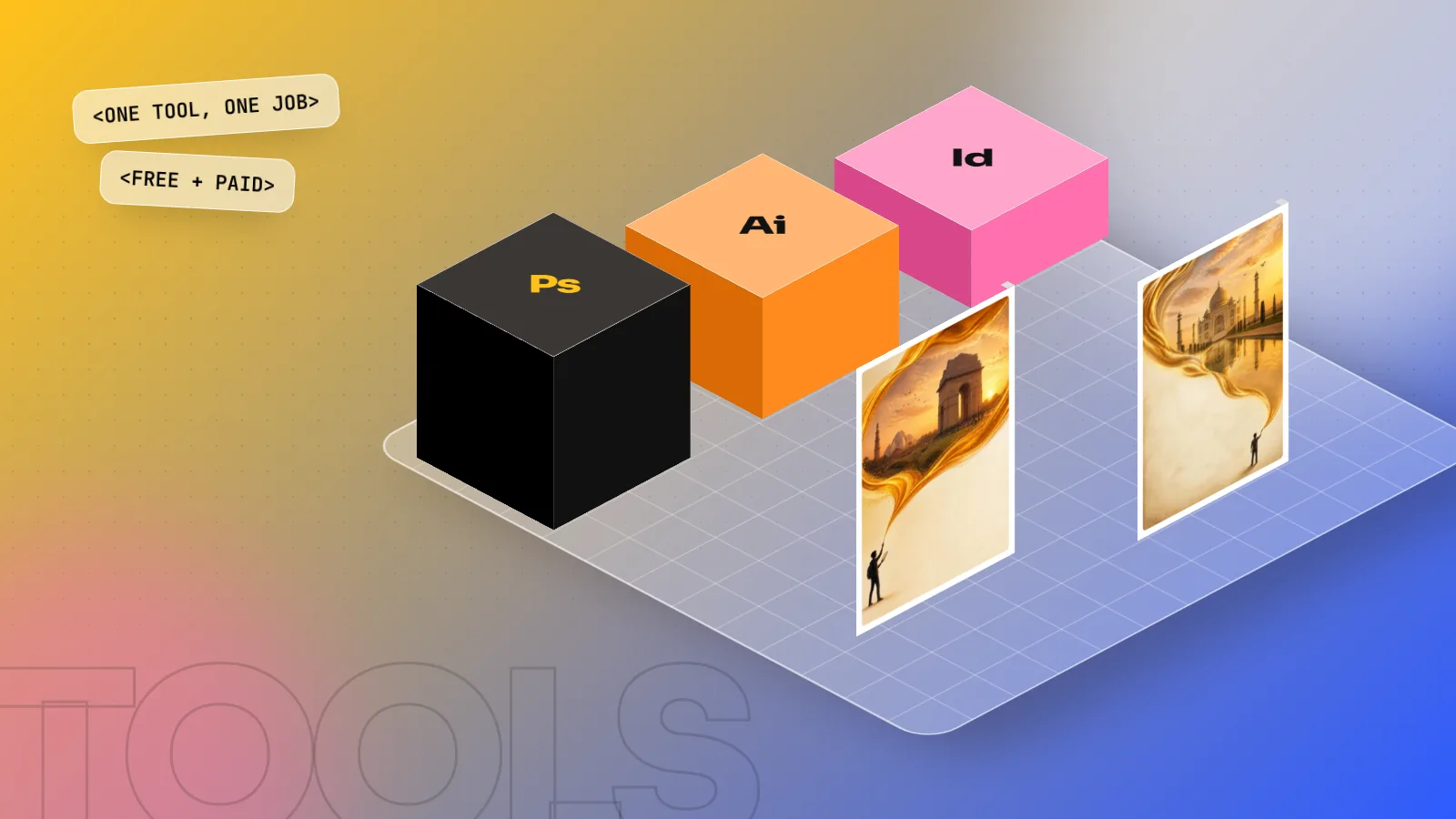
Graphic design software falls into a few jobs. Photoshop edits photos and pixels, Illustrator draws logos and vector art, InDesign lays out multi-page print, Figma designs screens and Canva makes quick templates. Free options include Affinity, GIMP, Inkscape and Krita. Most design jobs in India still ask for Photoshop, Illustrator and InDesign first.
Graphic design software is the set of programs designers use to edit photos, draw logos, lay out pages and design screens. No single program does everything well, so professionals use a small group, each for its own job. This graphic design software list for 2026 explains what each main tool is for, which ones are free, what Indian employers ask for and the order in which a beginner should learn them.
If you mainly want apps for a phone or tablet, read our guide to the best graphic design apps for phone and laptop. This article focuses on the desktop software used in studios, agencies and print shops.
The quick list: graphic design software by job
| Software | Main job | Type of file | Free or paid |
|---|---|---|---|
| Adobe Photoshop | Photo editing, social posts, ads, mock-ups | Raster (pixels) | Paid (Creative Cloud) |
| Adobe Illustrator | Logos, icons, illustrations, packaging | Vector | Paid (Creative Cloud) |
| Adobe InDesign | Brochures, magazines, books, menus | Page layout | Paid (Creative Cloud) |
| Adobe Acrobat | Checking and fixing print PDFs | Free reader, paid Pro | |
| CorelDRAW | Print, signage, flex banners | Vector | Paid |
| Figma | Websites, apps, UI design | Vector (screens) | Free plan, paid plans |
| Canva | Quick templates, social posts | Mixed | Free plan, paid Pro |
| Affinity | Photo, vector and layout in one app | Mixed | Free (Canva account) |
| GIMP | Photo editing | Raster | Free, open source |
| Inkscape | Vector drawing | Vector | Free, open source |
| Krita | Digital painting and illustration | Raster | Free, open source |
| Adobe After Effects | Motion graphics and animation | Video | Paid (Creative Cloud) |
| Blender | 3D models, product renders | 3D | Free, open source |
Prices and plans change often, so always check the official website before you buy. Students can usually get education pricing on Adobe Creative Cloud.
Raster vs vector vs layout: why you need more than one
Understanding these three kinds of software saves a lot of confusion.
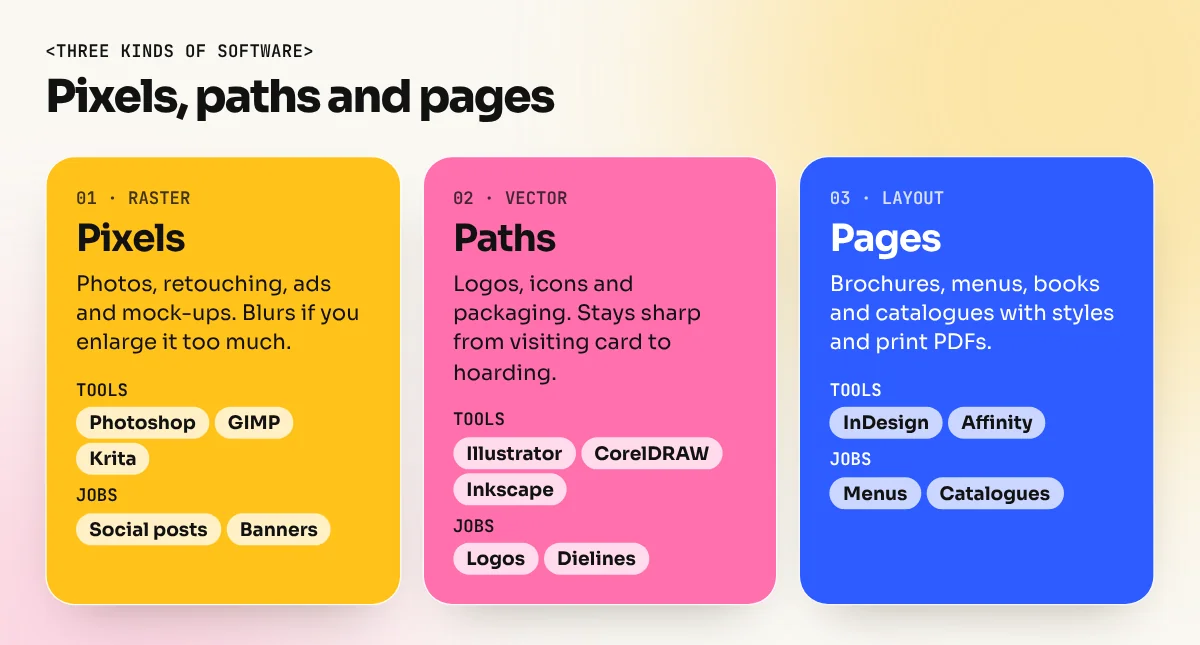
- Raster software (Photoshop, GIMP, Krita) works with pixels, like a photo. It is perfect for retouching, colour correction and image-heavy ads. If you enlarge a raster image too much, it becomes blurry.
- Vector software (Illustrator, CorelDRAW, Inkscape) works with mathematical paths. A vector logo can go on a visiting card or a 40-foot hoarding with no loss of sharpness. That is why every logo should be vector.
- Layout software (InDesign, Affinity's layout tools) arranges text and images across many pages, with master pages, styles and print-ready PDF export. A 24-page catalogue is painful in Photoshop and easy in InDesign.
A real job uses all three. For a new restaurant, you might draw the logo in Illustrator, retouch food photos in Photoshop and set the menu in InDesign.
The Adobe core: Photoshop, Illustrator and InDesign
Most Indian design job posts list these three by name, so they are the safest place to start.
Photoshop is the everyday tool. Social media creatives, banner ads, product photo clean-ups, composites and mock-ups all happen here. In recent versions, Photoshop Generative Fill and AI image tools speed up tasks like extending a background or removing an object. You still need layers, masks and colour skills to finish the work properly.
Illustrator is for anything that must stay sharp at every size: logos, icons, infographics, patterns, packaging dielines and T-shirt prints. The Pen tool is the key skill and it takes practice.
InDesign is for pages. Brochures, magazines, annual reports, books and restaurant menus are built here, with paragraph styles that keep long documents consistent. It is also the cleanest way to export print-ready PDFs with bleed and crop marks.
Two more Adobe tools are worth knowing later. Acrobat Pro lets you check fonts, colours and image resolution in a PDF before it goes to the printer. After Effects adds motion: animated logos, reel graphics and kinetic text, which many brands now want for Instagram.
Software for screens: Figma
If you want to design websites or apps, Figma is the tool most product teams use. It runs in a browser or a desktop app and several people can work on the same file at the same time, which makes it ideal for teams. It has a free plan for individuals.
Figma is not a replacement for Photoshop or Illustrator. You will still edit images and draw icons in those tools and then bring them into Figma. If you are curious about the screen side of design, start with small projects like a cafe's mobile menu or a landing page.
Free graphic design software that is good enough to learn on
You do not need a big budget to start. These free tools are used by real designers:
| Free tool | Similar to | Good for | Limit to know |
|---|---|---|---|
| Affinity (Canva) | Photoshop + Illustrator + InDesign | Full photo, vector and layout work | Canva's AI features need a paid Canva plan |
| GIMP | Photoshop | Photo editing and retouching | Different shortcuts and workflow from Photoshop |
| Inkscape | Illustrator | Logos, icons, vector art | Slower with very complex files |
| Krita | Procreate / Photoshop painting | Digital painting and illustration | Not built for layout or text-heavy work |
| Blender | 3D software | Product renders, 3D type, mock-ups | Steep learning curve |
| Canva free plan | Template tools | Quick social posts and invites | Less control over type and print files |
A note on Affinity: in October 2025 Canva, which owns Affinity, replaced the separate Affinity Photo, Designer and Publisher apps with one free Affinity app for Windows and Mac. It needs a free Canva account to download and activate. This makes it one of the strongest free choices for students.
Free tools are excellent for practice and personal work. For a job, though, employers will usually test you in Adobe software, so plan to learn both.
CorelDRAW and Canva: where they fit in India
CorelDRAW has a long history in India. Many print shops, flex and signage businesses and wedding card printers still work in it. If you freelance with local printers, they may send you CDR files. Agencies and brands, however, mostly expect Illustrator files.
Canva has become a daily tool for marketing teams that need quick posts from templates. It is useful and fast, but it does not replace a designer's core tools. Use it as an extra skill. Our article on Photoshop vs Illustrator vs Canva compares these three in detail.
What Indian employers actually ask for
Open any job portal and search for graphic designer roles in Delhi NCR. The same software names appear again and again. Based on the kind of skills listed in such posts, this is a sensible order:
| Role | Must-have software | Good to add |
|---|---|---|
| Social media designer | Photoshop, Illustrator | Canva, After Effects |
| Print and packaging designer | Illustrator, InDesign, Photoshop | CorelDRAW, Acrobat Pro |
| Brand identity designer | Illustrator, Photoshop | InDesign, Figma |
| UI or web designer | Figma, Photoshop | Illustrator |
| Motion designer | After Effects, Photoshop, Illustrator | Premiere Pro, Blender |
Software alone does not get you hired. Employers also check your portfolio for typography, layout and ideas. But without the right tools on your CV, many recruiters will not look further.
The best order to learn graphic design software
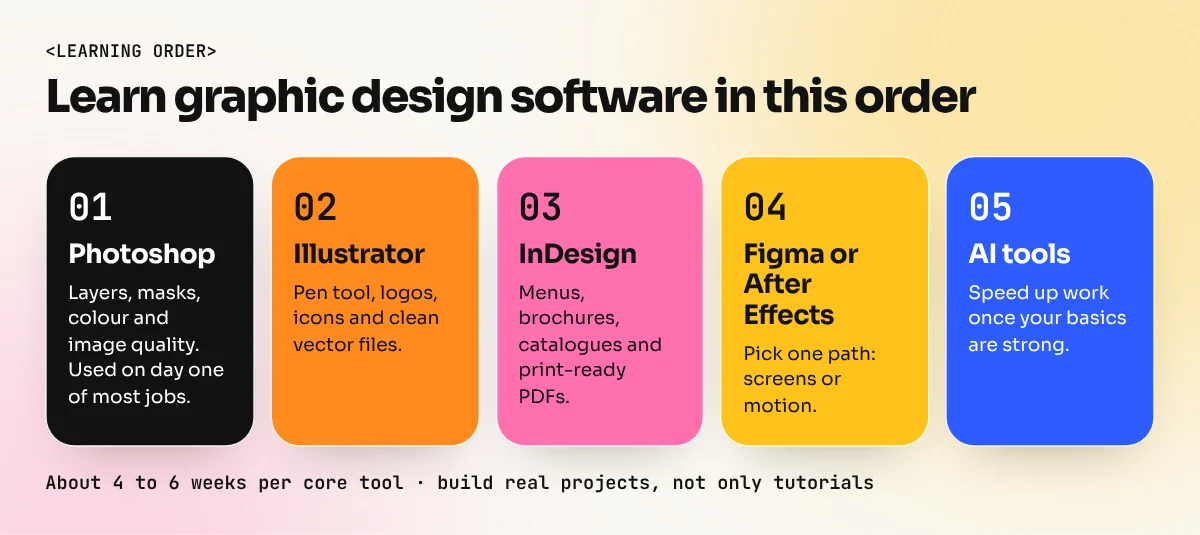
- Photoshop first. You will use it on day one of almost any job and it teaches layers, colour and image quality.
- Illustrator second. Logos and vectors are the base of every brand.
- InDesign third. Print is still big in India: menus, brochures, catalogues and packaging.
- Pick one direction. Figma for screens, or After Effects for motion.
- Add AI tools. Once your basics are strong, AI speeds you up. Our guide to AI tools for graphic design explains which ones are worth your time.
Spend about four to six weeks with each core tool, making real projects rather than only watching tutorials. In our Photoshop course you build ads and composites from the first week and in the Illustrator course you master the Pen tool, logos and print-ready vector files.
The bottom line
There is no single best graphic design software. Photoshop handles pixels, Illustrator handles vectors, InDesign handles pages and Figma handles screens. Free tools like Affinity, GIMP and Inkscape are great for practice, while Adobe apps remain what most Indian employers ask for. Learn the core three well, add one specialist tool and let your portfolio show what you can do with them.
Frequently asked questions
Which graphic design software should a beginner learn first?
Start with Photoshop, because photo editing, social posts and ads use it every day. Learn Illustrator next for logos and vectors, then InDesign for print layouts. Canva and Figma are quick to pick up once you know these.
Is there free graphic design software that is good enough for real work?
Yes. Affinity (now free from Canva) covers photo, vector and layout work in one app. GIMP edits photos, Inkscape draws vectors, Krita is for digital painting and Blender handles 3D. They are good for learning and freelance work, though most job posts still name Adobe apps.
Do I need a powerful computer for graphic design software?
For Photoshop and Illustrator, a laptop with 16 GB RAM, an SSD and a recent processor runs smoothly. 8 GB works for light work. Figma and Canva run in a browser and need less power, while 3D and video software need a stronger graphics card.
Is CorelDRAW still used in India?
Yes, CorelDRAW is still common in many Indian print shops, signage and flex printing businesses. Agencies and brands mostly ask for Illustrator. If you plan to work with printers, knowing both is useful.