How to Design a Logo: The Process Designers Actually Use
How to design a logo step by step: brief, research, sketches, vectors in Illustrator, colour, type and testing, with a worked example of a Delhi chai brand.
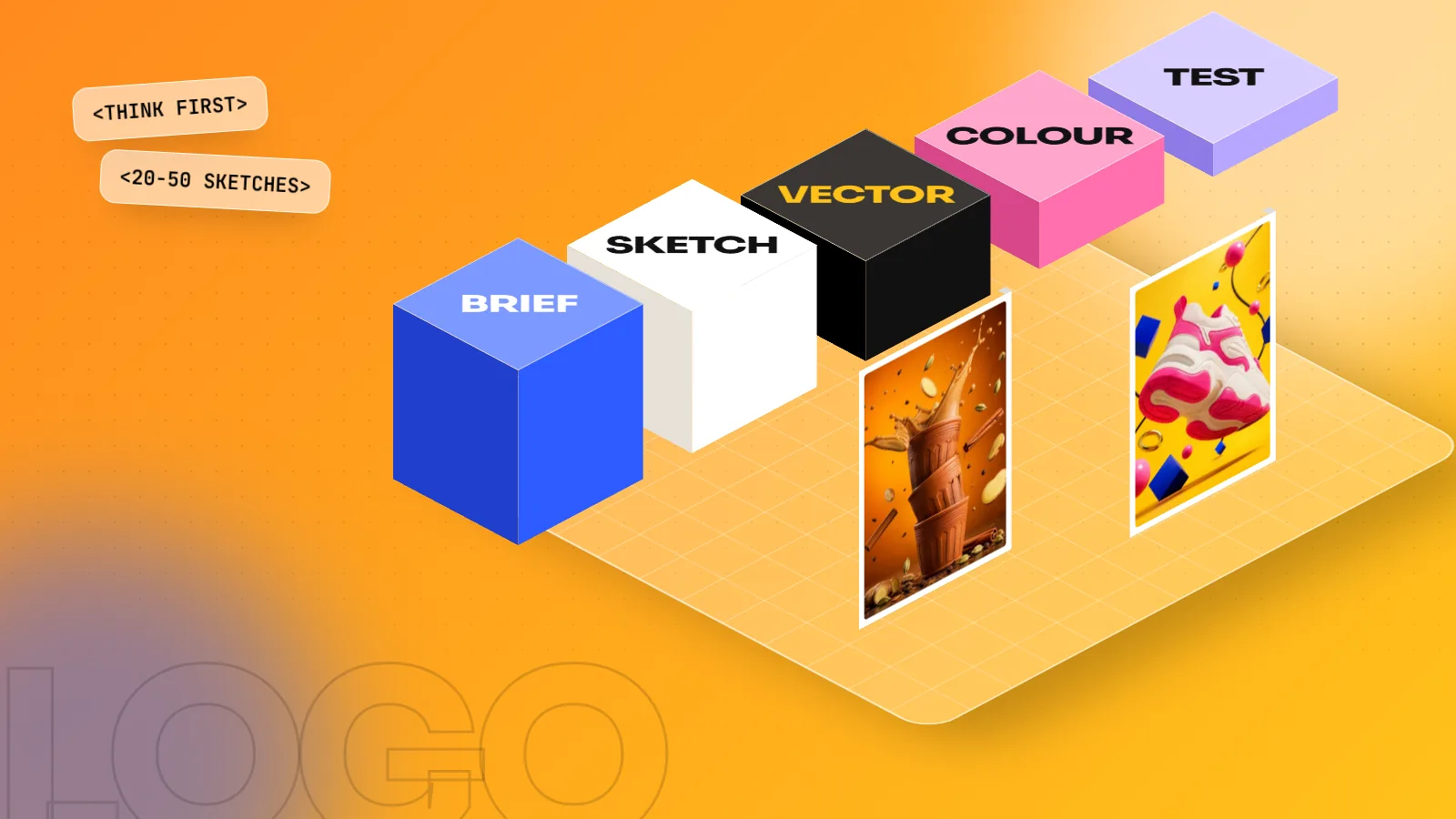
To design a logo, start with a short brief on the business, audience and feel. Research competitors, then sketch 20 to 50 rough ideas on paper. Pick the best three, draw them as vectors in Illustrator, add type and colour, then test them small, large and in black and white before presenting.
If you want to know how to design a logo, the short answer is: think first, draw later. Good logos come from a clear brief, research and many rough sketches. Only after that do designers open Adobe Illustrator to build the mark as a vector, add type and colour and test it at every size. This guide walks through the eight steps working designers use, with a worked example of a small Delhi chai brand so you can see each step in action.
What makes a good logo
Before the steps, it helps to know what you are aiming for. A logo is not a picture of what the company does. It is a symbol people learn to recognise. The best logos share five qualities.
| Quality | What it means | Quick test |
|---|---|---|
| Simple | Few shapes, no tiny details | Can you draw it from memory in ten seconds? |
| Memorable | One clear idea people recall | Show it for five seconds, then ask someone to describe it |
| Scalable | Works on a pen and on a hoarding | View it at 16 pixels and on a full screen |
| Works in one colour | Still clear in black only | Print it on a plain photocopy |
| Fits the brand | Matches the price, audience and feel | Would the target customer trust it? |
Keep this table near you while you work. Every step below is about getting closer to these five points.
Step 1: Write a clear brief
Every logo starts with questions, not shapes. Ask the client, or yourself if it is a practice project:
- What does the business sell and to whom?
- Which three words should people feel when they see the logo? For example: warm, local, honest.
- Who are the main competitors?
- Where will the logo appear most: shop sign, packaging, app icon, Instagram?
- Are there any colours or symbols to avoid?
Write the answers on one page. This page becomes your test later: does the design match the brief or not?
Worked example: "Kulhad Co." is a chai stall in Lajpat Nagar that plans two more outlets. Its customers are college students and office workers. The three words are warm, local and quick. The logo will appear on clay cups, a shop board and an Instagram profile.
Step 2: Research the market and the meaning
Look at what competitors use so your logo stands apart. If every chai brand around uses brown and a teacup icon, that is a reason to think differently. Also collect references for the feeling you want: old Delhi signage, hand-painted truck lettering, clay textures. Put them on a moodboard.
Research is also a safety step. In India, the Trade Marks Registry under the Controller General of Patents, Designs and Trade Marks keeps the register of trade marks, which you can search on the IP India website. A quick search helps you avoid a design that is too close to an existing registered mark.
Step 3: Sketch many ideas on paper
This is the step beginners skip and professionals never do. Take a pencil and fill two or three pages with small, rough thumbnails. Aim for 20 to 50 ideas. Speed matters more than neatness.
Try different directions:
- Wordmark: only the name in a special typeface.
- Lettermark: initials, like "KC".
- Symbol: an icon such as a kulhad or steam.
- Combination mark: symbol plus name.
- Emblem: name inside a badge or shape.
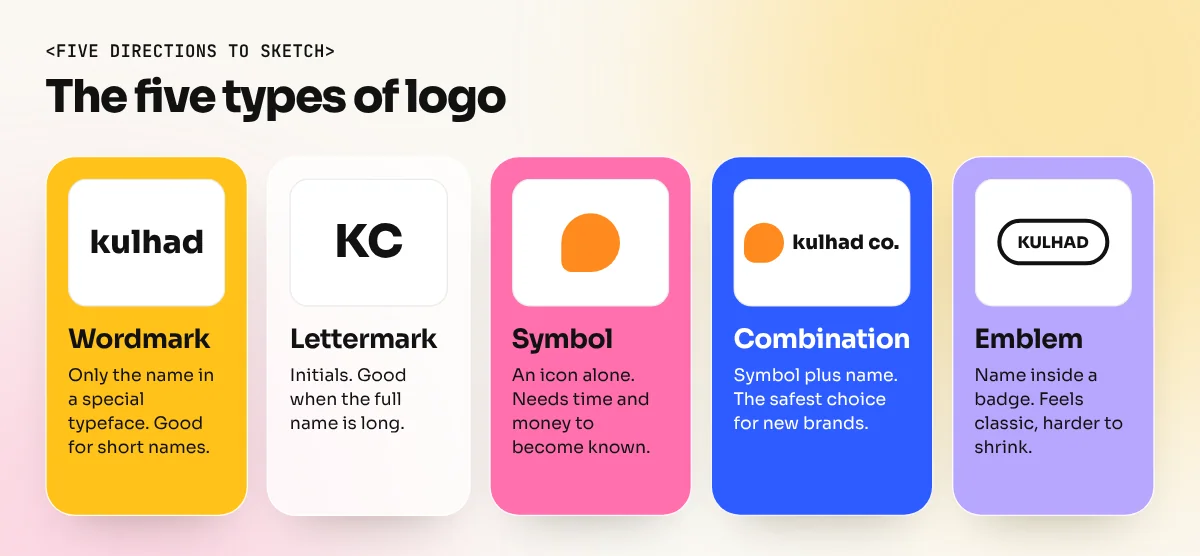
Circle the five strongest sketches. Then pick three that are truly different from each other. Three different ideas give the client a real choice.
Step 4: Build the logo as a vector in Illustrator
Now move to the computer. Scan or photograph your chosen sketches and place them in Adobe Illustrator. Lock the sketch layer, then trace over it with clean shapes.
- Use the Pen tool for custom curves. If you are new to it, our Illustrator pen tool guide breaks it down with practice shapes.
- Use the Shape Builder tool to merge and cut basic circles and rectangles into new forms.
- Keep anchor points to a minimum. Fewer points mean smoother curves.
- Work in black first. Colour comes later.
A vector logo is made of maths, not pixels, so it stays sharp at any size. That is why Illustrator is the standard tool for this job. Our Adobe Illustrator course spends whole sessions on logo construction for this reason.
Step 5: Choose the typeface
The name in a logo needs as much care as the symbol. Pick a typeface that matches the three brand words from your brief.
| Feeling | Type style | Example use |
|---|---|---|
| Traditional, trusted | Serif | Jewellers, law firms, heritage brands |
| Modern, clean | Sans serif | Tech, startups, clinics |
| Friendly, handmade | Script or rounded | Cafés, bakeries, kids' brands |
| Bold, loud | Heavy display | Sports, street food, events |
Check the font licence allows logo use. Then adjust the letter spacing (kerning) by hand, because default spacing rarely looks even in large sizes. Many designers redraw a letter or two so the wordmark feels unique.
Step 6: Add colour with purpose
Choose one main colour and at most one or two support colours. Colour should come from the brief, not from personal taste. For Kulhad Co., a terracotta orange ties to clay cups and a deep brown gives contrast for text.
Write down every colour in three formats: CMYK for print, RGB for screens and HEX for websites. A logo that looks bright on screen can print dull, so print a test before you finalise.
Step 7: Test the logo in the real world
Testing is where weak logos fail. Place your three options on mockups and check them against the five qualities from the first table.
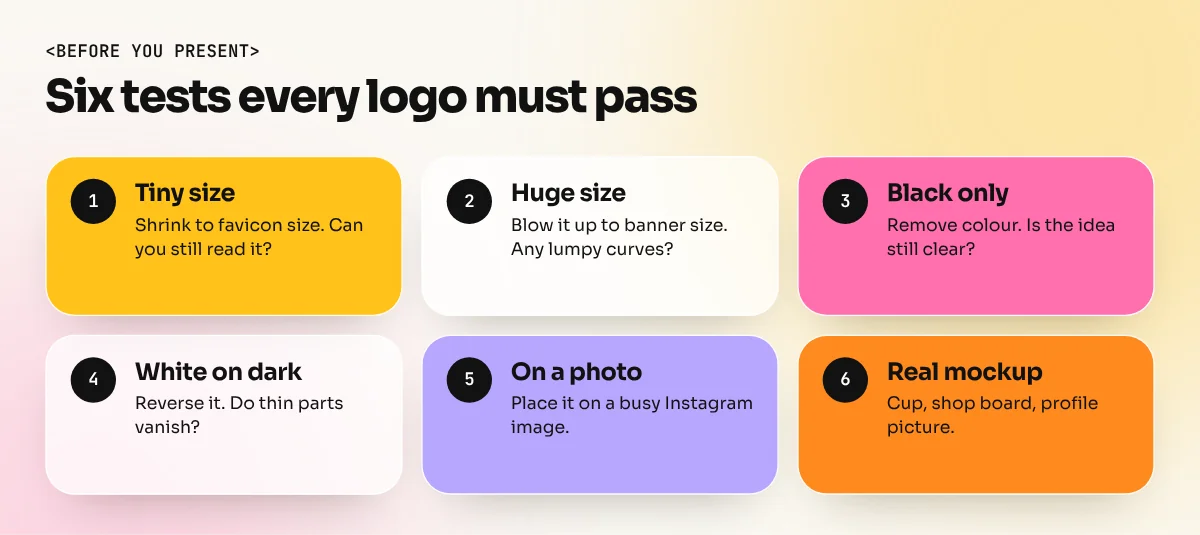
- Shrink it to the size of a favicon. Can you still read it?
- Blow it up to banner size. Do any curves look lumpy?
- Make it black only. Is the idea still clear?
- Reverse it to white on a dark background.
- Put it on a busy photo, like an Instagram post.
- Place it on the real items: a kulhad cup, a shop board, a profile picture.
Step 8: Present, refine and deliver
Show each option on a clean page with a short line explaining the idea behind it, plus two or three mockups. Do not present 15 options. Three thought-through designs show more skill than a pile of random ones.
After feedback, refine the chosen design. Then prepare the final package:
- Vector files: AI, EPS, SVG and PDF.
- PNG files with transparent backgrounds in a few sizes.
- Full colour, one colour black and reversed white versions.
- Colour codes in CMYK, RGB and HEX.
- A one-page guide showing clear space around the logo and the smallest allowed size.
A logo is usually the first piece of a bigger identity. To see how it connects with colours, type and packaging, read our guide to branding design.
Common logo mistakes beginners make
- Starting on the computer. You end up with the first idea instead of the best one.
- Too much detail. Gradients, shadows and thin lines disappear at small sizes.
- Copying a famous logo "with changes". It looks unoriginal and can create legal trouble.
- Using five colours. Printing gets costly and the logo looks busy.
- Designing in Photoshop only. Pixel logos blur when enlarged.
- Trusting AI output as final. Use Photoshop Generative Fill and AI image tools for moodboards, not for the finished mark.
Logo design is one of the most asked-for skills in Indian job posts. If you want to build it properly, alongside typography, layout and print, our six-month graphic design diploma covers logo and identity projects from brief to final files.
Frequently asked questions
Which software is best to design a logo?
Adobe Illustrator is the industry standard because it creates vector files that scale to any size without blurring. CorelDRAW also works well and is common in Indian print shops. Photoshop is not a good choice for the final logo because it works mainly in pixels.
How long does it take to design a logo?
A simple logo for a small business can take a few days. A full identity for a larger brand, with research, rounds of feedback and a brand guide, often takes a few weeks. Most of the time goes into thinking and sketching, not drawing.
Can I design a logo with AI?
AI image tools can help with early mood ideas, but their output is usually not a clean, original vector you can register or scale. Use them for exploration, then design the final mark yourself in Illustrator.
What files should I give the client?
Give vector files (AI, EPS, SVG and PDF) plus PNG files with transparent backgrounds. Include colour, black and white versions, the colour codes in CMYK, RGB and HEX and a one-page guide on spacing and minimum size.