CorelDRAW vs Illustrator: Which One Should You Learn?
CorelDRAW vs Illustrator compared for Indian learners: price model, features, print and agency use, file formats and jobs, plus which one to learn first.
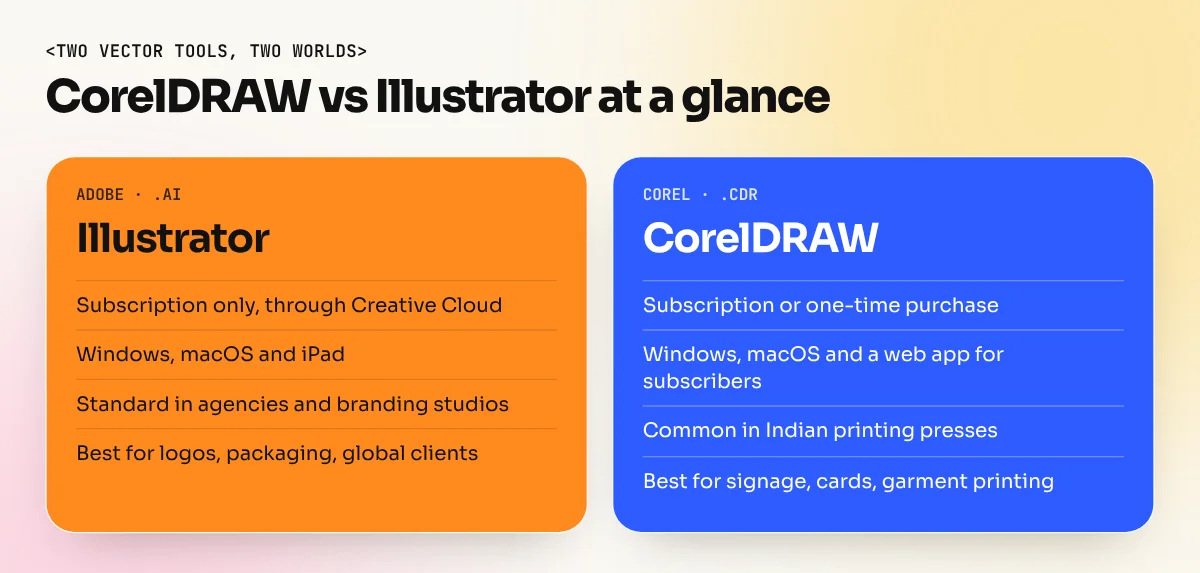
CorelDRAW and Illustrator are both vector design programs. Illustrator is the standard in agencies, branding studios and global jobs and is sold only as a subscription. CorelDRAW is popular in Indian print shops, signage and garment printing and can be bought once. Learn Illustrator first for a design career, then add CorelDRAW for print work.
CorelDRAW vs Illustrator is one of the most common questions Indian design students ask, because both names appear in job posts. Both are vector programs, so they draw with points and curves that stay sharp at any size. The real difference is where each one is used. Adobe Illustrator rules agencies, branding studios and global work. CorelDRAW is everywhere in Indian print shops, signage and garment printing. This guide compares them side by side and tells you which one to learn first for the work you want.
Quick comparison table
| Point | Adobe Illustrator | CorelDRAW Graphics Suite |
|---|---|---|
| Maker | Adobe | Corel |
| Type | Vector illustration and design | Vector illustration and page layout |
| How you buy it | Subscription only, through Creative Cloud | Subscription or a one-time purchase |
| Platforms | Windows, macOS and iPad | Windows, macOS and a web version for subscribers |
| Native file | .AI | .CDR |
| Comes with | Works alongside Photoshop, InDesign and other Adobe apps | Includes Corel PHOTO-PAINT and Corel Font Manager |
| Strong in | Logos, branding, packaging, illustration | Print jobs, signage, visiting cards, garment printing |
| Common employer in India | Agencies, studios, in-house brand teams | Printing presses, sign makers, textile and print businesses |
Price and licence: subscription vs buy once
This is the biggest practical difference for many students.
Adobe Illustrator is available only as part of a Creative Cloud membership, as Adobe's India page states. In October 2026, that page listed the Illustrator single app plan (annual, billed monthly) at ₹599 a month for the first year for new subscribers, then ₹733.96 a month, including GST. The same plan includes Illustrator on the iPad. Adobe offers one 7-day free trial per person. Prices and offers change, so check Adobe's India site before you buy.
CorelDRAW Graphics Suite is sold both ways. Corel's official product page offers annual and monthly subscriptions, as well as a one-time purchase it describes as "buy it once, own it forever". Subscribers get the latest version and the web app. For a small print business, the one-time option is often the deciding factor.
Features compared
Both programs cover the daily basics: shapes, curves, text, colour, gradients, layers and export. The differences show up in specific tasks.
| Task | Illustrator | CorelDRAW |
|---|---|---|
| Drawing custom curves | Pen and Curvature tools, very precise | Bézier and Pen tools, also precise |
| Combining shapes | Shape Builder and Pathfinder | Shaping tools (weld, trim, intersect) |
| Multi-page documents | Artboards; long documents usually go to InDesign | Built-in multi-page layout in one file |
| Tracing images to vectors | Image Trace | PowerTRACE |
| Photo editing | Done in Photoshop | Corel PHOTO-PAINT included |
| AI features | Adobe's own generative features inside Illustrator | Text-to-vector, text-to-image and AI background removal listed for the 2026 suite |
| Working with a team | Easy file sharing with other Adobe users | Easy with print vendors who use CDR |
Corel released CorelDRAW Graphics Suite 2026 in March 2026, with AI tools listed on its product page such as text-to-vector, text-to-image, AI masking and an improved PowerTRACE. Adobe keeps adding generative features across Creative Cloud. For learners, these extras matter less than the core skills, which are the same in both programs.
A practical difference: CorelDRAW lets you build a full multi-page brochure or a set of visiting cards in one file. In the Adobe world, a designer would usually draw graphics in Illustrator and lay out pages in InDesign.
Where each one is used in India
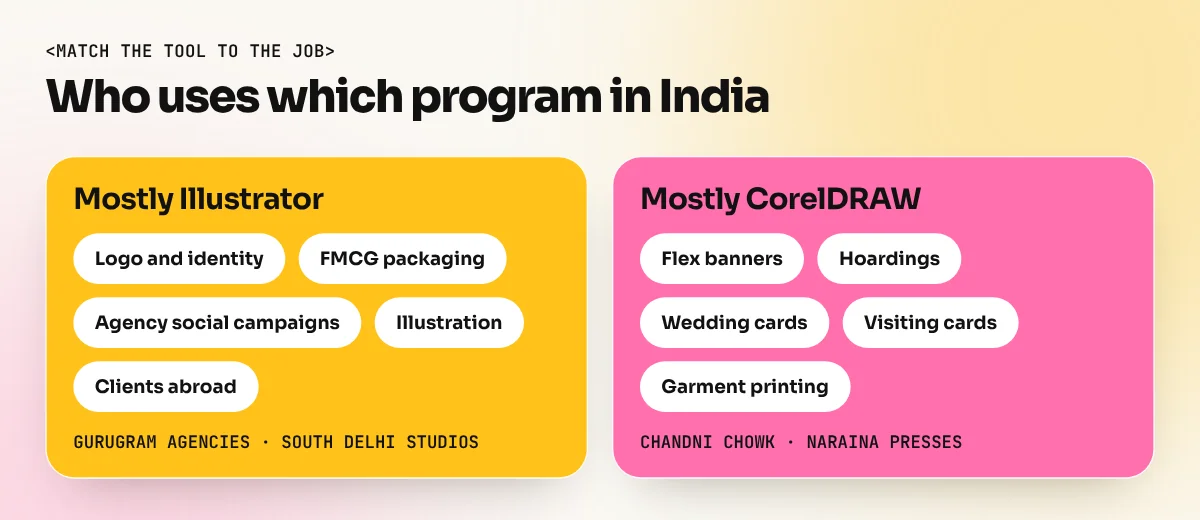
Walk into any printing press in Chandni Chowk or Naraina and you will likely see CorelDRAW on the screen. Wedding cards, flex banners, shop boards, stickers and T-shirt prints are often set up in CDR files because the operators and their vendors have used it for years.
Walk into a digital agency in Gurugram or a branding studio in South Delhi and you will see Adobe Illustrator. Agencies share files with clients, photographers, printers and international partners and Adobe formats are the common language there.
| Work type | Program you will meet most |
|---|---|
| Logo and brand identity | Illustrator |
| Packaging for FMCG brands | Illustrator |
| Flex banners and hoardings at local printers | CorelDRAW |
| Wedding cards and invitations | CorelDRAW |
| Garment and screen printing | CorelDRAW |
| Social media campaigns at agencies | Illustrator with Photoshop |
| Work for clients abroad | Illustrator |
Which one is easier to learn
Beginners often find CorelDRAW friendlier in the first week. Many tools are visible right away and setting up a printable A4 page feels natural. Illustrator has more panels and the Pen tool takes practice.
After a month, the gap mostly closes. Both use the same ideas: anchor points, handles, fills, strokes, layers and colour modes. If you learn to draw a clean logo in one, you can redraw it in the other within an hour once you know where the tools are. Our Illustrator pen tool guide covers the skill that transfers best between the two.
File formats and working together
Clients and printers will send you both kinds of files, so learn to move between them.
- Ask for the format the receiver needs. A local printer may want CDR. An agency usually wants AI or a print-ready PDF.
- Use a shared format when needed. PDF, SVG and EPS are the safest bridges between the two programs.
- Convert text to curves before sending print files, so missing fonts do not change the layout.
- Check colours after any transfer. Make sure the file is in CMYK for print.
- Keep the original file. Always save your editable master separately from exported copies.
A practice plan for your first month
Whichever program you choose, a short daily routine builds skill faster than long weekend sessions. Spend about an hour a day on this four-week plan.
| Week | Focus | Practice task |
|---|---|---|
| 1 | Tools and shapes | Redraw ten simple icons using only basic shapes |
| 2 | Curves | Trace five letters and two leaf shapes with the Pen tool |
| 3 | Type and colour | Design a visiting card and a shop board for a local chai stall |
| 4 | Real job | Make a print-ready A5 leaflet with bleed, CMYK colour and text converted to curves |
At the end of the month, redo the week 3 task in the other program. You will see how much of your skill carries over and you will be ready for both kinds of employers.
Which one should you learn first
Your goal decides the answer.
- You want an agency, branding or in-house design job: learn Illustrator first. It appears in more design job posts and works hand in hand with Photoshop and InDesign. Our Adobe Illustrator course builds those vector skills from scratch.
- You run or want to join a print business: learn CorelDRAW first. It matches how most local presses work and the one-time purchase suits small shops. Our CorelDRAW course focuses on print-ready layouts.
- You want the widest job options: learn Illustrator properly, then add CorelDRAW in a few weeks. Being able to say "I work in both" helps a lot in Delhi, where agencies and printers sit side by side.
If you are still choosing your full toolkit, our guide to graphic design software explains where Photoshop, InDesign, Canva and the others fit. For a three-way comparison of the most common tools, read Photoshop vs Illustrator vs Canva.
Frequently asked questions
Is CorelDRAW easier than Illustrator?
Many beginners find CorelDRAW quicker to start with because common tools sit in plain view and multi-page layouts are simple. Illustrator has more to learn at first, but once you know the Pen tool and panels, both feel similar for daily vector work.
Can Illustrator open CorelDRAW files?
The safest way to move work between the two is to export a common format such as PDF, SVG or EPS. Always check fonts, colours and effects after the transfer, because complex effects may not carry across exactly.
Which is better for printing, CorelDRAW or Illustrator?
Both produce professional print files. CorelDRAW is more common in local Indian printing presses, so a printer may ask for a CDR file. Agencies and packaging firms more often ask for Illustrator files or print-ready PDFs.
Do I need both CorelDRAW and Illustrator?
Not on day one. Learn one well, usually Illustrator, then pick up the other in a few weeks. The core skills of vector drawing, type and colour carry over, so the second program is mostly about learning where the tools are.