Invitation Card Design for Birthdays, Housewarmings and Events
Invitation card design for birthdays, housewarmings, baby showers and office events: what to write, sizes for print and WhatsApp, layouts, fonts and colours.
Good invitation card design answers four questions at a glance: what the event is, whose it is, when and where. Pick the format first (print card or WhatsApp image) and set the size. Make the name or event the biggest text, group date, time and venue together and add an RSVP line. Use one theme, two fonts and high contrast.
Invitation card design is the planning of a printed or digital card that invites guests to an event and tells them, at a glance, what, whose, when and where. Birthdays, housewarmings, baby showers, naming ceremonies, anniversaries, Diwali parties and office events all need one. This guide covers what to write, the right sizes for print and WhatsApp, layouts, themes, fonts and the checks that keep your invite clear. Wedding cards have their own rules, so we cover those separately.
Invitation cards are one of the most requested small jobs for a designer. A friend's child turns five, a family does a griha pravesh in Dwarka, a company plans its annual day. These briefs come with short deadlines and lots of feedback, which makes them perfect practice for working with real clients.
Types of invitation cards and what each needs
| Event | Tone | Must have |
|---|---|---|
| Kids' birthday | Playful, bright | Child's name, age, theme, time, venue, RSVP |
| Adult birthday or milestone | Fun or classy | Name, the number (30, 50, 60), date, venue |
| Housewarming (griha pravesh) | Warm, traditional | Family name, puja time, lunch or dinner time, new address with landmark |
| Baby shower or godh bharai | Soft, gentle | Mother's name, date, venue, hosts |
| Naming ceremony | Soft, traditional | Baby's name (if revealed), parents, date, venue |
| Anniversary | Elegant | Couple's names, the number of years, venue |
| Festival party | Festive | Festival name, host, date, venue, dress code |
| Office event or launch | Clean, on brand | Company logo, event name, agenda line, venue, RSVP link or QR code |
Decide the tone first. A dinosaur birthday and a 25th anniversary need very different fonts, colours and wording, even if the information is almost the same.
What to write on an invitation card
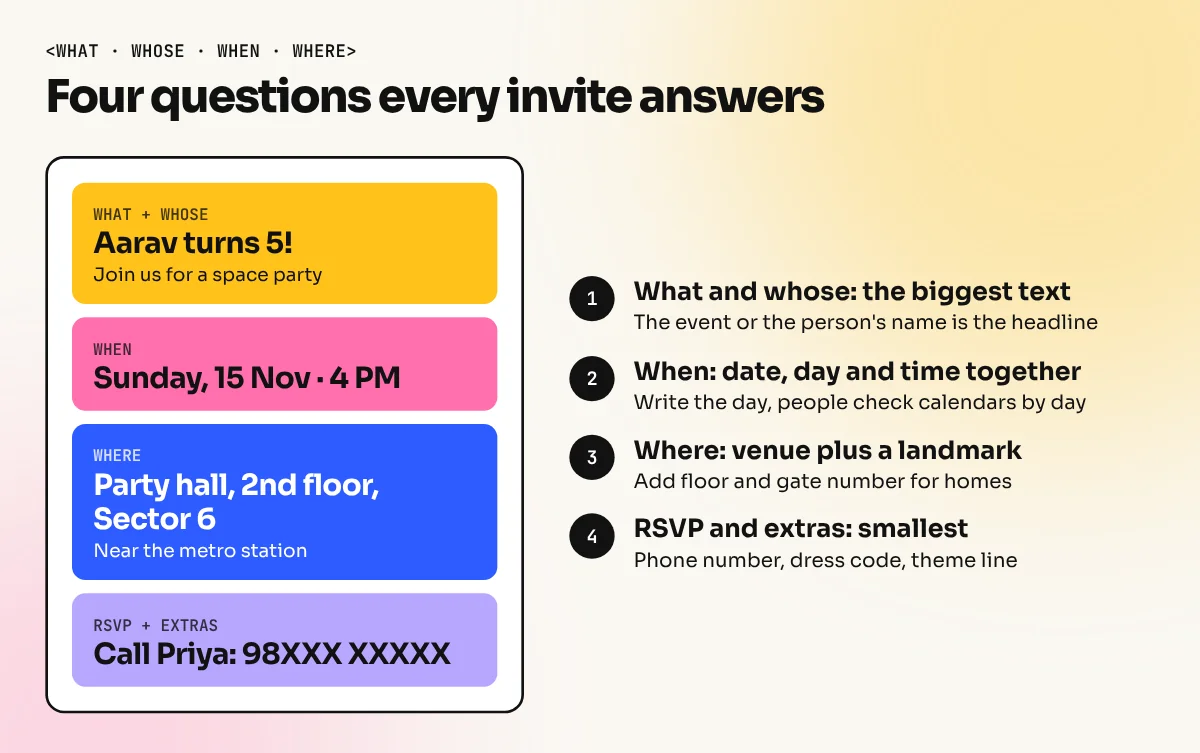
Every invite answers four questions. Put them in this order and you rarely go wrong.
- What. The event: "Aarav turns 5", "Griha Pravesh", "Annual Day 2026".
- Whose. The person, couple or company, if it is not already in the headline.
- When. Date, day and time. Write the day too ("Sunday, 15 November"), because people check calendars by day.
- Where. Venue name, full address and a landmark. For a home, add the floor and the gate number.
Then add the extras only if they help: an RSVP name and phone number, a dress code, a theme line ("come dressed as your favourite superhero"), a map QR code or a gentle "no gifts please".
Keep the wording short. "Join us to celebrate" is enough. Long poems and paragraphs make guests miss the time and address.
Sizes for print and WhatsApp
Most invites today are sent on WhatsApp first and printed only for close family or formal events. Plan both from the start so you do not redesign twice.
| Use | Size | Notes |
|---|---|---|
| Printed card | 5 x 7 inches (127 x 178 mm) | Common size; add 3 mm bleed on all sides |
| Printed card | A5, 148 x 210 mm | Easy to print on standard sheets |
| Square printed card | 6 x 6 inches | Looks modern; check envelope size |
| WhatsApp image | 1080 x 1350 px, portrait | Reads well in chat on most phones |
| WhatsApp or Instagram status | 1080 x 1920 px | Keep text away from the top and bottom edges |
| Instagram post | 1080 x 1080 or 1080 x 1350 px | For public events and launches |
For digital invites, make text larger than you would for print, because people read it on a small screen and often without zooming. Our guide to social media post sizes lists more sizes if the event is also promoted online.
How to design an invitation card, step by step
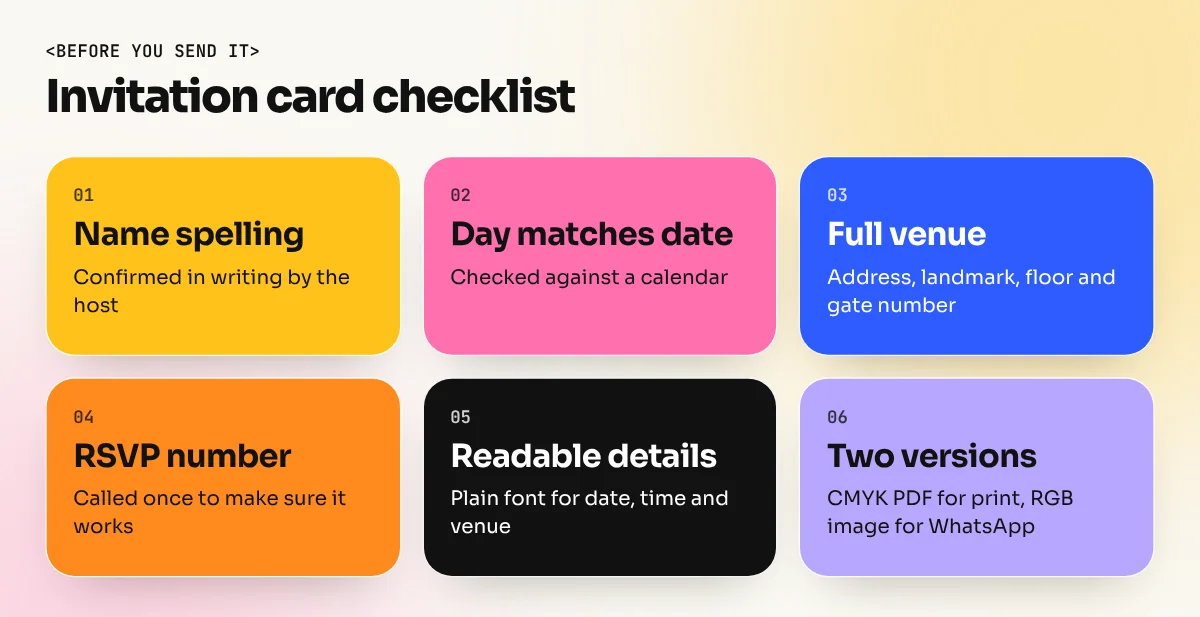
- Get the details in writing. Name spellings, date, day, time, venue and RSVP number in one message. Send it back for a quick "OK" before you design.
- Choose the format and size. Print, digital or both. Set the document size and, for print, add 3 mm bleed and a 5 mm safe area.
- Pick one theme. Space, jungle, florals, a festival, the company's brand colours. One theme keeps the card focused. Mixing balloons, stars, flowers and cartoon animals makes it noisy.
- Set the hierarchy. The headline (name or event) is the biggest text. Date, time and venue come next, grouped in one block. RSVP and extras are smallest.
- Choose two fonts. One display font for the headline and one simple font for details. Fun fonts are fine for a kids' party, but keep the details font plain and readable.
- Choose colours from the theme. Three or four colours are enough. Keep strong contrast for the details block, for example dark text on a light panel.
- Add illustrations or a photo. Use your own illustrations, licensed stock or the family's photo. Do not copy cartoon characters or brand mascots, which belong to their owners.
- Check and export. Proofread the day against a calendar, call the RSVP number once, then export a print PDF with bleed (CMYK) and a digital JPG or PNG (RGB).
Themes, fonts and colours that work
| Theme | Colours | Font style | Good for |
|---|---|---|---|
| Pastel balloons | Peach, mint, baby blue | Rounded sans | Kids' birthdays, baby showers |
| Jungle or safari | Leaf green, mustard, brown | Chunky display | Kids' birthdays |
| Space | Navy, purple, neon yellow | Geometric sans | Kids and teens |
| Gold and black | Black, gold, ivory | Elegant serif | Milestone birthdays, anniversaries |
| Festive marigold | Marigold orange, red, green | Serif with decorative capitals | Diwali parties, griha pravesh |
| Brand clean | Company colours, white | The brand's own fonts | Office events, launches |
Use your own drawn elements where you can. A simple hand-drawn diya, balloon or rocket in Illustrator looks more personal than the same stock graphic everyone else uses. For festival themes, avoid placing text over busy rangoli patterns. Put a plain shape behind the text instead.
Common invitation card mistakes
| Mistake | Result | Fix |
|---|---|---|
| Day does not match the date | Guests get confused | Check against a calendar before export |
| Address without a landmark | Guests call the host repeatedly | Add landmark, floor and gate number |
| Details in a fancy script | Time and venue hard to read | Use script only for the headline |
| Too many decorations | The key details get lost | One theme, plenty of empty space |
| Small text on WhatsApp | Guests cannot read it on phones | Larger text for the digital version |
| Copied cartoon characters | Copyright problems for commercial work | Draw your own or use licensed art |
Build a small invitation portfolio
Invitation cards are a quick way to show range. Design three invites for different events, for example a kids' space birthday, a griha pravesh and an office launch, each in both print and WhatsApp sizes. It proves you can change tone while keeping information clear, which is exactly what clients look for.
If you want to make digital invites fast with templates, our Canva course covers layouts, fonts and exports for social media and print. To draw your own illustrations and lettering, the Illustrator course teaches the pen tool, shapes and print-ready files. For traditional wedding invitations with inserts and foil, read our wedding card design guide.
Frequently asked questions
What size should an invitation card be?
For print, common sizes are 5 x 7 inches and A5 (148 x 210 mm), with 3 mm bleed added on every side. For WhatsApp, a portrait image of 1080 x 1350 pixels works well. Use 1080 x 1920 pixels for a full screen status or story.
Which app is best for making invitation cards?
Canva is quick for simple digital invites because it has ready layouts and fonts. Adobe Illustrator or CorelDraw is better when you need original artwork, custom lettering or a print file with exact bleed. Photoshop is useful for photo-based invites.
What should be written on a birthday invitation card?
The child's or person's name, the age if the family wants it, the date, day, time, venue with a landmark and an RSVP name with a phone number. A theme or dress code line is optional. Keep the wording short and warm.
Can I design an invitation card on my phone?
Yes, simple digital invites can be made on a phone with apps like Canva. For printed cards, finish the file on a computer so you can check the size, bleed and colour mode before sending it to the printer.