Social Media Post Sizes 2026: The Designer's Cheat Sheet
Social media post sizes for 2026 in one table: Instagram, Facebook, YouTube, LinkedIn, X, Pinterest and WhatsApp, with safe zones and export settings.
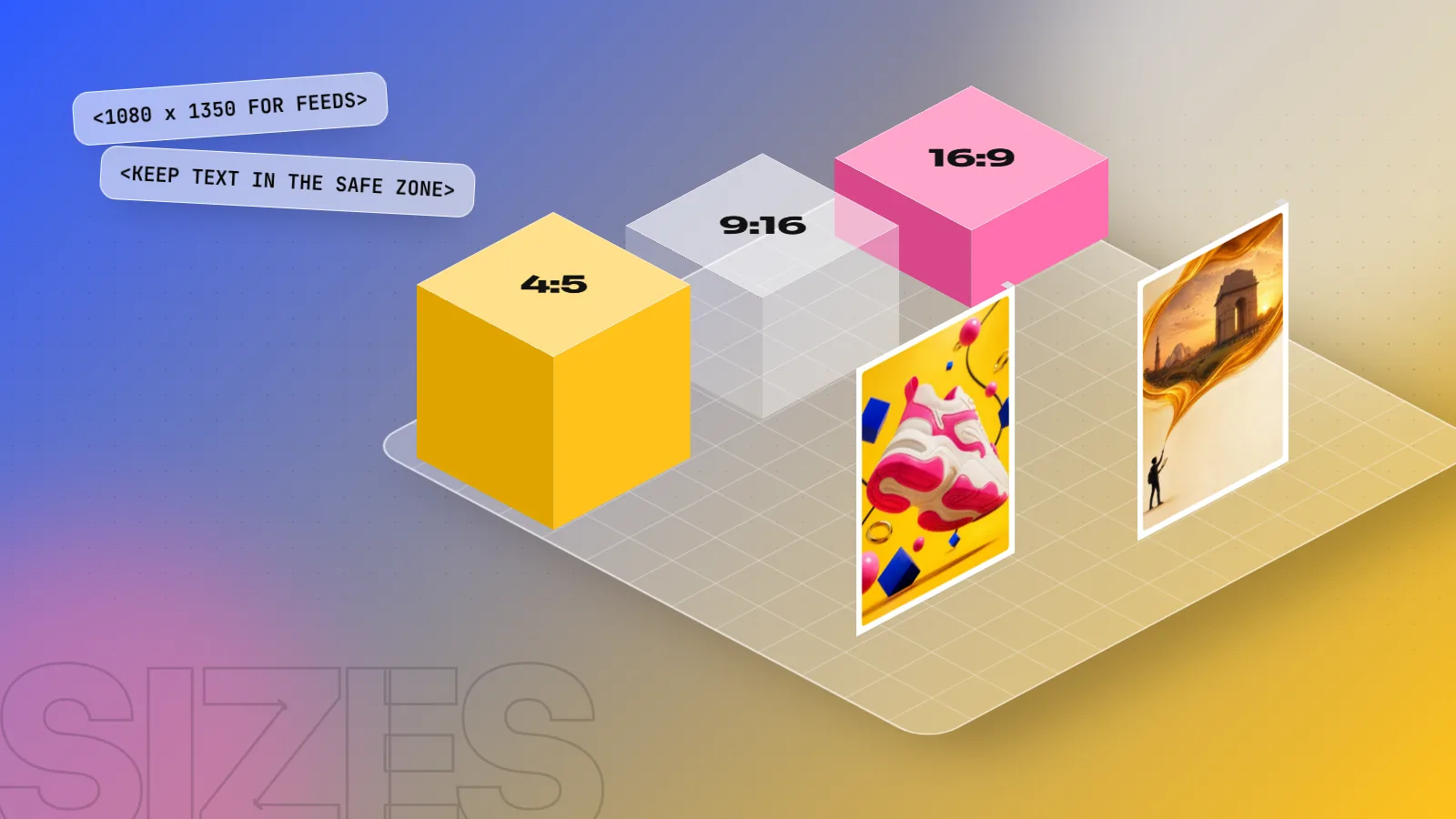
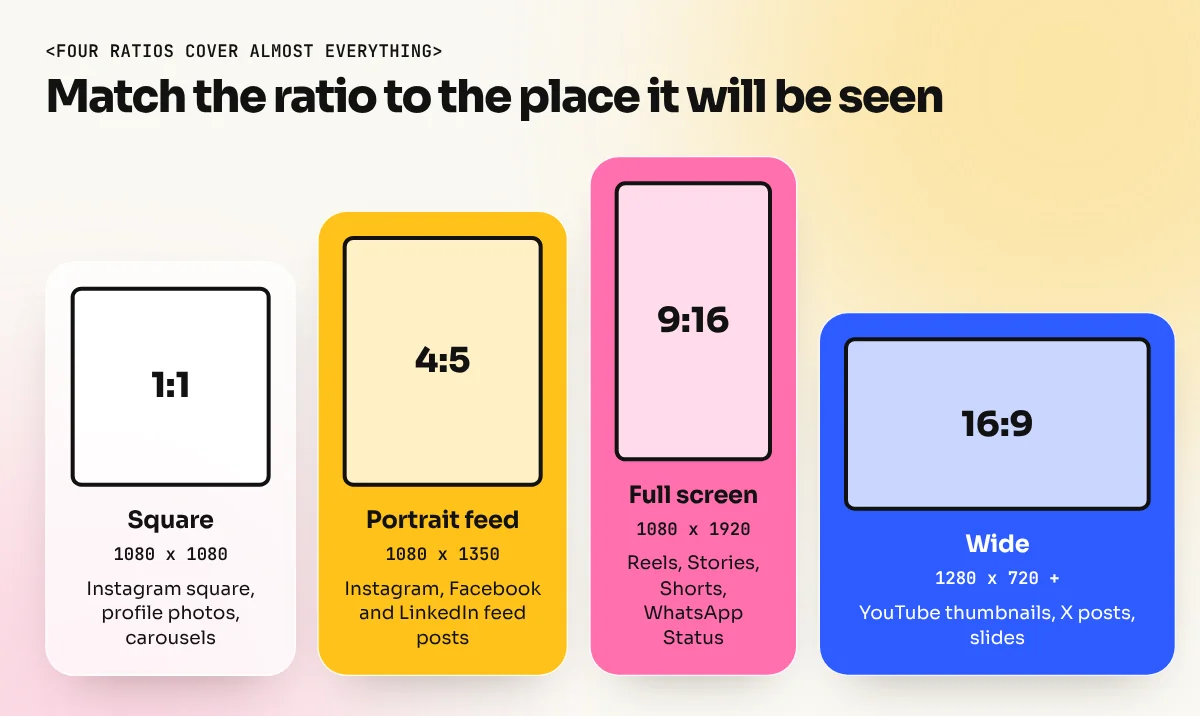
The most useful social media post sizes in 2026 are 1080 x 1350 px (4:5) for Instagram and Facebook feed posts, 1080 x 1920 px (9:16) for Reels, Stories, Shorts and WhatsApp Status, 1280 x 720 px or larger (16:9) for YouTube thumbnails and 1200 x 630 px for link previews. Design at these sizes in RGB.
Social media post sizes decide whether your design shows up sharp and complete or gets cropped, blurred or squashed. The short version for 2026: design feed posts at 1080 x 1350 px (4:5), vertical content at 1080 x 1920 px (9:16), YouTube thumbnails at 16:9 (1280 x 720 px or larger) and link previews at 1200 x 630 px. Below is the full cheat sheet for every major platform, plus safe zones, export settings and the mistakes that make a good design look bad online.
The one-table cheat sheet
Sizes are in pixels, width x height. Save this table or screenshot it for your desk.
| Platform | Format | Size (px) | Ratio |
|---|---|---|---|
| Feed post, portrait (best) | 1080 x 1350 | 4:5 | |
| Feed post, square | 1080 x 1080 | 1:1 | |
| Feed post, horizontal | 1080 x 566 | 1.91:1 | |
| Story and Reel | 1080 x 1920 | 9:16 | |
| Profile grid preview | Crops to 3:4 | 3:4 | |
| Feed image post | 1080 x 1350 | 4:5 | |
| Link preview image | 1200 x 630 | 1.91:1 | |
| Story | 1080 x 1920 | 9:16 | |
| YouTube | Video thumbnail | 1280 x 720 or larger | 16:9 |
| YouTube | Shorts | 1080 x 1920 | 9:16 |
| Post image, horizontal | 1200 x 627 | 1.91:1 | |
| Profile background | 1584 x 396 | 4:1 | |
| X (Twitter) | Post image | 1200 x 675 | 16:9 |
| X (Twitter) | Header | 1500 x 500 | 3:1 |
| Standard Pin | 1000 x 1500 | 2:3 | |
| Status | 1080 x 1920 | 9:16 | |
| All | Profile photo | 400 x 400 or larger | 1:1 (shown as a circle) |
Platforms change their layouts every year, so check the app itself before a big campaign. The ratios above change far less often than the exact pixel numbers.
Instagram sizes in detail
Instagram is where most Indian brands spend their design time, from a Karol Bagh jeweller to a Hauz Khas café.
- Portrait 1080 x 1350 (4:5) is the best choice for feed posts. It fills more of the phone screen than a square, so people stop on it longer.
- Square 1080 x 1080 still works, but it looks small in the feed today.
- Stories and Reels 1080 x 1920 (9:16) fill the full screen.
- Instagram's help pages say photos are uploaded at the best quality possible up to 1080 pixels wide. A wider file is resized, so 1080 px wide is the practical target.
The 3:4 grid change. In early 2025 Instagram changed the profile grid from squares to 3:4 rectangles. Your 4:5 post still shows in full in the feed, but the profile grid trims a thin strip from the top and bottom. Keep logos, prices and headlines away from those edges.
Reel covers. A Reel is 9:16, but its cover appears in the 3:4 grid. Put the cover text in the middle of the frame so it survives both crops.
YouTube thumbnail and Shorts
The thumbnail is often more important than the video title. YouTube's help page lists these rules for custom thumbnails:
| Rule | YouTube's requirement |
|---|---|
| Ratio | 16:9 for videos, 9:16 for Shorts |
| Minimum width | 640 px |
| Suggested resolution | About 3840 x 2160 px |
| Formats | Images such as JPG or PNG |
| Upload limit | Up to 50 MB on desktop, 2 MB on mobile |
| Account | Must be verified to upload custom thumbnails |
Many designers still work at 1280 x 720 px, which is light and looks sharp on most screens. If you design at 3840 x 2160, keep a compressed copy under 2 MB for uploads from the phone.
Thumbnail tips that work:
- Three to five words at most, in a heavy sans serif.
- One face or one object, large and well lit.
- Keep the bottom right corner clear, because the video length label sits there.
- Test it at the size of a matchbox on your phone. If you cannot read it, nobody can.
Facebook, LinkedIn and X sizes
Facebook. Feed image posts work best at 1080 x 1350 (4:5), the same file as Instagram. For links, the preview image comes from your website. Meta's developer documentation recommends at least 1200 x 630 px for link share images, a ratio of about 1.91:1 and a file of 8 MB or less. Smaller images (under 600 x 315) show as a small thumbnail instead of a large card.
LinkedIn. A horizontal post image at 1200 x 627 px is the common choice and portrait images at 1080 x 1350 also display well in the feed. The personal profile background is 1584 x 396 px. Company Page cover sizes have changed more than once, so check LinkedIn's Pages help before designing one.
X (Twitter). Single images show as a 16:9 preview, so 1200 x 675 px is safe. The profile header is 1500 x 500 px, but the profile photo covers part of the bottom left on most screens. Keep text in the centre.
Safe zones: where text should never go
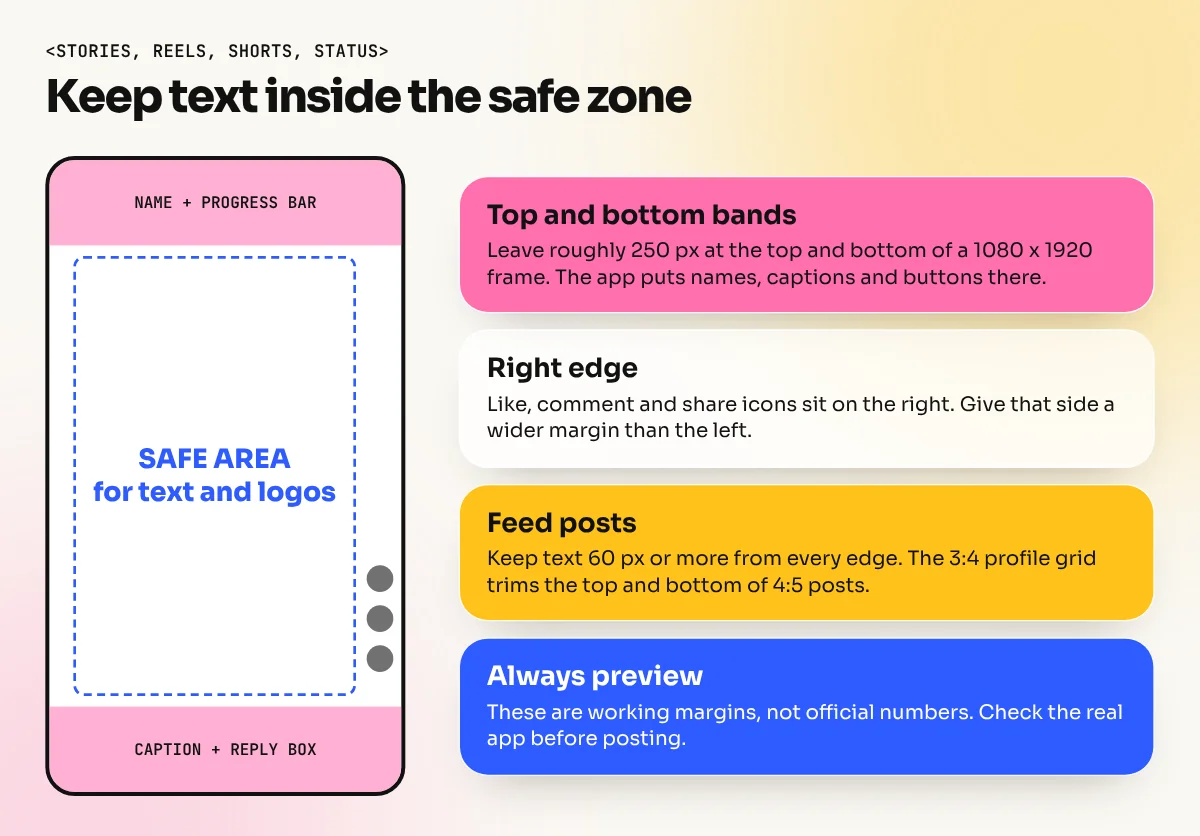
Every vertical platform puts something on top of your design: the profile name and progress bar at the top, the caption, like button and reply box at the bottom and icons down the right side.
Simple rules that work across Instagram, Facebook, YouTube Shorts and WhatsApp Status:
- Keep important text and logos away from roughly the top and bottom 250 px of a 1080 x 1920 frame.
- Leave a margin of about 60 to 80 px on the left and a little more on the right, where the action icons sit.
- On feed posts, keep text at least 60 px in from every edge.
These are working margins designers use, not official numbers. Preview the design in the real app before you post.
Export settings that keep designs sharp
A perfect design can still look blurry because of a bad export. Use these settings:
| Setting | Use this |
|---|---|
| Colour mode | RGB, sRGB profile |
| Format for photos | JPG, quality around 80 to 90 |
| Format for text-heavy graphics | PNG |
| Resolution | Exact pixel size of the format (72 ppi is fine, pixels are what count) |
| File size | As small as possible without visible blur |
Why not CMYK? Screens make colour with light, so a CMYK file can look dull or shift when the app converts it. Our guide to CMYK vs RGB explains this in detail.
How to design once and adapt to every size
Brands rarely want just one size. A Diwali sale campaign might need an Instagram post, a Story, a YouTube thumbnail, a WhatsApp Status and a website banner on the same day. Here is the workflow designers use:
- Design the master at 1080 x 1350 (4:5). It sits between square and vertical, so it adapts both ways.
- Use a layout grid with the headline, product and logo as separate blocks.
- Duplicate the artboard for 9:16, 16:9 and 1:1.
- Rearrange, do not just stretch. Move the headline above the product on vertical frames and beside it on horizontal ones.
- Check text size. On 9:16, text can be bigger. On 16:9 thumbnails, cut words.
- Export each size with the settings above and name the files clearly, for example
diwali-sale_ig-post_1080x1350.jpg.
In Photoshop, artboards and Smart Objects make this fast. In Canva, the resize feature gives a first draft that you then fix by hand. Both are covered in our Photoshop course and Canva course, where students build full campaign sets like this. If you are still choosing tools, read our list of the best graphic design apps for phone and laptop.
Common mistakes with social media sizes
- Designing in A4 and uploading it. The app crops or shrinks it and the text becomes tiny.
- Text at the very edges. The grid crop, round profile photos and app buttons will cover it.
- Uploading a screenshot of the design. Screenshots lose sharpness and add phone status bars.
- Using one size everywhere. A square post in Stories leaves big empty bands.
- Very small text. Most people see your post on a phone held at arm's length. Body text under about 28 px on a 1080 px wide post is hard to read.
Get the size and ratio right first. After that, your typography, colour and idea finally get the attention they deserve.
Frequently asked questions
What is the best Instagram post size in 2026?
1080 x 1350 pixels in a 4:5 ratio. It takes the most space in the feed. Since early 2025 the profile grid shows a 3:4 crop of each post, so keep the main text and faces away from the top and bottom edges.
What size is a YouTube thumbnail?
YouTube's help page asks for a 16:9 image at least 640 pixels wide and now suggests about 3840 x 2160 pixels for the best quality. 1280 x 720 pixels still works well. On mobile the upload limit is 2 MB, so compress the JPG or PNG if needed.
Which size works for every platform?
No single size works everywhere. A practical set is three files: 1080 x 1350 for feeds, 1080 x 1920 for Stories and Reels and 1920 x 1080 for YouTube and presentations. Design the master in one size and adapt the layout for the others.
Should social media designs be in RGB or CMYK?
RGB, saved as sRGB. Phones and screens show colour with light, so CMYK files can look dull or shift when uploaded. CMYK is only for printed work.