T-Shirt Design: From Idea to Print-Ready File
Learn t shirt design step by step: the idea, sketch, vector artwork, print sizes, colour limits for each print method and the final file your printer needs.
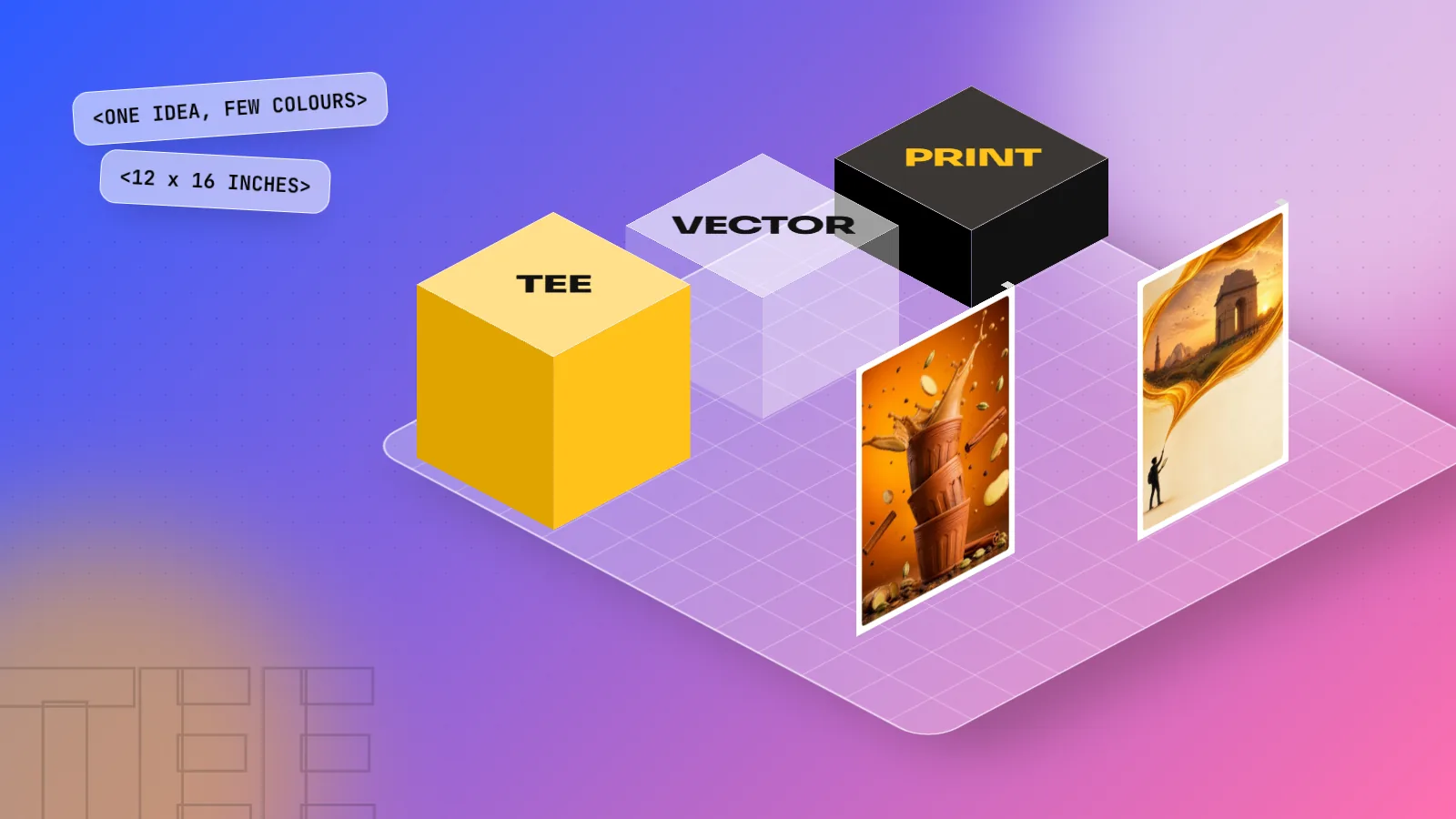
T shirt design is creating artwork that prints well on fabric. Start with one clear idea for a specific wearer, sketch it, draw clean vector art, limit colours to suit the print method, size it to the print area (about 12 x 16 inches for a full front) and send a 300 ppi PNG or vector PDF to the printer.
T shirt design is the work of creating artwork that looks good on a person and prints cleanly on fabric. It sounds simple, but a tee is a moving, stretching, coloured surface, so the rules are different from a poster. A good t shirt design has one clear idea, a size that fits the print area, colours that suit the print method and a file the printer can use without calling you back. This guide walks you through the full process, from the first idea to the print-ready file.
What makes a t shirt design work
Before you open any software, understand what a tee asks of a design. People see it from a few metres away, in motion, often for a second or two. That changes everything.
| Quality | Why it matters on a tee | Quick test |
|---|---|---|
| One idea | A busy shirt reads as noise from three metres | Can you explain it in five words? |
| Strong shape | The silhouette is seen before the details | Fill it solid black. Is it still clear? |
| Readable type | Thin or tiny text vanishes on fabric | Read it from across the room |
| Few colours | Cheaper to print and easier to read | Count the colours. Can you drop one? |
| Right fit to the wearer | People wear what says something about them | Would the target buyer actually wear it? |
The last point is the one beginners forget. A tee is a little billboard the wearer chooses to carry. A college fest shirt, a Delhi metro joke, a chai lover's slogan or a running club logo all work because a group of people feel "this is me".
Step 1: Start with the wearer and the brief
Every good t shirt design answers four questions first:
- Who will wear it? College students, a corporate team, a band's fans, a gym crowd or kids.
- Why will they wear it? Belonging to a group, a joke, an event, a cause or pure style.
- How will it be printed? Screen print, DTG, DTF, vinyl or sublimation (explained below). This decides your colours.
- What colour is the shirt? Black, white, heather grey or a brand colour. Your artwork must work on that fabric.
Write the answers in one short paragraph. This is your brief. Even for a personal project, writing it down stops you from drifting into "pretty but pointless".
Step 2: Find the idea and sketch it
Most strong tee ideas fall into a few types. Pick one and stay with it.
| Type | Example idea | Tip |
|---|---|---|
| Typography | "Chai > Coffee" in bold hand lettering | Make the words the picture |
| Illustration | A kulhad with steam shaped like a heart | Keep line weights thick |
| Badge or emblem | "Dilli Runners Club, Est. 2026" in a round badge | Great for teams and events |
| Pattern | Small auto-rickshaws repeated all over | Needs an all-over print method |
| Minimal icon | A tiny Qutub Minar on the left chest | Works for premium, quiet brands |
Now sketch on paper. Do ten tiny thumbnails, each the size of a matchbox. Small sketches force you to think about the big shape, not the details. Pick the best two and draw them larger. Hold them at arm's length. The one that still reads is your design.
Step 3: Draw it as vector artwork
Once the sketch is chosen, rebuild it as vector art. Adobe Illustrator is the standard tool for this because vector shapes stay sharp at any size and every colour can sit on its own layer. Use the Pen tool for clean curves, the Shape Builder for combining shapes and Image Trace only as a starting point (always clean the result by hand).
Simple habits that save trouble later:
- Keep lines at least as thick as a matchstick at final print size. Very thin lines can break up or fill in on fabric.
- Convert all text to outlines in the final file, so the printer does not need your fonts.
- Name each colour as a swatch. For screen printing, the printer will ask for one layer per colour.
- Do not use soft drop shadows or gentle gradients unless the print method supports them.
If the design is photo-based or has painted textures, Photoshop is the better tool. Work at full print size at 300 ppi from the start, not a small file scaled up later.
Step 4: Match the design to the print method
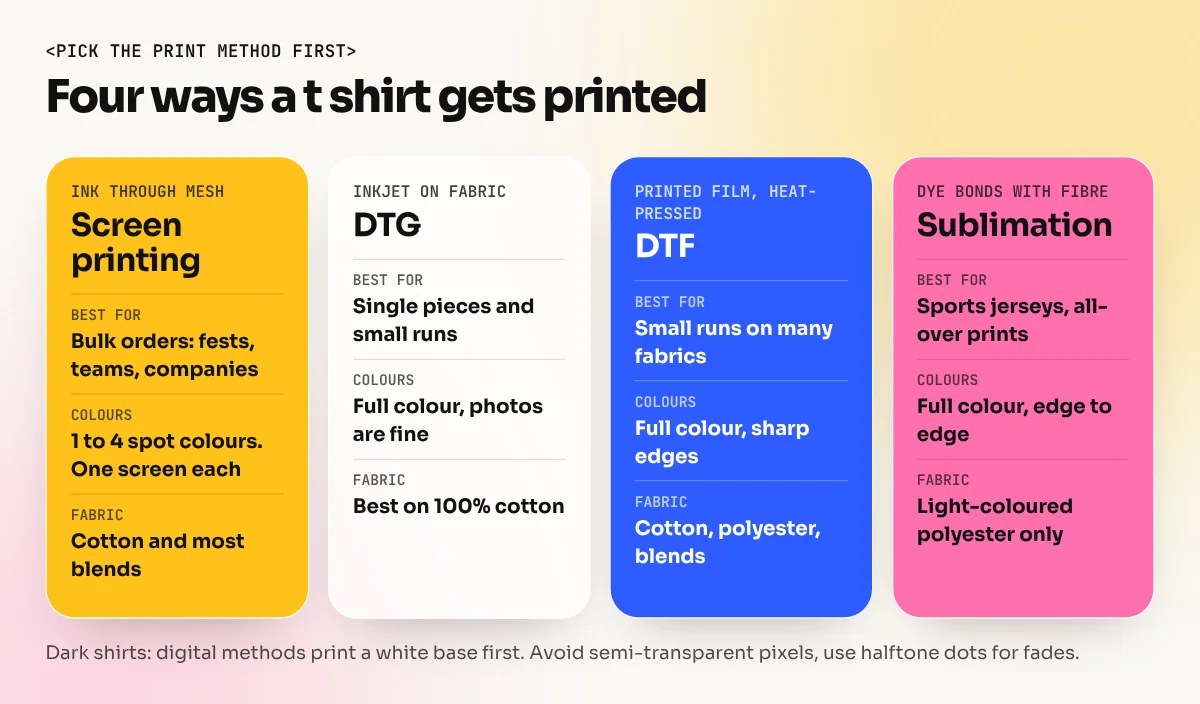
This is where t shirt design differs most from screen design. The print method sets the rules.
| Method | How it works | Best for | Colour rule |
|---|---|---|---|
| Screen printing | Ink is pushed through a mesh screen, one screen per colour | Bulk orders like fests and company tees | Use few spot colours. Each extra colour adds a screen and cost |
| DTG (direct to garment) | An inkjet printer prints straight onto cotton | Single pieces, small runs, full colour art | Full colour is fine. Dark shirts need a white underbase |
| DTF (direct to film) | The design is printed on film, then heat-pressed onto the shirt | Small runs on many fabrics | Full colour is fine. Very fine details can feel stiff |
| Vinyl (heat transfer) | Coloured vinyl is cut by a plotter and pressed | Names, numbers, simple text | One or two flat colours, no tiny details |
| Sublimation | Dye turns to gas and bonds with polyester | Sports jerseys, all-over prints | Full colour, but only on light polyester fabric |
Two practical points come from print-on-demand guidelines. Printful's file guidance, for example, recommends RGB files with the sRGB profile for its DTG products and warns that semi-transparent areas may print unpredictably on dark shirts. So keep each pixel either fully solid or fully clear. Use a halftone dot pattern if you want a faded look. This is the opposite of print brochures, where you work in CMYK. Our guide on CMYK vs RGB explains why the colour mode depends on how the job is printed.
Step 5: Get the size and placement right
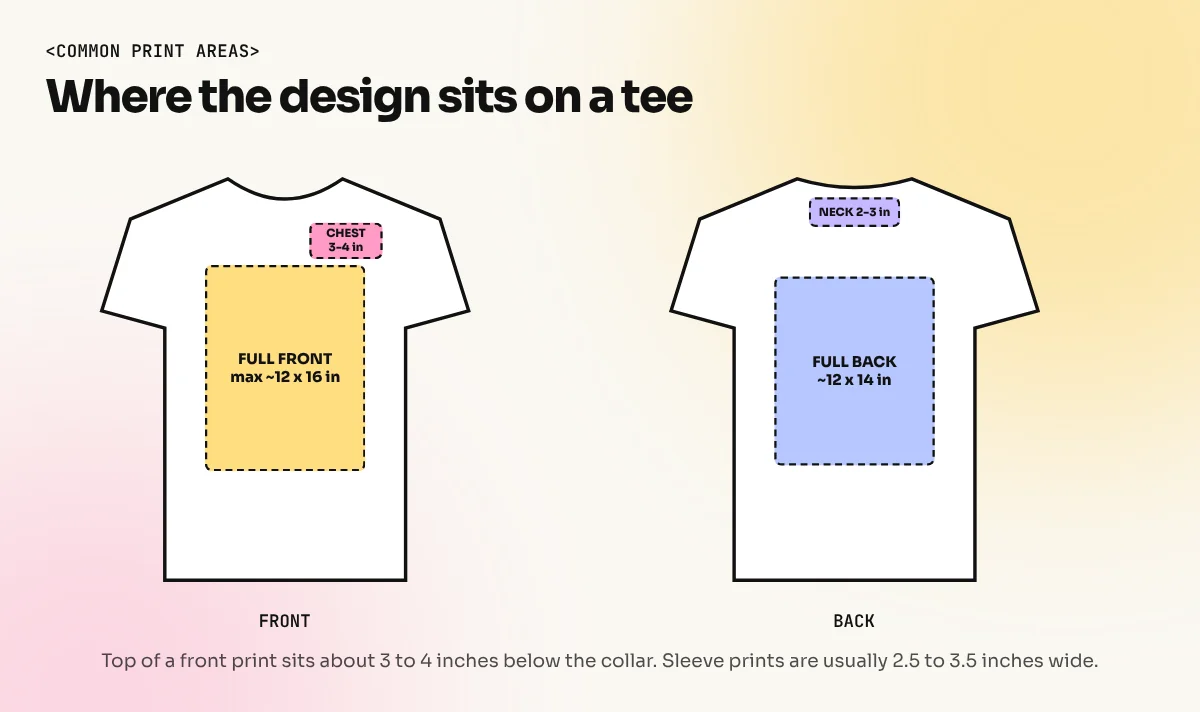
The most common beginner mistake is a design that looks perfect on screen and too big or too small on the shirt. Use these common sizes as a starting point, then confirm with the printer.
| Placement | Common size | Where it sits |
|---|---|---|
| Full front | About 12 x 16 inches maximum | Top of the design about 3 to 4 inches below the collar |
| Left chest | 3 to 4 inches wide | Over the heart, roughly 7 to 9 inches below the shoulder seam |
| Full back | About 12 x 14 inches | Top about 4 to 5 inches below the collar |
| Back neck | 2 to 3 inches wide | Just under the collar, good for a small logo |
| Sleeve | 2.5 to 3.5 inches wide | On the outer upper arm |
Printful lists 12 x 16 inches as its standard maximum print area for t shirts, with some products allowing more. Remember that the same artwork sits on a small and an XXL shirt in most bulk orders, so a design that fills a size L can look huge on a size S.
Mock-up test: Place your design on a real photo of the shirt colour at actual scale. Then print it on paper at 100% size, cut it out and hold it against your own tee in front of a mirror. This five-minute check catches most sizing errors.
Step 6: Prepare the print-ready file
When the client approves the mock-up, prepare the final files. Use this checklist.
- Artwork at final print size, not scaled by the printer.
- Vector file (AI, PDF or SVG) for screen printing and vinyl, with text converted to outlines.
- PNG with a transparent background at 300 ppi for DTG and DTF. Printful's guidance says 150 ppi is often enough for its products, but 300 ppi gives you a safe margin.
- One layer per colour for screen printing, with each colour named as a spot colour.
- No stray hidden objects, no white boxes behind the art (white prints as ink on dark shirts).
- A mock-up image showing placement and a note with the size in inches.
- Fabric colour written clearly, because the same art may need a different version for black and white shirts.
On dark shirts, check white areas carefully. If your design has a white outline you did not mean to print, the printer will print it.
Rules on copyright and fonts
Many beginners copy a film still, a cricket team logo or a famous brand's swoosh onto a tee. Do not do this, even for a "fan shirt". Characters, logos and team marks belong to their owners and selling them can bring legal trouble. Use only your own drawings, photos you took or licensed plus fonts whose licence allows commercial use on products. Free fonts from Google Fonts are released under open licences that generally allow this. Still, read the licence of any other font before using it on items you sell.
Build a t shirt project for your portfolio
T shirt design makes an excellent portfolio piece because it shows idea, illustration, type and print knowledge together. Try this brief:
- Design three tees for an imaginary Delhi running club: a front logo, a back slogan and an event shirt for a 10 km run.
- Keep the logo, type and two brand colours the same across all three.
- Show each as a flat vector, a realistic mock-up and a short note on the print method you chose and why.
Present the work as a small case study, as we explain in our guide to a graphic designer portfolio with no experience. If you want structured practice in vector drawing, our Adobe Illustrator course covers the Pen tool, shapes, type and print-ready files and the 6-month graphic design diploma includes full brand projects where merchandise like tees is one part.
The bottom line
Good t shirt design starts with the wearer, not the software. Choose one idea, sketch small, draw it as clean vector art, match the colours to the print method, size it to the real print area and send a tidy file. Do that and your tees will look as good on the street as they did on your screen.
Frequently asked questions
Which software is best for t shirt design?
Adobe Illustrator is the usual choice because vector artwork stays sharp at any size and is easy to separate into colours for screen printing. Photoshop works for photo-based or textured designs. Canva is fine for quick mock-ups but gives less control over print files.
What size should a t shirt design be?
A full front print on an adult tee is usually around 12 x 16 inches, though print shops and print-on-demand services set their own maximum print areas. A left chest logo is usually 3 to 4 inches wide. Always ask the printer for their exact size before you start.
How many colours can a t shirt design have?
For screen printing, each colour needs its own screen, so most designs use 1 to 4 spot colours to keep costs down. Digital methods like DTG and DTF can print full colour photos, so the limit there is about readability, not cost.
Can I sell t shirt designs from home in India?
Yes. Many designers sell through their own Instagram page, through print-on-demand services that print and ship each order, or by designing for local brands and college fests. Use only your own artwork, fonts you are licensed to use and no brand logos or film characters.