Laptop for Graphic Design Students: What Specs You Really Need
Buying a laptop for graphic design? See the RAM, processor, graphics, SSD and screen specs students need for Photoshop and Illustrator, plus mistakes to avoid.
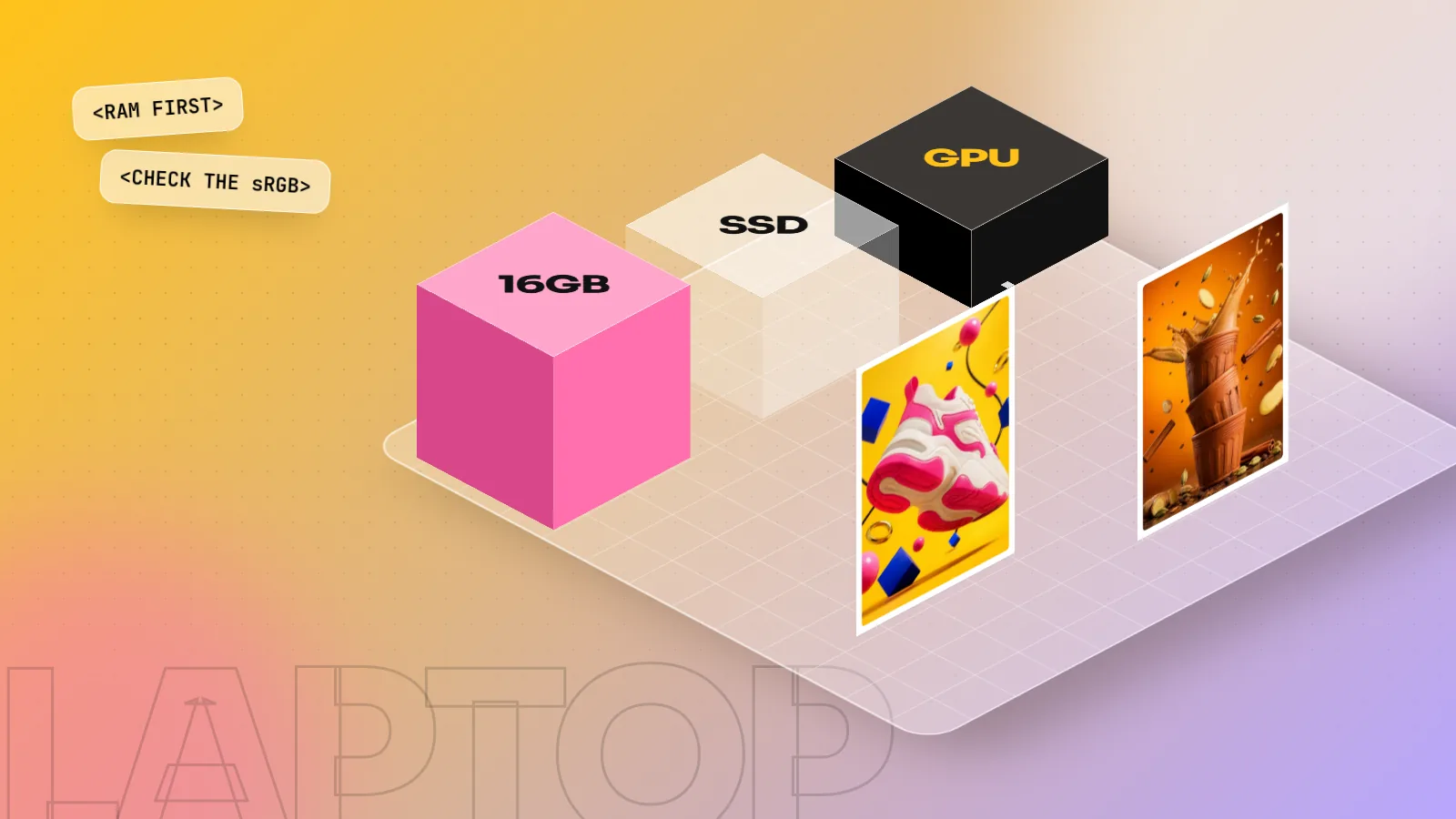
A good laptop for graphic design has at least 16 GB RAM, a recent Intel Core i5, AMD Ryzen 5 or Apple M-series chip, a 512 GB SSD and a sharp Full HD or better screen that shows close to 100 percent sRGB. A separate graphics card helps for 3D and video but is not needed for most beginners.
The best laptop for graphic design is not the most expensive one. It is the one with enough RAM, a fast SSD and a screen that shows colour honestly. For a student learning Photoshop, Illustrator, InDesign and CorelDRAW in 2026, aim for 16 GB RAM, a recent Core i5, Ryzen 5 or Apple M-series processor, a 512 GB SSD and a Full HD (1920 x 1080) or sharper screen with close to 100 percent sRGB. This guide explains each spec in plain words, shows what to pay for and what to skip and lists the mistakes we see students make before their first class.
What graphic design software actually needs
Start with the official numbers. Adobe publishes technical requirements for Photoshop on desktop and recent versions list:
- RAM: 8 GB minimum, 16 GB or more recommended.
- Graphics: a GPU with DirectX 12 support on Windows (Metal on Mac) and at least 1.5 GB of GPU memory.
- Storage: an SSD with around 20 GB free space just for the app.
- Operating system: a 64-bit Windows 10 or Windows 11 that Microsoft still supports, or a recent macOS.
"Minimum" means the app opens and runs. It does not mean it runs comfortably while you have a 3,000 x 4,000 pixel poster with 40 layers, Illustrator, a browser full of reference images and WhatsApp Web open together. That is a normal day for a design student. So treat the recommended column as your real starting point.
Also note that Microsoft ended free security updates for Windows 10 in October 2025. If you buy a used laptop, make sure it can run Windows 11, or you may lose software updates sooner than you expect.
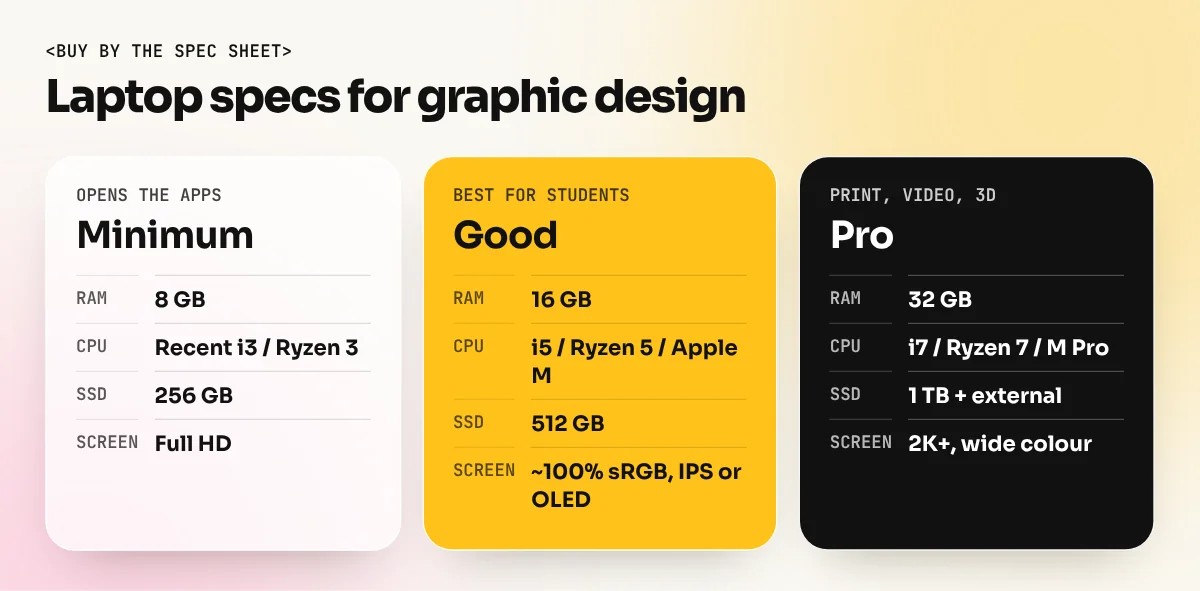
The spec table: minimum, good and pro
| Part | Bare minimum | Good for students | Pro and freelance work |
|---|---|---|---|
| Processor | Intel Core i3 or Ryzen 3 (recent) | Core i5 or Ryzen 5 (recent), Apple M-series | Core i7, Ryzen 7, Apple M Pro chips |
| RAM | 8 GB | 16 GB | 32 GB |
| Storage | 256 GB SSD | 512 GB SSD | 1 TB SSD plus an external drive |
| Graphics | Built-in | Built-in (recent) | Separate GPU if you do 3D or video |
| Screen | Full HD, any panel | Full HD or higher, IPS or OLED, about 100% sRGB | 2K or higher, wide colour (DCI-P3) |
| Ports | One USB-A | USB-C plus HDMI | USB-C with display out, SD card slot |
RAM: the spec that matters most
If you can spend extra on only one part, spend it on RAM. Photoshop keeps your open files, history steps and layers in memory. When RAM runs out, it writes to the SSD instead (called the scratch disk) and everything slows down: brushes lag, filters take longer and saving a big file feels endless.
- 8 GB: fine for Canva, simple social posts and learning tools.
- 16 GB: the sweet spot for students. Photoshop, Illustrator and a browser run together without much waiting.
- 32 GB: worth it for large print jobs like hoardings, packaging with many photos, or if you also edit video.
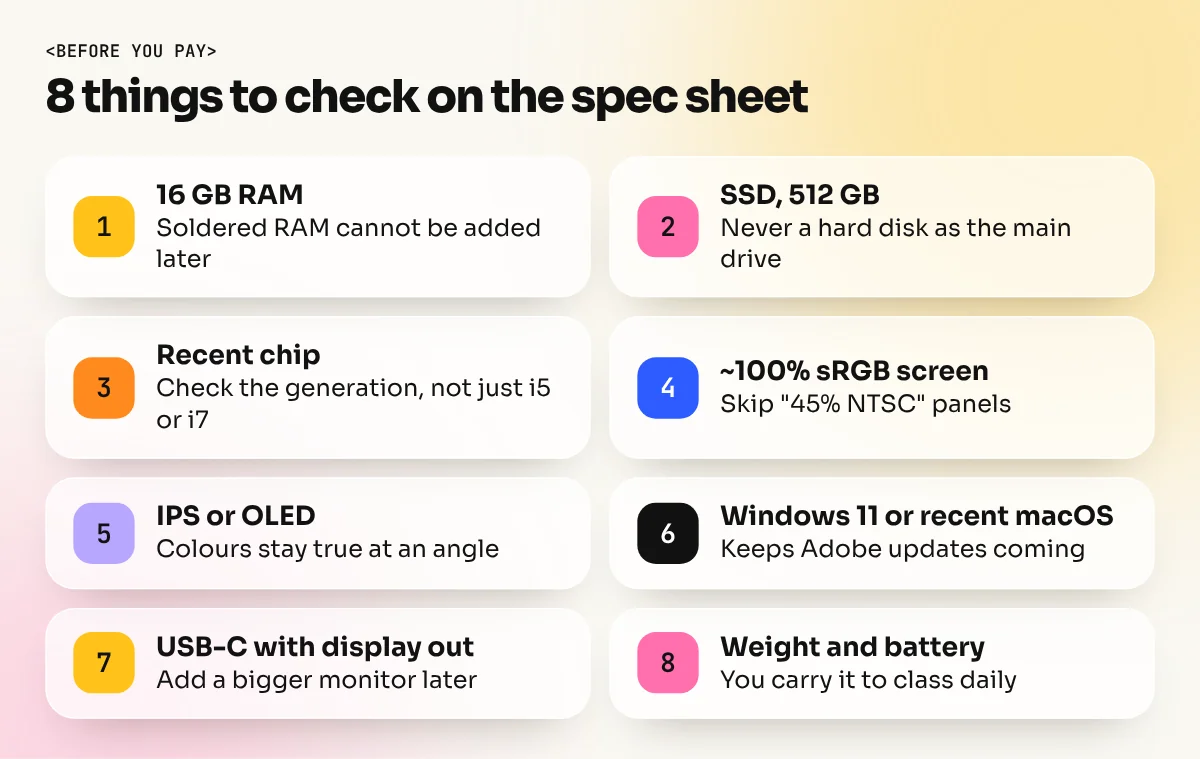
One important warning: most thin laptops and all Apple M-series MacBooks have RAM soldered to the board. You cannot add more later. Buy the RAM you will need in three years, not just today.
Processor and graphics: do you need a gaming laptop?
For 2D graphic design, any recent mid-range processor is enough. An Intel Core i5 or Core Ultra 5, an AMD Ryzen 5 or an Apple M-series chip from the last few years handles Photoshop, Illustrator and InDesign well. Check the generation, not only the name. A new Core i5 is usually faster than a Core i7 from many years ago.
What about the graphics card (GPU)? Photoshop uses the GPU for smooth zoom, some filters and certain AI features, while Illustrator uses it for faster on-screen previews. The graphics built into modern Intel, AMD and Apple chips are good enough for this.
A separate graphics card (NVIDIA or AMD) helps when you also do:
- 3D work in tools like Blender.
- Motion graphics in After Effects.
- Long video edits in Premiere Pro.
Gaming laptops have strong GPUs, but they are often heavy, loud and have short battery life. Many also use screens tuned for speed, not colour. If you carry the laptop to class every day on the Delhi Metro, weight and battery life matter more than gaming power.
Screen: where most students go wrong
Your screen is your only window into colour. If it shows pink as orange, every design you send will be off. Look for three things.
| Screen spec | What to look for | Why it matters |
|---|---|---|
| Resolution | 1920 x 1080 (Full HD) or higher | More detail and more room for panels |
| Colour range | Close to 100% sRGB (or "100% sRGB" in the spec sheet) | Colours on screen match the web and most clients |
| Panel type | IPS or OLED, not TN | Colours stay the same when you tilt your head |
| Size | 14 to 16 inches | Room for Photoshop panels without a heavy bag |
Many budget laptops list "45% NTSC" in small print. That roughly means the screen shows only part of sRGB, so colours look dull and you will over-saturate your work to fix it. Skip those screens for design work.
If you plan print work, also learn how screen colour relates to ink. Our guide to CMYK vs RGB explains why a bright pink on screen can print duller and how to check before sending a file.
Storage, ports and the extras that help
Storage. Always buy an SSD, never a hard disk as the main drive. Adobe apps install and open from it. SSD speed makes saving and opening files much faster. A 512 GB SSD fills up quicker than you think once you add stock photos, fonts and project files. Keep old projects on an external drive or cloud storage.
Ports. A USB-C port that supports display output lets you add a bigger monitor later. An HDMI port helps when you present work in class or to a client. An SD card slot is handy if you shoot your own photos.
A mouse. Designing with only a touchpad is slow and tiring. A simple wired or wireless mouse makes the Pen tool in Illustrator much easier to learn.
A drawing tablet. Useful for illustration and photo retouching, but not needed in the first month. Learn the basics first, then decide.
An external monitor. The best upgrade after RAM. A 24-inch IPS monitor with good sRGB coverage turns a small laptop into a comfortable studio desk at home.
MacBook or Windows laptop?
Both work well for graphic design. Here is the honest comparison.
| Point | MacBook (M-series) | Windows laptop |
|---|---|---|
| Adobe apps | Run very well | Run very well |
| CorelDRAW | Available for Mac | Available and more common in Indian print shops |
| Screen quality | Good colour on every model | Varies a lot by model, check the spec sheet |
| Battery life | Usually very long | Varies, gaming laptops are shorter |
| Upgrades | None after purchase | Some models allow RAM or SSD upgrades |
| Choice at each budget | Few models | Many brands and options |
If you want to work in print and packaging in India, you will often meet CorelDRAW files at local printers. Learn it whichever laptop you buy. If you want to work in digital agencies and social media, Mac and Windows are equally common.
Mistakes to avoid before your first class
- Buying 8 GB RAM to save money. It is the most common regret. You cannot add RAM later on most new laptops.
- Trusting the word "creator" in the ad. Read the spec sheet for the actual RAM, SSD and sRGB numbers.
- Choosing a heavy gaming laptop for 2D design. You pay for power you will not use and carry extra weight every day.
- Ignoring the screen. A dull 45% NTSC panel ruins colour judgement from day one.
- Buying pirated software with the laptop. Some shops offer "free Photoshop". Cracked software can carry malware and is not legal for client work. Use the official trial, a student plan or free tools while you learn.
- Waiting for the perfect laptop. Start learning on what you have. Our guide on how to learn graphic design shows how to practise with free tools in the first weeks.
What we suggest for our students
In the 6-month graphic design diploma at our South Extension studio, students work on studio machines in class, so you do not need a laptop on day one. A laptop helps with home practice and portfolio work. If you are buying now, 16 GB RAM, a 512 GB SSD and an honest sRGB screen is the setup we recommend. If you only want to start with photo editing, the Photoshop course runs well on that same setup.
Not sure which software to install first? Our list of graphic design software explains what each app is for, so you install only what you need.
The bottom line
A laptop for graphic design does not need to be a top model. Put your money in this order: RAM first, then the screen, then the SSD, then the processor. Get 16 GB RAM, a recent mid-range chip, a 512 GB SSD and a Full HD screen that shows close to 100 percent sRGB. Add a mouse and, later, an external monitor. That setup will carry you from your first poster to your first paying client.
Frequently asked questions
Is 8 GB RAM enough for graphic design?
8 GB RAM opens Photoshop and Illustrator and Adobe lists it as the minimum. It feels slow once you work with many layers, large print files or a browser open at the same time. Buy 16 GB if you can, because RAM in most thin laptops cannot be upgraded later.
Do I need a graphics card for graphic design?
Not for most 2D work. Modern built-in graphics on Intel, AMD and Apple chips handle Photoshop, Illustrator, InDesign and Canva well. A separate graphics card helps if you also plan 3D, motion graphics or heavy video editing.
Is a MacBook or a Windows laptop better for graphic design?
Both run Adobe apps well. A MacBook Air or Pro with an M-series chip gives good battery life and a colour-accurate screen. A Windows laptop gives more choice at each budget and CorelDRAW, which many Indian print shops still use, runs on Windows. Choose by budget and the software your target jobs use.
Can I learn graphic design on an old laptop?
Yes, for the first weeks. Use Canva in the browser and practise layout, colour and type. Before you start heavy Photoshop work, check the laptop has at least 8 GB RAM, an SSD and a 64-bit operating system that Adobe still supports.