Photoshop Alternatives: Free and Paid Options Compared
The best Photoshop alternatives in 2026: Affinity, GIMP, Photopea, Krita, Canva and more. What each does well and when to stick with Photoshop.
The best Photoshop alternative for most people in 2026 is Affinity, which Canva now gives away free for Windows and Mac. GIMP and Krita are free and open source, Photopea runs in a browser and opens PSD files and Canva suits quick social posts. For agency jobs in India, Photoshop is still the tool employers ask for.
A Photoshop alternative is any app that lets you edit photos and build layered designs without paying for Adobe Photoshop. In 2026 the strongest free option is Affinity, which Canva made free for Windows and Mac in late 2025. GIMP, Krita and Photopea are also free, while Canva and a few paid apps cover the rest. This guide compares eight options in plain words, shows what each is best at and explains when you should still learn Photoshop itself.
Why people look for a Photoshop alternative
Most students and small business owners in India search for this for one of four reasons:
- Cost. Photoshop is sold as a monthly or yearly plan. For a student or a small shop owner in Karol Bagh who edits a few photos a month, that adds up.
- An old or slow laptop. Photoshop works best on a recent machine with good RAM. Some alternatives are much lighter.
- No install allowed. Office or college computers often block new software, so a browser editor is the only choice.
- A different job. Some people do not need a photo editor at all. They need a quick poster tool or a painting app.
Knowing your reason makes the choice easy. A photographer, a YouTuber and a kirana shop owner making a Diwali offer post need very different tools.
The 8 best Photoshop alternatives at a glance
| App | Price | Works on | Best for | Opens PSD? |
|---|---|---|---|---|
| Affinity (by Canva) | Free; AI tools need a Canva paid plan | Windows, Mac | Full photo editing plus vector and layout | Yes, most layers |
| GIMP | Free, open source | Windows, Mac, Linux | Photo editing on any computer | Yes, basic layers |
| Photopea | Free with ads; paid plan removes ads | Any web browser | Quick edits without installing anything | Yes, very good support |
| Krita | Free, open source | Windows, Mac, Linux | Digital painting and illustration | Yes, basic layers |
| Canva | Free plan; Pro is paid | Browser, phone, desktop app | Social posts, flyers, quick layouts | No (imports as image) |
| Photoshop on phones | Free core tools; more with a plan | iPhone, Android | Simple edits on the go | Yes (it is Photoshop) |
| Pixelmator Pro | Paid | Mac only | Mac users who want a polished editor | Yes |
| Paint.NET | Free | Windows only | Light, fast edits on older PCs | With a plugin |
Prices and plan details change often. Always check each app's official website before you pay for anything.
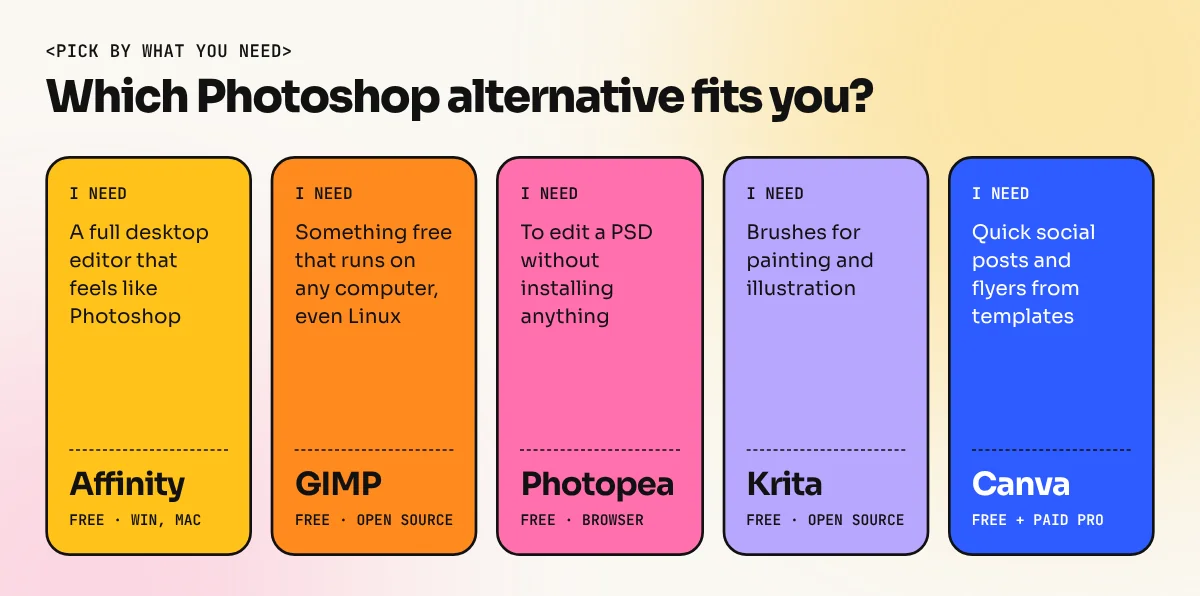
Affinity: the closest free match
Affinity started as three paid apps from a UK company called Serif: Affinity Photo, Designer and Publisher. Canva bought Serif in 2024 and in late 2025 relaunched Affinity as one free app that switches between three modes:
- Pixel mode for photo editing, much like Photoshop
- Vector mode for logos and illustrations, much like Illustrator
- Layout mode for brochures and books, much like InDesign
You sign in with a free Canva account and download it. The editing, export and customisation tools are free. The AI features, such as generating or removing objects with a prompt, need a Canva paid plan.
Good for: students who want a real desktop editor at no cost, freelancers who make both social posts and print work. Watch out for: there is no Linux version and teams that share PSD files with Photoshop users should test a few files first.
GIMP: free, open source and runs everywhere
GIMP (GNU Image Manipulation Program) has been around for more than 25 years. It is made by volunteers and costs nothing, with no ads and no account. The big GIMP 3 release in 2025 added non-destructive filters, so you can change an effect later without redoing the work and a cleaner interface.
Good for: Linux users, colleges that need free software on every machine and anyone who likes to tinker. Watch out for: menus and shortcuts are different from Photoshop, so tutorials made for Photoshop do not match step by step. Expect a learning curve.
Photopea: Photoshop in a browser tab
Photopea is a free web app that looks and behaves very much like Photoshop. Menus, panels and many shortcuts are almost the same. It opens PSD files well, including many layer styles, which makes it handy when a client sends a PSD and you are on a borrowed laptop.
It is free with ads. A paid plan removes the ads and adds a few extras.
Good for: cyber cafe and office computers, quick fixes, opening a PSD to check text or swap a photo. Watch out for: it depends on your browser and RAM, so very large files with dozens of layers can slow down.
Krita, Canva and the others
Krita is free and open source, built mainly for painting. Its brushes are excellent and it is a favourite of comic and concept artists. For photo retouching it works, but that is not its strength.
Canva is not a photo editor in the Photoshop sense. It is a fast layout tool with templates, which is why many Delhi shop owners use it for Instagram offers and WhatsApp flyers. You get basic photo adjustments and background removal on paid plans, not detailed masking or retouching.
Photoshop on phones. Adobe now offers a Photoshop app for iPhone and Android with a free set of core tools like layers, selections and basic retouching. It is still Photoshop, so the skills carry over to desktop later.
Pixelmator Pro is a polished paid editor for Mac only. Apple bought the company behind it in 2024. Paint.NET is a light free editor for Windows PCs, good for crops, resizes and simple fixes.

Designer Dani Krossing walks through the free Affinity app in this video and shows how pixel, vector and layout modes work inside one window.
When you should still learn Photoshop
Free tools are great for learning and personal work. But if your goal is a design job, be honest with yourself about what employers ask for.
- Job posts ask for it. Most graphic designer job descriptions in India list Photoshop next to Illustrator, often by name.
- Clients send PSD files. Agencies, printers and brands share layered PSDs. Alternatives open them, but small differences in effects or fonts can break a layout you send back.
- Generative Fill and AI image tools. Photoshop's Generative Fill and Generative Expand are built into the normal workflow. We cover this in our guide to Photoshop Generative Fill.
- Tutorials and support. Most tutorials, plugins, actions and brushes are made for Photoshop first.
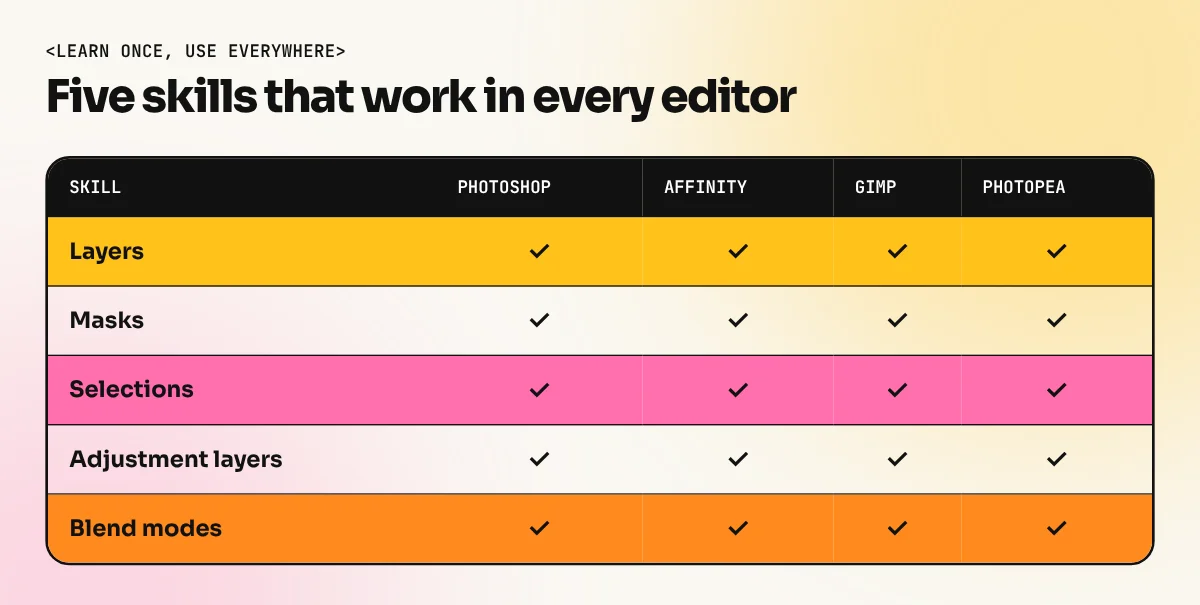
The good news: the core skills are the same everywhere. Layers, masks, selections, adjustment layers and blend modes work the same way in Affinity, GIMP and Photopea. Practise on a free tool, then move to Photoshop and you will feel at home within days.
How to choose in 3 steps
- Write down what you make most. Photos, social posts, logos, paintings or print brochures.
- Check your computer. Old Windows laptop: try Photopea or Paint.NET. Mac or a recent PC: Affinity. Linux: GIMP or Krita.
- Think about your next 12 months. If you want a job or freelance clients, plan to learn Photoshop and Illustrator properly. Our Photoshop course starts from zero and the 6-month graphic design diploma covers Photoshop, Illustrator, InDesign and AI image tools together.
Common mistakes when switching
| Mistake | What happens | Fix |
|---|---|---|
| Sending a client a file from another app as a PSD without checking | Text or effects shift when they open it in Photoshop | Open the exported PSD again, or send a flattened PDF and PNG too |
| Following a Photoshop tutorial step by step in GIMP | Menu names do not match and you get stuck | Search for tutorials made for your app |
| Using Canva for a print job without checking colour | Colours look dull on paper | Ask the printer for specs and convert to CMYK where needed |
| Downloading "free Photoshop" from unknown sites | Malware and stolen accounts | Use only official websites and app stores |
If you are still deciding between Adobe tools and Canva for everyday work, our comparison of Photoshop vs Illustrator vs Canva explains which one fits which job.
The bottom line
There has never been a better time to edit photos for free. Affinity gives you a full desktop editor at no cost, GIMP and Krita are free forever and Photopea works on any computer with a browser. Pick one, learn layers and masks properly and make real projects. When you are ready to work for clients or agencies, add Photoshop to your skills, because that is still the file format and the tool most of the industry runs on.
Frequently asked questions
Is there a free version of Photoshop?
Adobe offers a free trial of Photoshop on desktop and a Photoshop app for phones with a set of free core tools. The full desktop app needs a paid plan. Check Adobe's official website for current plans in India.
Can GIMP or Affinity open PSD files?
Both can open PSD files and keep most layers. Complex files with smart objects, some adjustment layers or special effects may not look exactly the same, so always check the file before sending it back to a client who uses Photoshop.
Which Photoshop alternative is closest to Photoshop?
Affinity feels the closest on desktop, with layers, masks, adjustments and a similar workflow. Photopea is the closest in a browser because its menus and shortcuts copy Photoshop very closely.
Should I learn Photoshop or a free alternative?
If you want a design job in an agency or studio, learn Photoshop because most job posts and client files use it. A free alternative is great for practice on a budget and the skills you learn there (layers, masks, selections) carry over.