Visual Hierarchy in Design: Control What People See First
Visual hierarchy decides what people see first, second and last. Learn the 7 tools designers use, the squint test and fixes for posters, ads and pages.
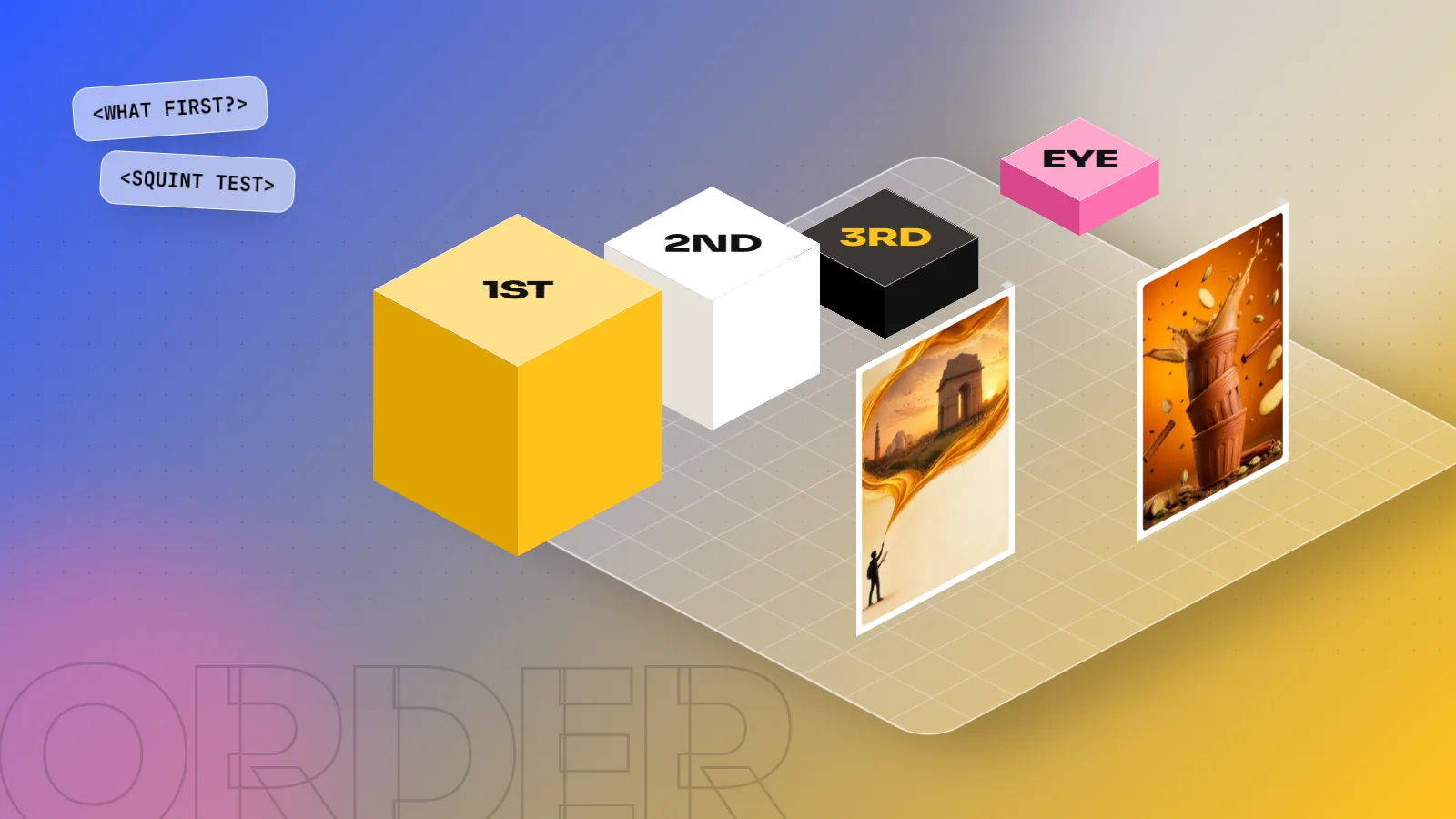
Visual hierarchy is the order in which the eye reads a design. Designers control it with size, colour, contrast, position, spacing, grouping and type weight so the most important message is seen first, the supporting detail second and the small print last. A good hierarchy lets people understand a design in about three seconds.
Visual hierarchy is the order in which people notice the parts of a design: first, second and last. You control that order with size, colour, contrast, position, spacing, grouping and type. When the hierarchy is right, a person standing at a bus stop understands your poster before the bus arrives. When it is wrong, every item shouts at the same volume and nobody hears anything. This guide explains the seven tools designers use, the reading patterns behind them, a quick test to check your work and the most common mistakes beginners make.
What visual hierarchy means, in plain words
Every design has a job. A sale poster must say "50% off". A wedding card must say whose wedding, when and where. A website banner must make you click.
Visual hierarchy makes sure the eye meets the most important message first. The Nielsen Norman Group, a well known user experience research firm, describes it as arranging elements so that people take them in "in the order of intended importance". In simple words: you decide the reading order, not the viewer.
Most strong designs have three levels:
| Level | What it holds | Example on a chai shop poster |
|---|---|---|
| 1. Primary | The one message that must land | "Kulhad Chai ₹20" in big bold type |
| 2. Secondary | Supporting detail people read next | Photo of the kulhad, "Fresh every 15 minutes" |
| 3. Tertiary | Small print for those who want more | Address, timings, phone number |
If you cannot name your level 1 in five words, the design is not ready. Fix the message before you touch the software.
The 7 tools that build hierarchy
You do not need all seven in one design. Pick the three or four that suit the brief.
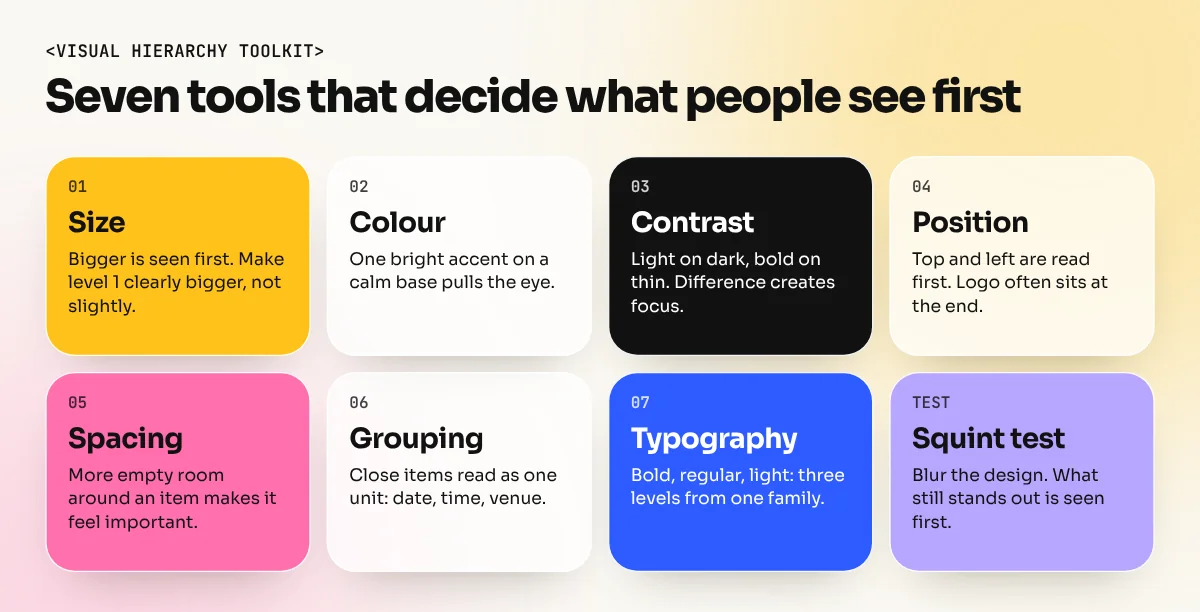
1. Size
Bigger things are seen first. This is the strongest tool you have. Make the headline clearly bigger than everything else, not slightly bigger. A headline at 1.1 times the body size looks like a mistake; at 3 or 4 times it looks like a decision.
2. Colour
A bright, saturated colour on a calm background pulls the eye. Use one accent colour for the most important item, such as a yellow price tag on a dark poster. Nielsen Norman Group advises keeping to about two primary and two secondary colours so the accent still stands out.
3. Contrast
Contrast is difference: light against dark, big against small, bold against thin. A black headline on a white page has high contrast. Grey text on a light grey box has almost none. Hierarchy comes from the difference between an item and what sits around it, not from the colour on its own.
4. Position
People read the top before the bottom and, in English and Hindi, the left before the right. Important items usually sit at the top or top left. A logo at the bottom right is a common choice because it is the natural end point of the reading path.
5. Spacing
Empty space around an item makes it feel more important. A headline with plenty of space around it looks confident. A headline squeezed between a photo and a block of text gets lost. The eye treats empty space as part of the design, not as wasted room.
6. Grouping
Items that sit close together are read as one unit. Put the date, time and venue in one tight group and the eye reads them as "event details" in one glance. Borders and background boxes can group items too, but use them sparingly.
7. Typography
Weight, style and case all signal importance. A bold heading, a regular subheading and a light caption create three clear levels even at similar sizes. Our typography guide covers weights, sizes and pairing in detail.
How people scan: F, Z and the single focal point
The tools above work because the eye follows habits. Two reading patterns are worth knowing.
| Pattern | When it happens | How to design for it |
|---|---|---|
| F pattern | Text heavy pages: blogs, news, search results | Put key words at the start of headings and lines. Use clear subheadings and bullets. |
| Z pattern | Simple pages with little text: ads, landing pages, flyers | Logo top left, key image or offer top right, details along the diagonal, button bottom right. |
| Single focal point | Posters, hoardings, social media posts | One huge element (photo or headline) and everything else much smaller. |
The F pattern comes from eye tracking research the Nielsen Norman Group first published in 2006. Their study found that readers sweep across the top lines, then a shorter line lower down, then scan down the left side. Their advice is to place the most important points early, start headings with the most useful words and use bullets and bold for key phrases.
The Z pattern is a design rule of thumb rather than a research finding, but it matches how people look at simple ad layouts: top left, across, diagonally down, across again.
A step-by-step method to set hierarchy on any design
Use this order every time, whether it is an Instagram post or a 20-foot hoarding.
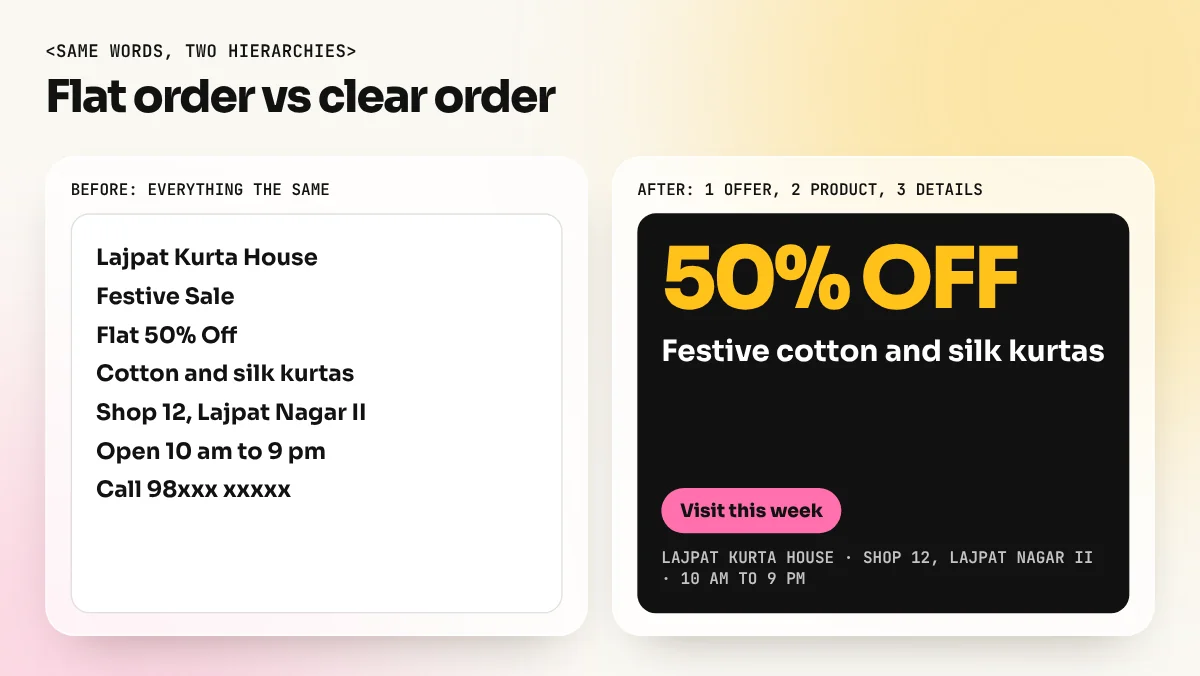
- Write the message ranking. List every piece of text and every image. Number them 1, 2, 3 by importance. Be strict: only one item can be number 1.
- Cut what you can. Fewer items means a clearer order. Ask the client which lines can move to the website or the back of the leaflet.
- Set size first. Make the level 1 item the biggest by a clear margin. Set level 2 at about half that size and level 3 at body size.
- Add contrast and colour. Give level 1 the strongest contrast or the accent colour. Keep level 3 quiet.
- Place items on the reading path. Use the Z pattern for ads and the F pattern for text pages.
- Group and space. Pull related items together. Push unrelated groups apart. Leave breathing room around level 1.
- Run the squint test. Blur the design (in Photoshop, add a Gaussian Blur to a merged copy) or half close your eyes. Whatever you still see is what people will see first.
- Test with a real person. Show the design for three seconds, hide it and ask what they remember. If they name your level 1, you are done.
Common hierarchy mistakes (and quick fixes)
| Mistake | Why it hurts | Quick fix |
|---|---|---|
| Everything is bold | When all items shout, none stands out | Keep bold for level 1 and maybe level 2 only |
| Two or three huge headlines | The eye does not know where to start | One big element; shrink the rest |
| Logo is the biggest item | People do not buy a logo, they buy the offer | Make the logo smaller and place it at the end of the reading path |
| Too many colours | The accent colour stops working | Limit to two main colours plus one accent |
| Tiny gaps everywhere | Groups blur into one block | Increase space between groups, not inside them |
| Busy photo behind the headline | Text loses contrast | Darken or blur the photo, or move the text to a plain area |
| Centre aligning long text | Each line starts in a new place, so scanning is slow | Left align body text; centre only short headlines |
Nielsen Norman Group also warns that real content can break a planned hierarchy. A strongly coloured product photo can pull more attention than your headline. Always check the design with the final images in place, not grey boxes.
Visual hierarchy in Indian design jobs
You will use hierarchy in almost every brief you get in India:
- Hoardings on a highway. Drivers have a few seconds. One image, a five-word line and the brand name. No phone numbers in small type.
- Wedding cards. The couple's names first, then date and venue, then family names and RSVP details. Many cards fail because family names are as big as the couple's.
- Restaurant menus. Section names (Starters, Main Course) at level 1, dish names at level 2, descriptions and prices at level 3. Highlight two or three signature dishes with a box or colour.
- Instagram ads. The phone screen is small, so the offer must be readable as a thumbnail. Test your post at the size it appears in the feed.
- Websites and apps. A page usually needs one main button. If "Enrol now", "Download brochure" and "Call us" all look the same, fewer people click any of them.
For more practice with page structure, our layout design guide covers margins, grids and alignment, which all support a clear hierarchy.
Practice tasks to build the skill
- Redesign a pamphlet. Pick a crowded pamphlet from your local market. List its items, rank them and redesign it with three clear levels.
- One poster, three versions. Design the same event poster three times, each time with a different item as level 1 (the photo, the headline, the date). Ask friends which works best.
- Squint audit. Take five ads from a newspaper. Squint at each and write down what you see first. Compare that with what the advertiser most likely wanted.
- Type only. Design a concert poster with no images and one font family. Create hierarchy using only size, weight and spacing.
These exercises take a weekend and they sharpen your eye more than any theory. A structured path such as the 6-month graphic design diploma builds this skill through live client-style briefs, while a Photoshop course helps you apply it to ads, social posts and photo-heavy layouts.
The bottom line
Visual hierarchy is the reading order of your design. Decide the one message that must land, make it the biggest and strongest item, then step down clearly for supporting and small details. Use size, colour, contrast, position, spacing, grouping and type to set that order, check it with the squint test and test it on a real person. Get the hierarchy right and even a simple design works. Get it wrong and no amount of decoration will save it.
Frequently asked questions
What are the main elements of visual hierarchy?
Size, colour, contrast, position, spacing, grouping and typography. Most designs use three or four of them together, with size and contrast doing most of the work.
How many levels of hierarchy should a design have?
Usually three: one main message, a few supporting items and the small details. More than three clear levels makes a layout hard to scan.
What is the squint test?
Half close your eyes or blur the design and look again. Whatever still stands out is what people will see first. If it is not your main message, change the hierarchy.
Is visual hierarchy the same as layout?
No. Layout is where things sit on the page. Visual hierarchy is the reading order those choices create. A neat layout can still have a weak hierarchy if everything is the same size and colour.