PNG vs JPG (and WebP, SVG, PDF): Which File Format When
PNG vs JPG explained for designers: lossy against lossless, transparency, file size and print. Know when to use JPG, PNG, WebP, SVG or PDF with a simple chart.
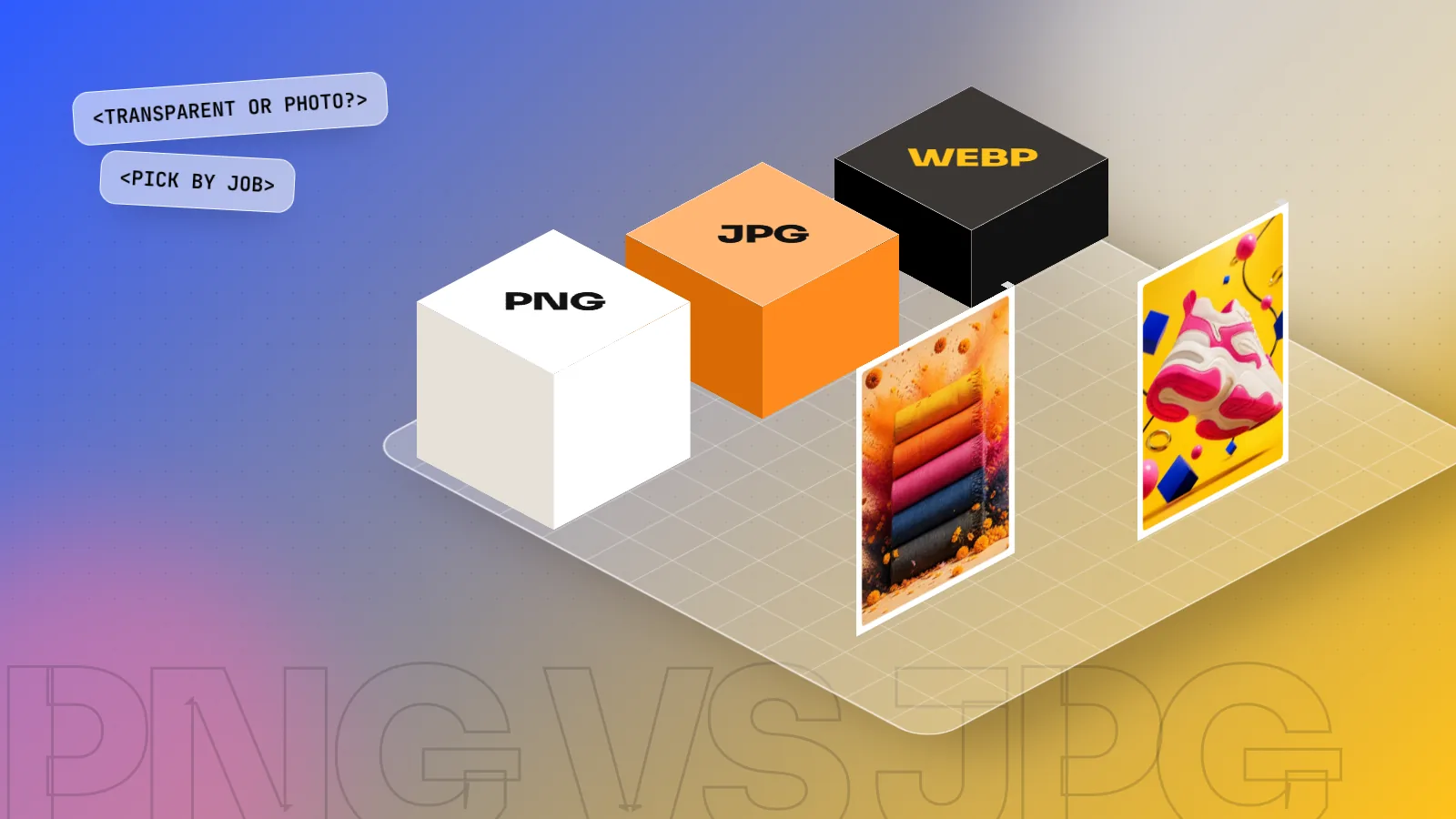
Use JPG for photos because it makes small files by throwing away some detail. Use PNG for logos, screenshots, text and anything that needs a transparent background because it keeps every pixel. PNG files are usually bigger for photos. JPG cannot hold transparency. Neither format is meant for final print files.
JPG is best for photos and PNG is best for logos, screenshots and anything with a transparent background. JPG makes small files because it throws away a little detail. PNG keeps every pixel, so its files are bigger. That is the whole PNG vs JPG story in two lines. This guide adds the parts that trip up beginners: transparency, repeated saving, file size, WebP, SVG, PDF and what to send a printer.
PNG vs JPG at a glance
| JPG (JPEG) | PNG | |
|---|---|---|
| Compression | Lossy: removes some detail | Lossless: keeps every pixel |
| Best for | Photos and smooth gradients | Logos, text, icons and screenshots |
| Transparent background | No | Yes |
| File size for a photo | Small | Large |
| File size for a flat logo | Often bigger and fuzzy | Small and clean |
| Colour depth | 8 bits per channel | Up to 16 bits per channel |
| Editing and re-saving | Loses quality each time | No quality loss |
JPG and JPEG are the same format. The shorter name exists because old versions of Windows allowed only three letters in a file extension.
What lossy and lossless really mean
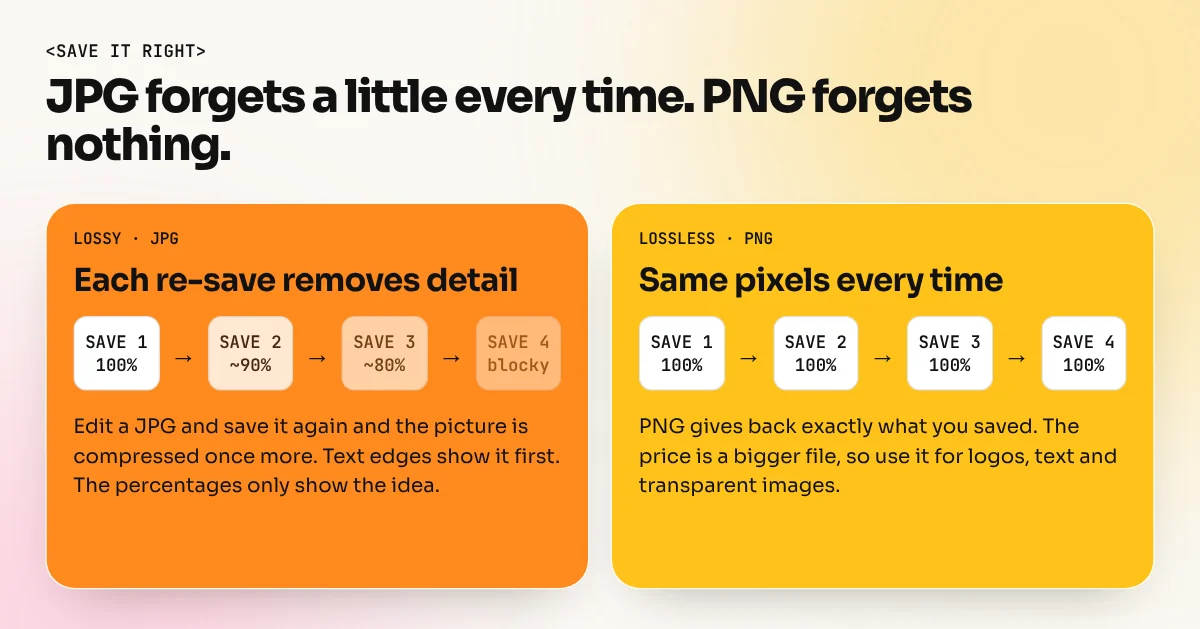
Lossy means the format permanently removes some information to make the file smaller. JPG looks for detail your eyes are unlikely to miss, like tiny colour changes inside a blue sky. It simplifies that detail. At a good quality setting you cannot see the difference.
Lossless means nothing is thrown away. PNG compresses the file like a zip folder and gives back the exact same pixels when it opens.
The catch with JPG is generation loss. Open a JPG, edit it, save it as JPG again and Photoshop compresses it a second time. Do this five or ten times and you will see blocky patches, especially near text and sharp edges.
A safe workflow is simple:
- Keep the master as a PSD (or PNG) with layers.
- Edit the master.
- Export a fresh JPG or PNG from it every time.
- Never edit the exported JPG again.
When to use JPG
Choose JPG when the image is a photograph or has soft gradients and a small file matters.
- Product and wedding photos for a website or WhatsApp catalogue
- Blog and Instagram photos
- Email attachments where file size is limited
- Any image where you do not need transparency
For the web, quality around 70 to 85 in Photoshop's Save for Web or Export As window usually gives a good balance. Open the preview and zoom in to 100% before you decide, because sky and skin show compression first.
When to use PNG
Choose PNG when sharp edges, text or transparency matter.
- Logos on a coloured or photo background
- Screenshots and tutorials with small text
- Icons, buttons and web graphics
- Cutout products for catalogues, like the ones in our guide to removing a background in Photoshop
- Images you will edit again and again
A PNG of a photograph is often several times larger than a JPG of the same photo, so do not use PNG for every picture on a website. That makes pages slow on mobile data.
PNG-8 vs PNG-24. PNG-8 holds only 256 colours and gives tiny files for flat graphics. PNG-24 holds millions of colours and supports smooth, partly see-through edges. In Photoshop, use PNG-24 for logos with soft shadows and PNG-8 for simple flat icons.
Transparency: the biggest practical difference
A transparent background is the reason most designers pick PNG. When you place a PNG logo on a coloured poster, only the logo shows. When you place a JPG logo, you get a white box around it.
If a client asks "why is there a white box behind my logo?" the file is almost always a JPG. Ask for the PNG, or better still the vector file from Illustrator.
WebP, SVG and PDF: the other formats you will meet
| Format | What it is | Use it for |
|---|---|---|
| WebP | Modern format by Google with lossy and lossless modes and transparency | Website images that load faster than JPG or PNG |
| SVG | Vector format made of shapes and paths, not pixels | Logos and icons that must stay sharp at any size on websites |
| A container that holds vectors, images and fonts | Print-ready files, brochures and documents | |
| GIF | Up to 256 colours with simple animation | Short, small looping animations |
| TIFF | Large lossless file used in print and photography | Archiving and high-end print work |
Google's web.dev guidance favours modern formats like WebP for the web, because they give smaller files at similar quality. All current major browsers can display WebP. The practical rule is: WebP on the website, JPG or PNG when you hand files to people. Some older apps, printers and social uploaders still reject WebP.
SVG is different in kind. JPG, PNG and WebP are made of pixels, so they blur when you enlarge them. An SVG is made of maths, so it stays sharp on a business card or a hoarding. Make logos in Illustrator, keep the vector master and export PNG or SVG copies when needed.
Which format for which job: a cheat sheet
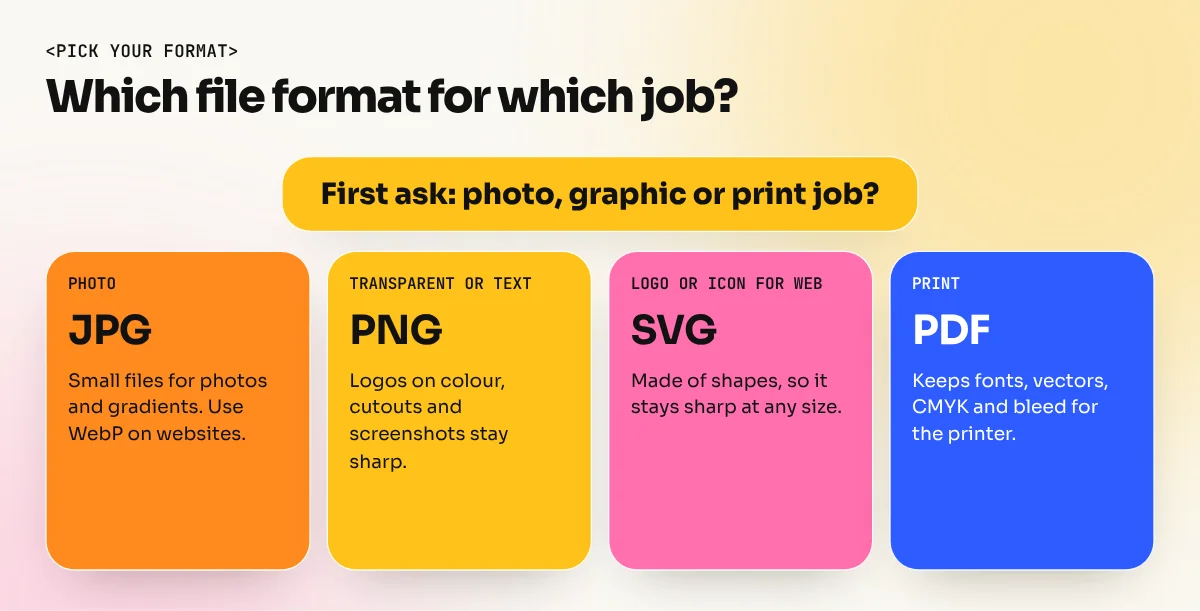
| Your job | Best format | Why |
|---|---|---|
| Photo for a website | WebP, or JPG at 70 to 85 quality | Small and fast |
| Photo sent on WhatsApp or email | JPG | Everyone can open it |
| Logo on a website | SVG, or PNG | Sharp and transparent |
| Logo sent to a client | PNG plus the vector file | Works everywhere and can be resized |
| Product cutout | PNG | Keeps the transparent background |
| Screenshot with text | PNG | Text stays crisp |
| Instagram or Facebook post | JPG or PNG | Both are accepted, platforms recompress them anyway |
| Visiting card or brochure for print | PDF (print-ready) | Keeps fonts, vectors and bleed |
| Working file to edit later | PSD or AI | Keeps layers and editable text |
Print files: why JPG and PNG are not enough
Both JPG and PNG are built for screens. They are RGB files and have no bleed, crop marks or embedded fonts. For print, send the printer a print-ready PDF in CMYK with 3 mm bleed and resolution of 300 pixels per inch for photos. Our guides on CMYK vs RGB and the print-ready file checklist walk through the settings.
If a printer asks for a JPG, export at the highest quality and full size. Do not use a JPG that was saved from WhatsApp, because WhatsApp compresses it heavily.
How to export JPG and PNG in Photoshop
- Finish your design and save the layered PSD.
- Go to File, then Export, then Export As.
- Choose PNG (tick Transparency if you need it) or JPG (set Quality).
- Check the Size and the file size in the preview.
- Click Export and give the file a clear name, for example
logo-transparent.png.
If you want to practise these steps on real work, the Photoshop course at our South Extension institute includes exporting for web, social media and print. The 6-month graphic design diploma adds Illustrator for vector logos.
Common mistakes with image formats
- Saving a logo as JPG. You get a white box and fuzzy edges. Use PNG or SVG.
- Saving a photo as PNG for a website. The page loads slowly. Use JPG or WebP.
- Editing a JPG again and again. Go back to the PSD instead.
- Sending WebP to a printer. Convert to PDF, PNG or JPG first.
- Renaming a file extension to change its format. Renaming
.pngto.jpgdoes not convert it. Open the file and export it properly.
The bottom line
Think of it as one question: is it a photo or a graphic? Photos go to JPG or WebP. Graphics, text and transparent images go to PNG or SVG. Print goes to PDF. Keep one layered master file and export what each job needs.
Frequently asked questions
Which is better, PNG or JPG?
Neither is better for everything. JPG is better for photos because the file is much smaller. PNG is better for logos, text, screenshots and images with a transparent background because it keeps sharp edges clean.
Does JPG lose quality every time I save it?
Yes. JPG is lossy, so each save from an edited copy compresses the picture again and detail slowly drops. Keep a PSD or PNG master file, edit that and export a fresh JPG each time.
Can a JPG have a transparent background?
No. JPG has no transparency. If you cut out a product and save it as JPG, Photoshop fills the empty area with a solid colour, usually white. Save as PNG or WebP to keep it transparent.
Should I use WebP instead of JPG and PNG for my website?
For websites, yes in most cases. WebP can do lossy and lossless compression and supports transparency. All current major browsers can show it. Keep JPG or PNG as the file you send to clients and printers, as some apps still do not open WebP.